


 v2.0.1
drag_ball
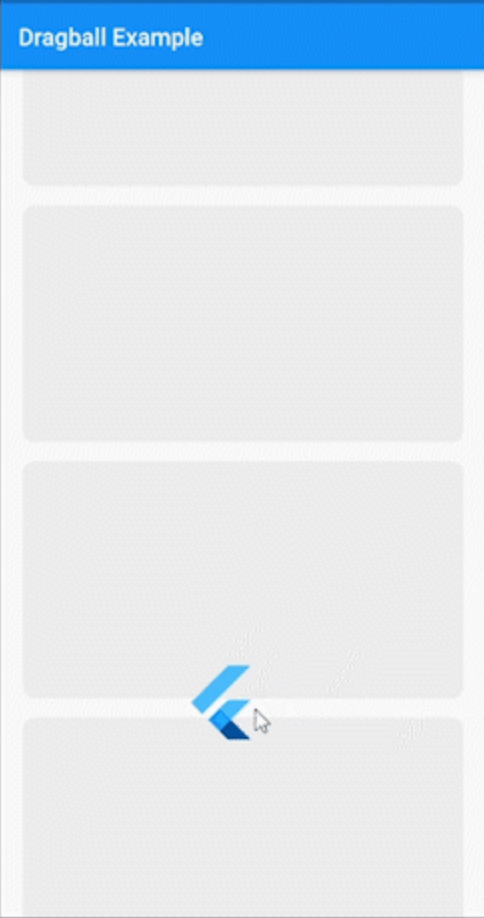
एक ऐसा Flutter पैकेज जो iPhone के AssistiveTouch के समान है।
53लाइक 1.3 हज़ार30-दिन डाउनलोड150Pub अंक
AndroidiOSWebmacOSWindowsLinux
एक फ्लटर पैकेज, इंडोनेशियाई ई-कॉमर्स विजेट या समान एसिस्टिव टच के आधार पर।

यह अंग्रेज़ी मूल स्नैपशॉट है। नवीनतम सामग्री GitHub पर देखें।




A flutter package, inspiration Indonesian e-commerce widget or similiar AssistiveTouch on Iphone.
Dragball(
  ball: const FlutterLogo(
    size: 70,
  ),
  initialPosition: DragballPosition.defaultPosition(),
  onTap: () => debugPrint('Dragball Tapped'),
  onPositionChanged: (DragballPosition position) =>
      debugPrint(position.toString()),
  child: Scaffold(
    appBar: AppBar(
      title: const Text('Dragball Example'),
    ),
    body: ListView.builder(
      padding: const EdgeInsets.all(20),
      itemBuilder: (BuildContext context, int index) {
        return Padding(
          padding: const EdgeInsets.only(bottom: 20),
          child: Column(
            crossAxisAlignment: CrossAxisAlignment.start,
            children: const [
              SizedBox(
                width: 100,
                height: 30,
                child: DecoratedBox(
                  decoration: BoxDecoration(
                    color: Color(0xFFE5E5E5),
                    borderRadius: BorderRadius.all(Radius.circular(15)),
                  ),
                ),
              ),
              SizedBox(height: 16),
              SizedBox(
                width: double.infinity,
                height: 160,
                child: DecoratedBox(
                  decoration: BoxDecoration(
                    color: Color(0xFFE5E5E5),
                    borderRadius: BorderRadius.all(Radius.circular(15)),
                  ),
                ),
              ),
              SizedBox(height: 16),
              SizedBox(
                width: 200,
                height: 30,
                child: DecoratedBox(
                  decoration: BoxDecoration(
                    color: Color(0xFFE5E5E5),
                    borderRadius: BorderRadius.all(Radius.circular(15)),
                  ),
                ),
              ),
            ],
          ),
        );
      },
      itemCount: 5,
    ),
  ),
);


Farhan Fadila
📫 How to reach me: farhan.fadila1717@gmail.com
निर्भरता सूची 2 आइटम
{"sdk":"flutter"}{"sdk":"flutter"}उपयोग के अनुसार छाँटें, गतिविधि की तुलना करें और अपनाने से पहले मूल प्रोजेक्ट की आवश्यकताएँ जाँचें।
“A repository is the most basic element of GitHub.”
GitHub Docs — About repositories ↗