
 v0.3.0+2
sticky_headers
Flutter स्टिकी हेडर्स - आपको स्क्रॉल करने वाली सामग्री पर हेडर्स रखने की अनुमति देता है जो सामग्री के स्क्रॉल होने पर कंटेनर के शीर्ष पर चिपक जाएगा।
903लाइक 18.4 हज़ार30-दिन डाउनलोड140Pub अंक
AndroidiOSWebmacOSWindowsLinux
Flutter स्टिकी हेडर्स - आपके Flutter ऐप में किसी भी स्क्रॉल करने योग्य कंटेंट में "स्टिकी हेडर्स" रखने की अनुमति देता है। कोई विशेष वрапर या जादू की आवश्यकता नहीं है। रखरखावकर्ता: @slightfoot

निर्भरता सूची 3 आइटम
{"sdk":"flutter"}—{"sdk":"flutter"}यह अंग्रेज़ी मूल स्नैपशॉट है। नवीनतम सामग्री GitHub पर देखें।
Flutter Community: sticky_headers
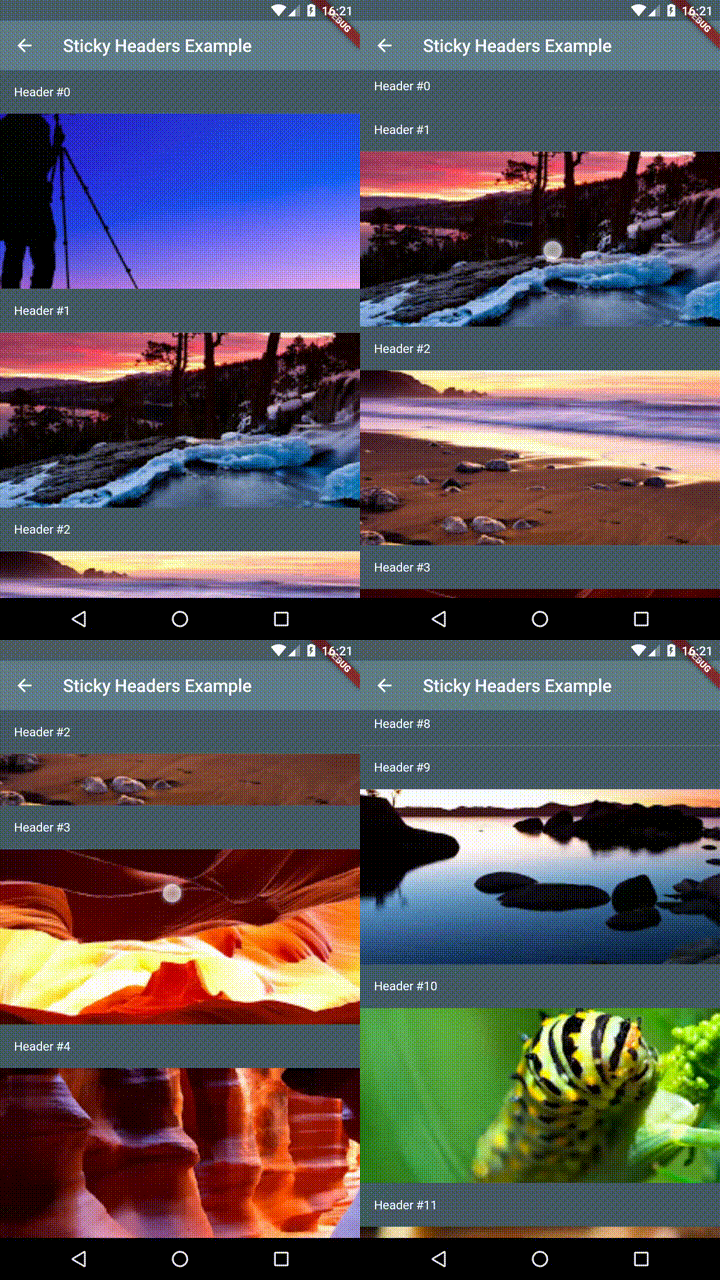
Lets you place headers on scrollable content that will stick to the top of the container whilst the content is scrolled.
You can place a StickyHeader or StickyHeaderBuilder
inside any scrollable content, such as: ListView, GridView, CustomScrollView,
SingleChildScrollView or similar.
Depend on it:
dependencies:
  sticky_headers: "^0.3.0"
Import it:
import 'package:sticky_headers/sticky_headers.dart';
Use it:
class Example extends StatelessWidget {
  @override
  Widget build(BuildContext context) {
    return ListView.builder(itemBuilder: (context, index) {
      return StickyHeader(
        header: Container(
          height: 50.0,
          color: Colors.blueGrey[700],
          padding: EdgeInsets.symmetric(horizontal: 16.0),
          alignment: Alignment.centerLeft,
          child: Text('Header #$index',
            style: const TextStyle(color: Colors.white),
          ),
        ),
        content: Container(
          child: Image.network(
            imageForIndex(index),
            fit: BoxFit.cover,
            width: double.infinity,
            height: 200.0,
          ),
        ),
      );
    });
  }
}
Demo 1
Demo 2
Demo 3
If you encounter any problems feel free to open an issue. If you feel the library is missing a feature, please raise a ticket on Github and I'll look into it. Pull request are also welcome.