
 v2.0.0
double_back_to_close
एप्लिकेशन/रूट/स्क्रीन को बंद करने से पहले डबल बैक प्रेस के लिए अनुरोध करने के लिए फ्लटर पैकेज। किसी भी विजेट को इसमें लपेटकर उपयोग करें।
65लाइक 45430-दिन डाउनलोड140Pub अंक
AndroidiOSWebmacOSWindowsLinux
ऐप/मार्ग/स्क्रीन बंद करने से पहले डबल बैक प्रेस के लिए अनुरोध के लिए Flutter पैकेज।

{"sdk":"flutter"}{"sdk":"flutter"}यह अंग्रेज़ी मूल स्नैपशॉट है। नवीनतम सामग्री GitHub पर देखें।
Flutter package for request double back pressed before close app/route/screen.
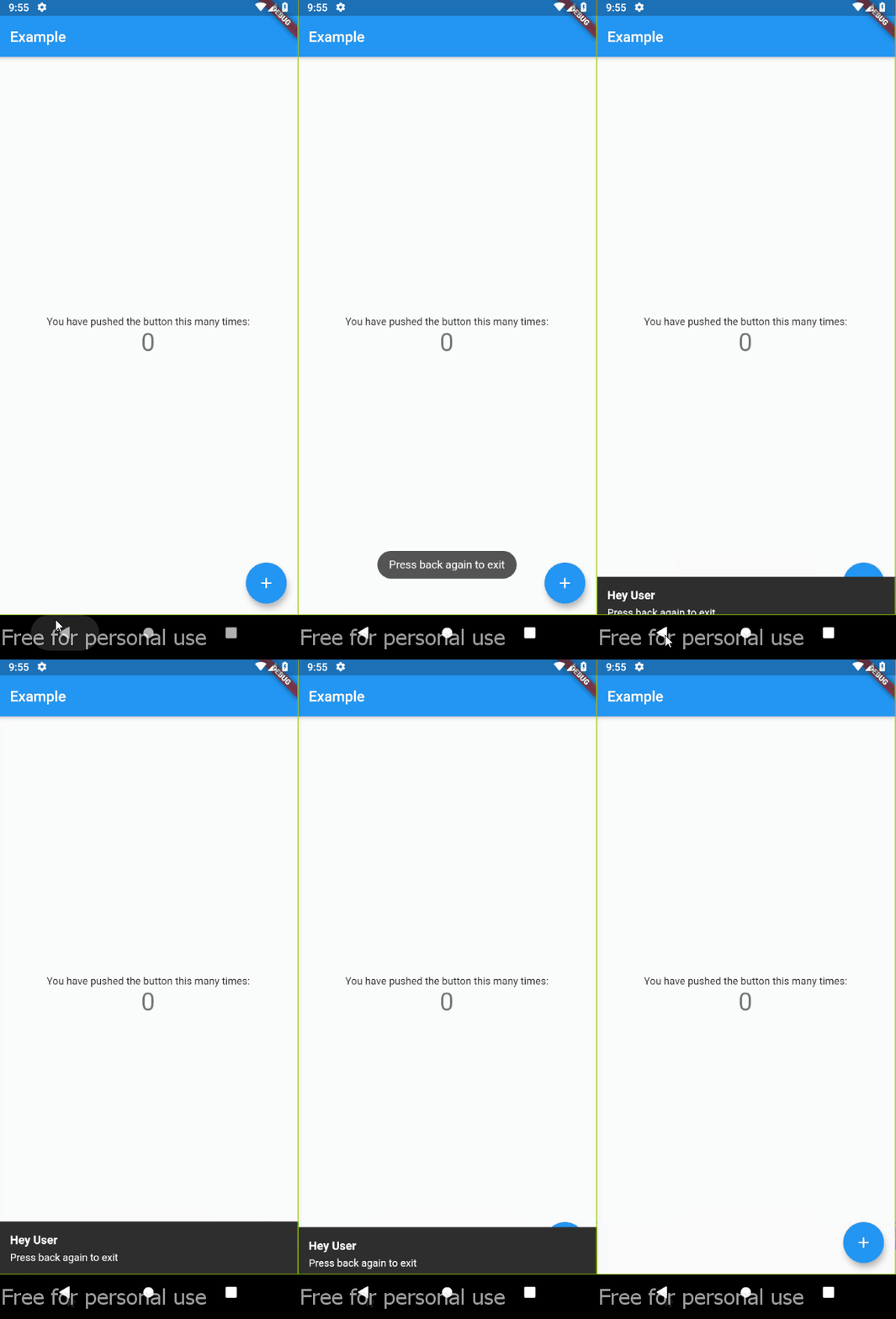
Demo
Wrapping widget with DoubleBack where you want to use double back to close screen or app:
class MyApp extends StatelessWidget {
  @override
  Widget build(BuildContext context) {
    return MaterialApp(
      home: DoubleBack(
          message:"Press back again to close",
          child: Home(),
        ),
      ),
  }
}
class MyApp extends StatelessWidget {
  @override
  Widget build(BuildContext context) {
    return MaterialApp(
      home: DoubleBack(
          message:"Press back again to close",
          child: Home(),
        ),
      ),
      // optional style
      textStyle: TextStyle(
        fontSize: 13,
        color: Colors.white,
      ),
      background: Colors.red,
      backgroundRadius: 30,
    );
  }
}
class MyApp extends StatelessWidget {
  @override
  Widget build(BuildContext context) {
    return MaterialApp(
      home: DoubleBack(
        onFirstBackPress: (context) {

          // you can use your custom here
          // change this with your custom action
          final snackBar = SnackBar(content: Text('Press back again to exit'));
          ScaffoldMessenger.of(context).showSnackBar(snackBar);
          // ---

        },

        child: Home(),
      ),
    );
  }
}
class MyApp extends StatelessWidget {
  @override
  Widget build(BuildContext context) {
    return MaterialApp(
      home: DoubleBack(
          onFirstBackPress: (context) {

            Flushbar(
              title: "Hey User",
              message: "Press back again to exit",
              duration: Duration(seconds: 15), // show 15 second flushbar
            )..show(context);

          },
          child: Home(),
          waitForSecondBackPress: 15, // wait for 15 second for second back pressed
        ),
    );
  }
}
if you want to show message at spesific condition, for example, only show message if pageView at index 0.
class MyApp extends StatelessWidget {
  @override
  Widget build(BuildContext context) {
    return MaterialApp(
      // Imagine that you are using materialbottom and only want to close when tabIndex = 0

      home: DoubleBack(
          condition: tabIndex == 0, // only show message when tabIndex=0
          onConditionFail: (){
            setState((){
                tabIndex = 0; // if not 0, set pageview jumptopage 0
            });
          }
          child: Home(),
        ),
    );
  }
}