
 v0.3.4
animated_flip_counter
एक अप्रत्यक्ष एनीमेशन विजेट जो एक संख्या से दूसरी संख्या में फ्लिप करता है, जिसमें शैली, दशमलव और नकारात्मक मानों के लिए समर्थन है।
653लाइक 62.9 हज़ार30-दिन डाउनलोड150Pub अंक
AndroidiOSWebmacOSWindowsLinux
एक अप्रत्यक्ष एनीमेशन विजेट जो एक संख्या से दूसरी संख्या में फ्लिप करता है।

निर्भरता सूची 3 आइटम
{"sdk":"flutter"}—{"sdk":"flutter"}यह अंग्रेज़ी मूल स्नैपशॉट है। नवीनतम सामग्री GitHub पर देखें।
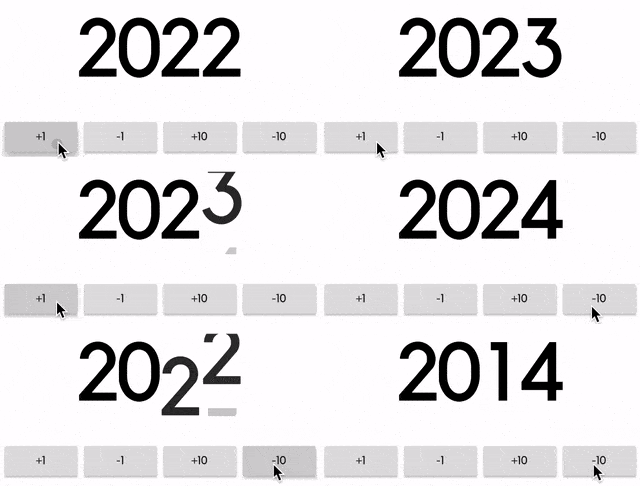
An implicit animation widget that flips from one number to another.
It can be useful to display information that's constantly changing.
https://github.com/h65wang/flutter-animated-counter/raw/master/gifs/demo.gifSimply pass in a value and an optional duration and curve, just like any other implicit animation widget in Flutter.
AnimatedFlipCounter(
  duration: Duration(milliseconds: 500),
  value: _value, // pass in a value like 2014
)
Use fractionDigits to specify how many digits to show after the decimal point. It handles negative values as well.
AnimatedFlipCounter(
  value: _value,
  fractionDigits: 2, // decimal precision
  suffix: "%",
  textStyle: TextStyle(
      fontSize: 40,
      color: _value >= 0 ? Colors.green : Colors.red,
  ),
)
Use the familiar TextStyle parameter for styling, and use prefix and suffix for additional texts.
AnimatedFlipCounter(
  value: _value,
  prefix: "Level ",
  textStyle: TextStyle(
    fontSize: 80,
    fontWeight: FontWeight.bold,
    letterSpacing: -8.0,
    color: Colors.yellow,
    shadows: [
      BoxShadow(
        color: Colors.orange,
        offset: Offset(8, 8),
        blurRadius: 8,
      ),
    ],
  ),
)