पैकेज, रिपॉज़िटरी और ऐप श्रेणियाँ खोजें

GitHub रिपॉज़िटरीherowws/flutter_popup

flutter_popup

flutter_popup पैकेज एक सुविधाजनक उपकरण है जो आपके Flutter एप्लिकेशन में एक सरल और कस्टमाइज़ किए गए पॉपअप को दिखाने की अनुमति देता है

flutter_popup प्रोजेक्ट कवर
स्टार
79
फ़ोर्क
35
अंतिम पुश (UTC)
14 जून 2025
प्रोजेक्ट स्थिति
सक्रिय

मूल README

यह अंग्रेज़ी मूल स्नैपशॉट है। नवीनतम सामग्री GitHub पर देखें।

flutter_popup

The flutter_popup package is a convenient tool that enables you to display a straightforward and customizable popup within your Flutter application. It offers a highlight feature that can be utilized to direct the user's attention to a specific area as needed.

Getting Started

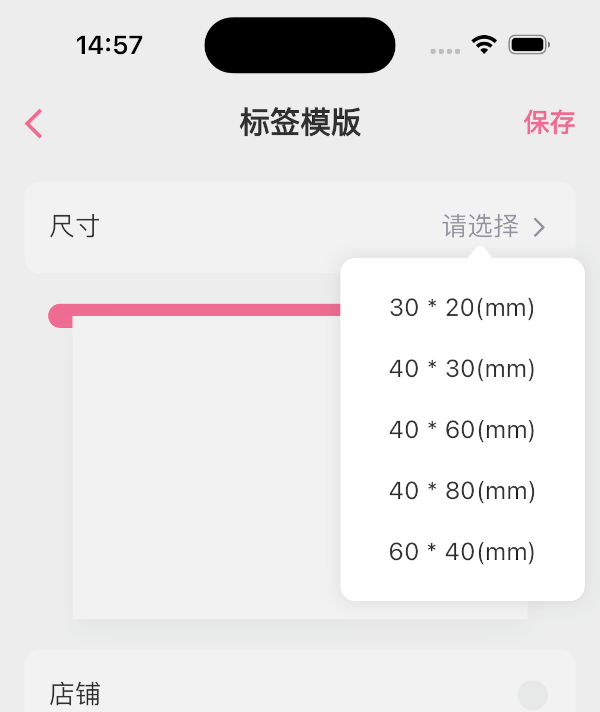
image image image image

How to use

dependencies:
  flutter_popup: ^latest_version
import 'package:flutter_popup/flutter_popup.dart';
// easy to use
CustomPopup(
  content: Text('George says everything looks fine'),
  child: Icon(Icons.help),
),

CustomPopup(
  arrowColor: Colors.orange,
  barrierColor: Colors.green.withOpacity(0.1),
  backgroundColor: Colors.white,
  content: Text('George says everything looks fine'),
  child: Icon(Icons.help),
),

CustomPopup(
  content: _Slider(),
  position: PopupPosition.top,
  child:Text('slider'),
)

CustomPopup(
  content: Column(
  mainAxisSize: MainAxisSize.min,
    children: List.generate(5, (index) => Text('menu$index')),
  ),
  child: const Icon(Icons.add_circle_outline),
)

Container(
  decoration: BoxDecoration(color: Colors.white),
  padding: EdgeInsets.symmetric(vertical: 10),
  child: Row(
    mainAxisAlignment: MainAxisAlignment.spaceAround,
    children: [
      CustomPopup(
      showArrow: false,
      contentPadding:EdgeInsets.symmetric(horizontal: 30, vertical: 10),
      barrierColor: Colors.transparent,
      contentDecoration: BoxDecoration(color: Colors.white),
      content: SizedBox(
        width: double.infinity,
        child: Column(
          mainAxisSize: MainAxisSize.min,
          crossAxisAlignment: CrossAxisAlignment.start,
          children: List.generate(4,(index) => Text('item$index'),),),),
            child: Text('filter1'),
          ),
              Text('filter2'),
              Text('filter3'),
        ],
  ),
)

// Show the popup programmatically
final popupKey = GlobalKey<CustomPopupState>();
// ...
CustomPopup(
  key: popupKey,
  content: Text('George says everything looks fine'),
  child: Icon(Icons.help),
);
// ...
popupKey.currentState?.show();

last

Our full-stack freelance team is opening to new projects

If you have any questions about Flutter, or if you need me to customize a Flutter application for you, please feel free to contact me: QQ: 965471570 Gmail: herowws90@gmail.com

如果您有任何关于Flutter的问题,或者需要我为您定制一个Flutter应用程序,请联系我: QQ:965471570 Gmail:herowws90@gmail.com

herowws GitHub avatar
GitHub लेखक

herowws ↗

भाषाएँDartKotlinRubySwiftJavaObjective-C

इस रिपॉज़िटरी के पैकेज

उपयोग की गई निर्भरताएँ

निर्भरता सूची 4 आइटम

  • flutter{"sdk":"flutter"}
  • exampleडेवलपमेंट{"path":"example"}
  • flutter_lintsडेवलपमेंट^1.0.0
  • flutter_testडेवलपमेंट{"sdk":"flutter"}

अपने प्रोजेक्ट के लिए रिपॉज़िटरी कैसे चुनें?

उपयोग के अनुसार छाँटें, गतिविधि की तुलना करें और अपनाने से पहले मूल प्रोजेक्ट की आवश्यकताएँ जाँचें।

  1. नाम, लेखक या विवरण से खोजें और तकनीकी विषय से परिणाम सीमित करें।
  2. स्टार, फ़ोर्क और हाल के पुश की तुलना करें। स्टार रुचि दर्शाते हैं, गुणवत्ता की गारंटी नहीं।
  3. उपयोग से पहले GitHub पर README, लाइसेंस और Issues जाँचें।

स्रोत और रखरखाव

“A repository is the most basic element of GitHub.”

GitHub Docs — About repositories ↗