
 v0.0.11
invoiceninja
एफ़ल्टर ऐप में PDF इनवॉइस बनाने और भुगतान स्वीकार करने के लिए आसान
76लाइक 5430-दिन डाउनलोड130Pub अंक
AndroidiOSWebmacOSWindowsLinux
एफ़लेट ऐप में PDF इन्वॉइस बनाएं और भुगतान स्वीकार करें

{"sdk":"flutter"}^0.13.5^2.2.0^6.6.1^4.8.0{"sdk":"flutter"}^2.3.3^2.3.2यह अंग्रेज़ी मूल स्नैपशॉट है। नवीनतम सामग्री GitHub पर देखें।
Create PDF invoices and accept payments in a Flutter app
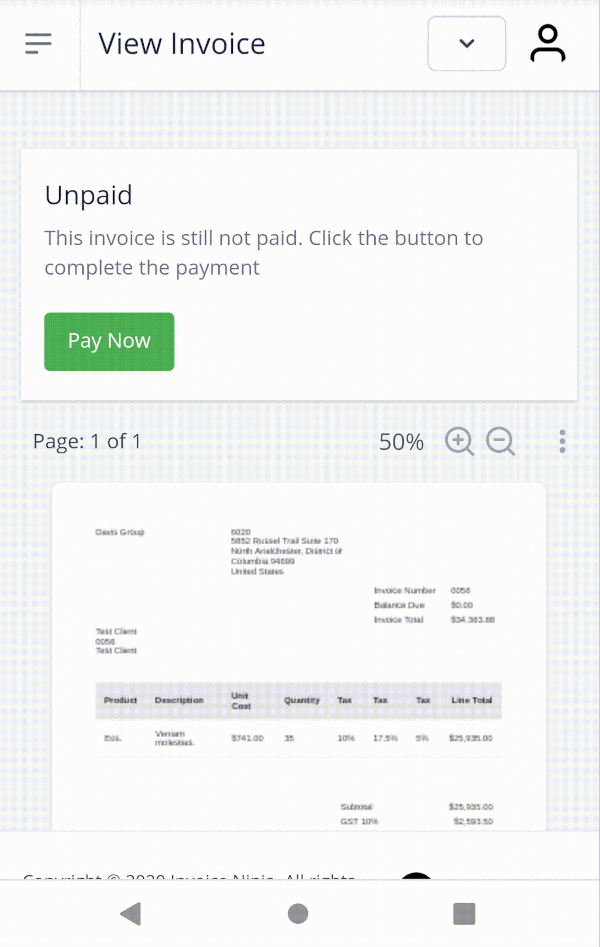
Sample
The package provides two main classes:
InvoiceNinja: Supports the public 'Storefront' routes which allow reading the list of products and creating/finding clients and invoices. Using this class works with restricted access to the account.InvoiceNinjaAdmin: Supports the REST Admin API which uses token based security. Using this class requires an API token to access the account.InvoiceNinja.configure(
'KEY', // Set your company key or use 'KEY' to test
url: 'https://demo.invoiceninja.com', // Set your selfhost app URL
debugEnabled: true,
);
final products = await InvoiceNinja.products.load();
final product = await InvoiceNinja.products.findByKey('product_key');
var client = Client.forContact(email: 'test@example.com');
client = await InvoiceNinja.clients.save(client);
var invoice = Invoice.forClient(client, products: [product]);
invoice = await InvoiceNinja.invoices.save(invoice);
launch(
  'https://docs.google.com/gview?embedded=true&url=${invoice.pdfUrl}',
  forceWebView: true,
);
var invoiceKey = invoice.key;
launch(invoice.url);

// ...

final invoice = await InvoiceNinja.invoices.findByKey(invoiceKey);
if (invoice.isPaid) {
  // ...
}
You can use the WidgetsBindingObserver interface to run code when the app is resumed.
Consider giving issue #57536 a thumbs up to make this better in the future.
InvoiceNinjaAdmin.configure(
  'TOKEN', // Set your API token or use 'TOKEN' to test
  url: 'https://demo.invoiceninja.com', // Set your selfhost app URL
  debugEnabled: true,
);
final client = await InvoiceNinjaAdmin.clients.findByEmail(email);
final payments = await InvoiceNinjaAdmin.payments.load();
final payments = await InvoiceNinjaAdmin.payments.load();
final payment = await InvoiceNinjaAdmin.payments.findById(id);
var invoice = Invoice.forClient(client, products: [product]);
invoice = await InvoiceNinjaAdmin.invoices.save(invoice, action: InvoiceAction.autoBill);