पैकेज, रिपॉज़िटरी और ऐप श्रेणियाँ खोजें

invoiceninja कवर
पैकेज विवरणv0.0.11

invoiceninja

एफ़ल्टर ऐप में PDF इनवॉइस बनाने और भुगतान स्वीकार करने के लिए आसान

AndroidiOSWebmacOSWindowsLinux
30-दिन डाउनलोड
60
लाइक
76
Pub अंक
130

पैकेज इंस्टॉल करें

flutter pub add invoiceninja

पैकेज अवलोकन

सार्वजनिक जानकारी से बना चयन मार्गदर्शन। केवल संदर्भ हेतु।

invoiceninja पैकेज फ्लटर विकासकर्ताओं को उनके एप्लिकेशन में सीधे PDF बिल और भुगतान प्रसंस्करण बनाने की अनुमति देता है। Invoice Ninja API के साथ एकीकरण के माध्यम से, यह विभिन्न प्लेटफॉर्मों पर बिल बनाने, कस्टमाइज़ करने और भुगतान एकत्र करने को सरल बनाता है। विकासकर्ता ब्रांडिंग के साथ प्रोफेशनल बिल बना सकते हैं, ग्राहकों को भेज सकते हैं, और एकीकृत गेटवे के माध्यम से भुगतान स्वीकार कर सकते हैं। यह पैकेज Android, iOS, Web, macOS, Windows और Linux का समर्थन करता है, जो क्रॉस-प्लेटफॉर्म व्यापार एप्लिकेशन के लिए आदर्श है। यह स्वतंत्र व्यवसायी, छोटे व्यवसायों और सेवा प्रदाताओं के लिए वित्तीय कार्य प्रवाह को सरल बनाता है।

उपयोग

  • ग्राहक इन्वॉइस जनरेट करें
  • ऑनलाइन भुगतान प्रोसेस करें
  • बिलिंग कार्य प्रवाह को स्वचालित करें
  • बहु-प्लेटफॉर्म एप्लिकेशन समर्थन
  • ब्रांडेड PDF भेजें
  • भुगतान स्थिति का ट्रैक करें

मुख्य विशेषताएँ

  • PDF इन्वॉइस जनरेशन
  • भुगतान एकीकरण
  • क्रॉस-प्लेटफ़ॉर्म समर्थन
  • एपीआई-आधारित डिज़ाइन
  • कस्टमाइज़ करने योग्य टेम्पलेट
  • रियल-टाइम भुगतान ट्रैकिंग

इनके लिए उपयुक्त

  • Freelancers
  • छोटे व्यवसाय ऐप्स
  • सेवा-आधारित प्लेटफॉर्म
  • बिलिंग प्रणाली
  • ई-कॉमर्स इंटीग्रेशन

विचार योग्य बातें

  • Invoice Ninja खाता की आवश्यकता है
  • बाहरी API पर निर्भर करता है
  • इंटरनेट कनेक्शन की आवश्यकता है
  • सीमित ऑफलाइन कार्यक्षमता
  • दर सीमाएं लागू हो सकती हैं
  • प्रमाणीकरण सेटअप की आवश्यकता है

मूल README

संबंधित सोर्स रिपॉज़िटरी के मूल README का स्नैपशॉट। नवीनतम सामग्री के लिए रिपॉज़िटरी देखें।

Invoice Ninja

Create PDF invoices and accept payments in a Flutter app

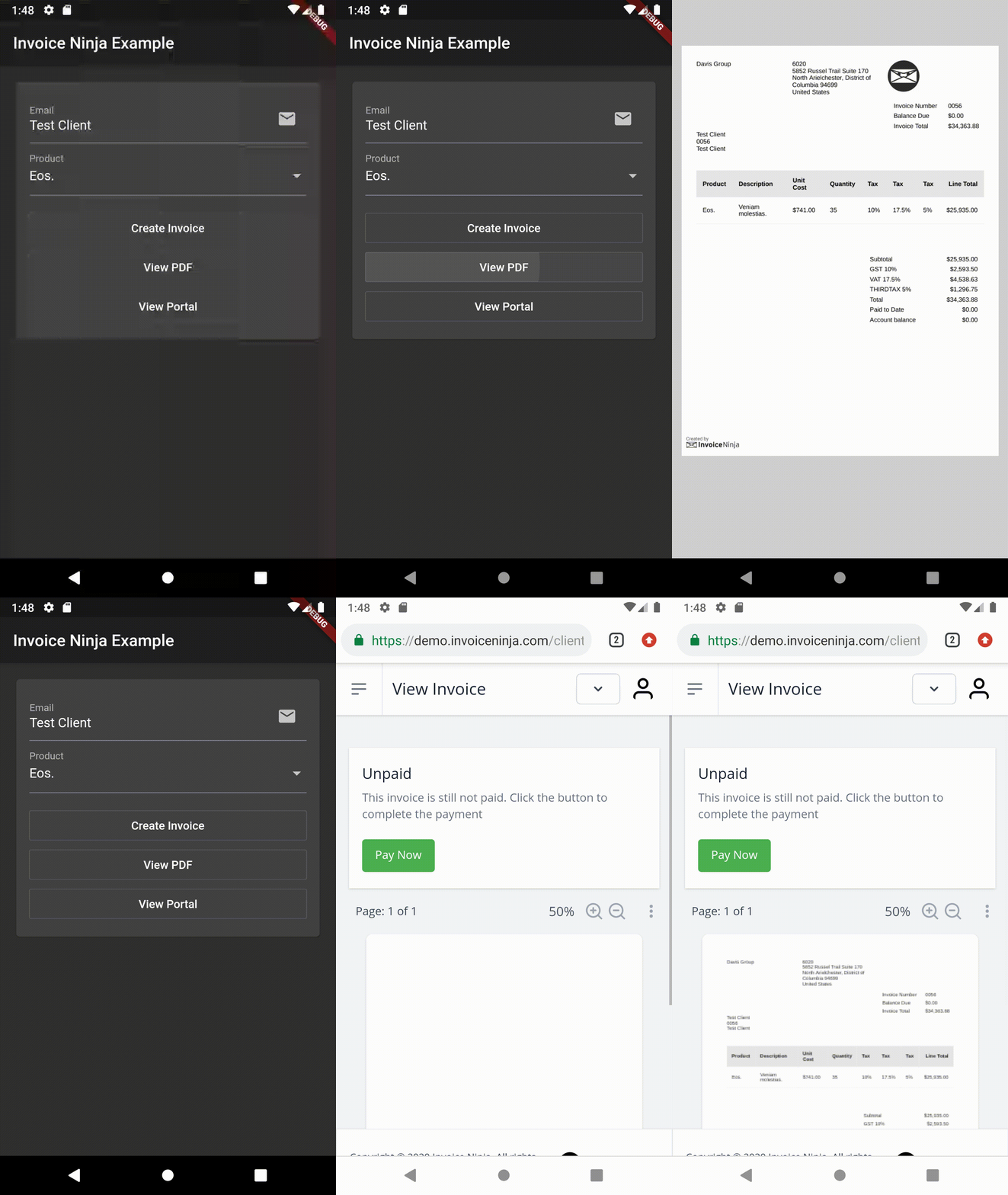
Sample

YouTube Video

YouTube Video

Features

  • Accept online payment in mobile, web and desktop Flutter apps
  • Supports many payment gateways including Stripe, PayPal and more
  • Create professional PDF invoices
  • Includes a self-service client portal
  • Many more features...

Overview

The package provides two main classes:

  • InvoiceNinja: Supports the public 'Storefront' routes which allow reading the list of products and creating/finding clients and invoices. Using this class works with restricted access to the account.
  • InvoiceNinjaAdmin: Supports the REST Admin API which uses token based security. Using this class requires an API token to access the account.

Storefront API

Configure
InvoiceNinja.configure(
  'KEY', // Set your company key or use 'KEY' to test
  url: 'https://demo.invoiceninja.com', // Set your selfhost app URL
  debugEnabled: true,
);
Load the product list
final products = await InvoiceNinja.products.load();
Find the product by key
final product = await InvoiceNinja.products.findByKey('product_key');
Create/persist the client
var client = Client.forContact(email: 'test@example.com');
client = await InvoiceNinja.clients.save(client);
Create/persist the invoice
var invoice = Invoice.forClient(client, products: [product]);
invoice = await InvoiceNinja.invoices.save(invoice);
Display the PDF invoice
launch(
  'https://docs.google.com/gview?embedded=true&url=${invoice.pdfUrl}',
  forceWebView: true,
);
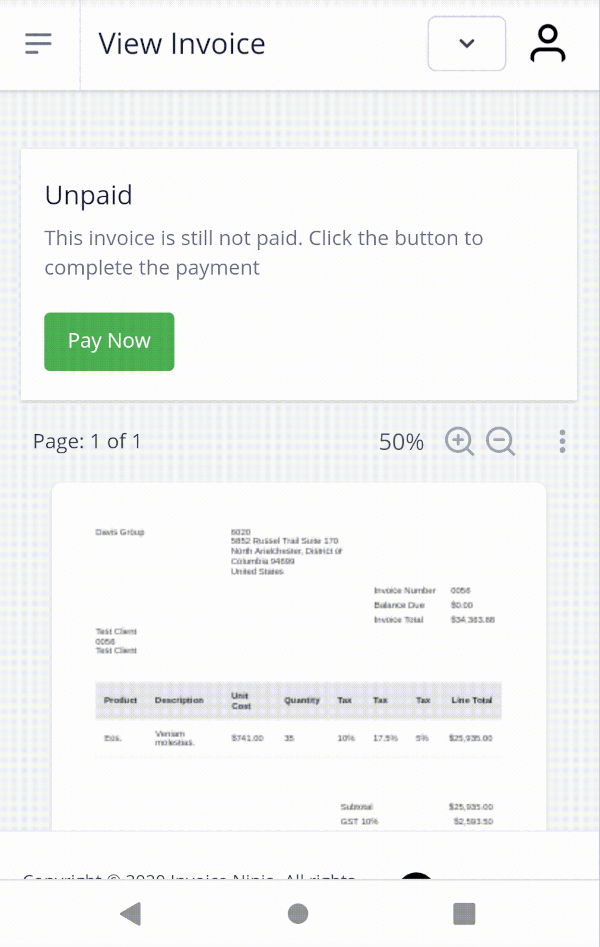
Accept the payment
var invoiceKey = invoice.key;
launch(invoice.url);

// ...

final invoice = await InvoiceNinja.invoices.findByKey(invoiceKey);
if (invoice.isPaid) {
  // ...
}

You can use the WidgetsBindingObserver interface to run code when the app is resumed.

Consider giving issue #57536 a thumbs up to make this better in the future.

Admin API

Configure
InvoiceNinjaAdmin.configure(
  'TOKEN', // Set your API token or use 'TOKEN' to test
  url: 'https://demo.invoiceninja.com', // Set your selfhost app URL
  debugEnabled: true,
);
Find a client by email
final client = await InvoiceNinjaAdmin.clients.findByEmail(email);
Load all invoices
final payments = await InvoiceNinjaAdmin.payments.load();
Load the payments list
final payments = await InvoiceNinjaAdmin.payments.load();
Find a payment by id
final payment = await InvoiceNinjaAdmin.payments.findById(id);
Create/persist an invoice and auto-bill it
var invoice = Invoice.forClient(client, products: [product]);
invoice = await InvoiceNinjaAdmin.invoices.save(invoice, action: InvoiceAction.autoBill);

श्रेणियाँ

निर्भरताएँ

निर्भरता सूची 4 आइटम

सोर्स रिपॉज़िटरी

इस पैकेज का उपयोग करने वाले प्रोजेक्ट

अभी कोई डेटा उपलब्ध नहीं है।