
 v1.0.4
animated_introduction
एक नया फ्लटर परिचय पैकेज जिसमें छवि और एनीमेशन है, जिसका उपयोग आप अपने ऐप की सुविधाओं या उत्पाद प्रदर्शन के लिए कर सकते हैं।
104लाइक 10830-दिन डाउनलोड150Pub अंक
AndroidiOSWebmacOSWindowsLinux
फ्लटर के लिए एनीमेटेड परिचय स्क्रीन स्लाइड पैकेज
यह अंग्रेज़ी मूल स्नैपशॉट है। नवीनतम सामग्री GitHub पर देखें।
Simple Animated Introduction Screen for Flutter
Add this to your flutter app to get a simple animated introduction screen.
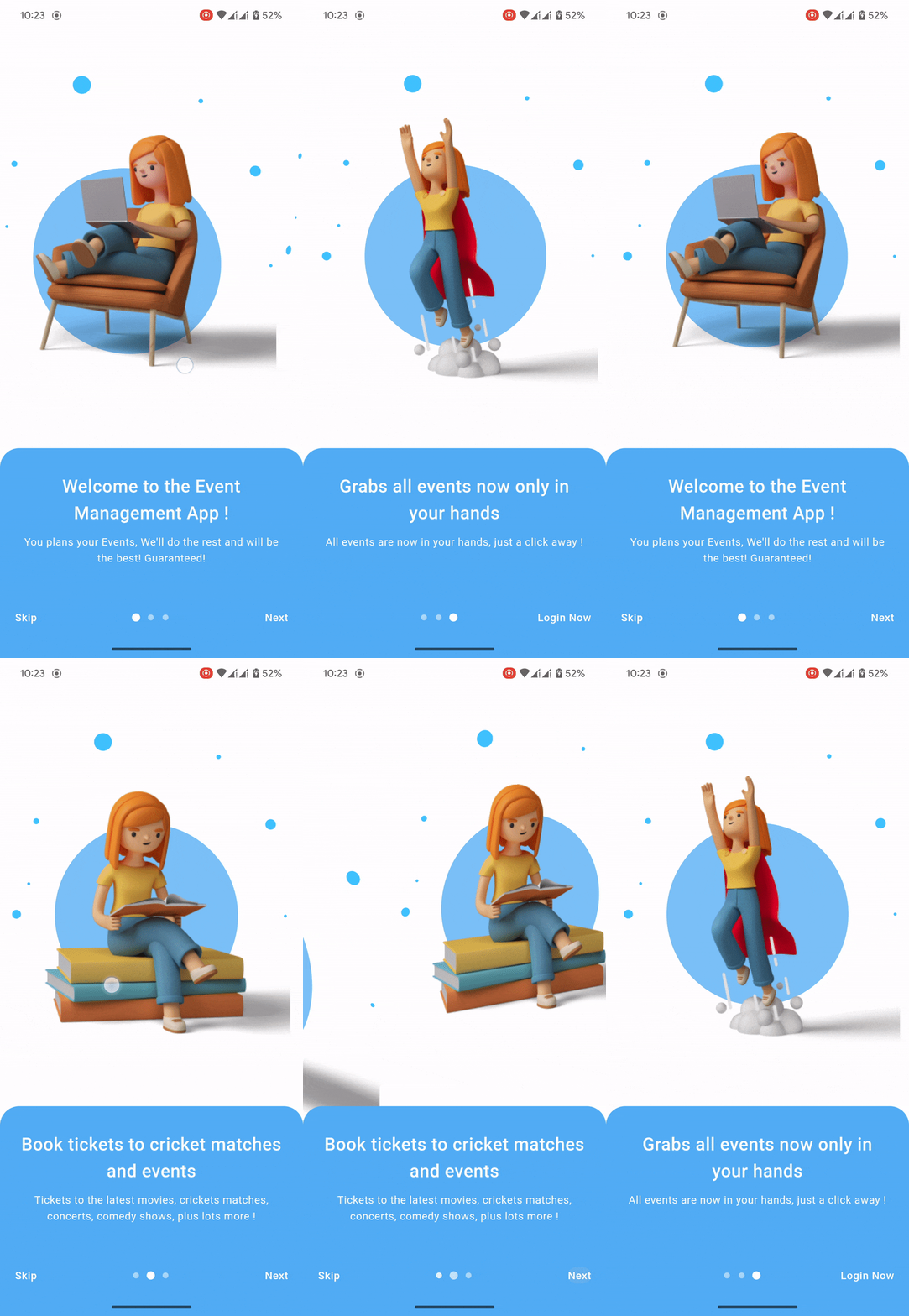
Add this to your package's pubspec.yaml file:
dependencies:
  animated_introduction: ^1.0.3
import 'package:animated_introduction/animated_introduction.dart';
SingleIntroScreen objectsfinal List<SingleIntroScreen> pages = [
const SingleIntroScreen(
title: 'Welcome to the Event Management App !',
description: 'You plans your Events, We\'ll do the rest and will be the best! Guaranteed! ',
imageAsset: 'assets/onboard_one.png',
),
const SingleIntroScreen(
title: 'Book tickets to cricket matches and events',
description: 'Tickets to the latest movies, crickets matches, concerts, comedy shows, plus lots more !',
imageAsset: 'assets/onboard_two.png',
),
const SingleIntroScreen(
title: 'Grabs all events now only in your hands',
description: 'All events are now in your hands, just a click away ! ',
imageAsset: 'assets/onboard_three.png',
),
];
AnimatedIntroduction widgetScaffold(
body: AnimatedIntroduction(
slides: pages,
indicatorType: IndicatorType.circle,
onDone: () {
/// TODO: Go to desire page like login or home
},
),
);

निर्भरता सूची 3 आइटम
{"sdk":"flutter"}{"sdk":"flutter"}^2.0.0उपयोग के अनुसार छाँटें, गतिविधि की तुलना करें और अपनाने से पहले मूल प्रोजेक्ट की आवश्यकताएँ जाँचें।
“A repository is the most basic element of GitHub.”
GitHub Docs — About repositories ↗