

v1.0.2+1
extended_navbar_scaffold
एक कस्टम एक्सटेंडेड स्कैफोल्ड जिसमें एक्सपेंडेबल और फ्लोटिंग नेविगेशन बार है
88लाइक 1230-दिन डाउनलोड40Pub अंक
प्लेटफ़ॉर्म डेटा नहीं
एक कस्टम एक्सटेंडेड स्कैफोल्ड जिसमें एक्सपेंडेबल और फ्लोटिंग नेविगेशन बार है

यह अंग्रेज़ी मूल स्नैपशॉट है। नवीनतम सामग्री GitHub पर देखें।


Custom Extended Scaffold
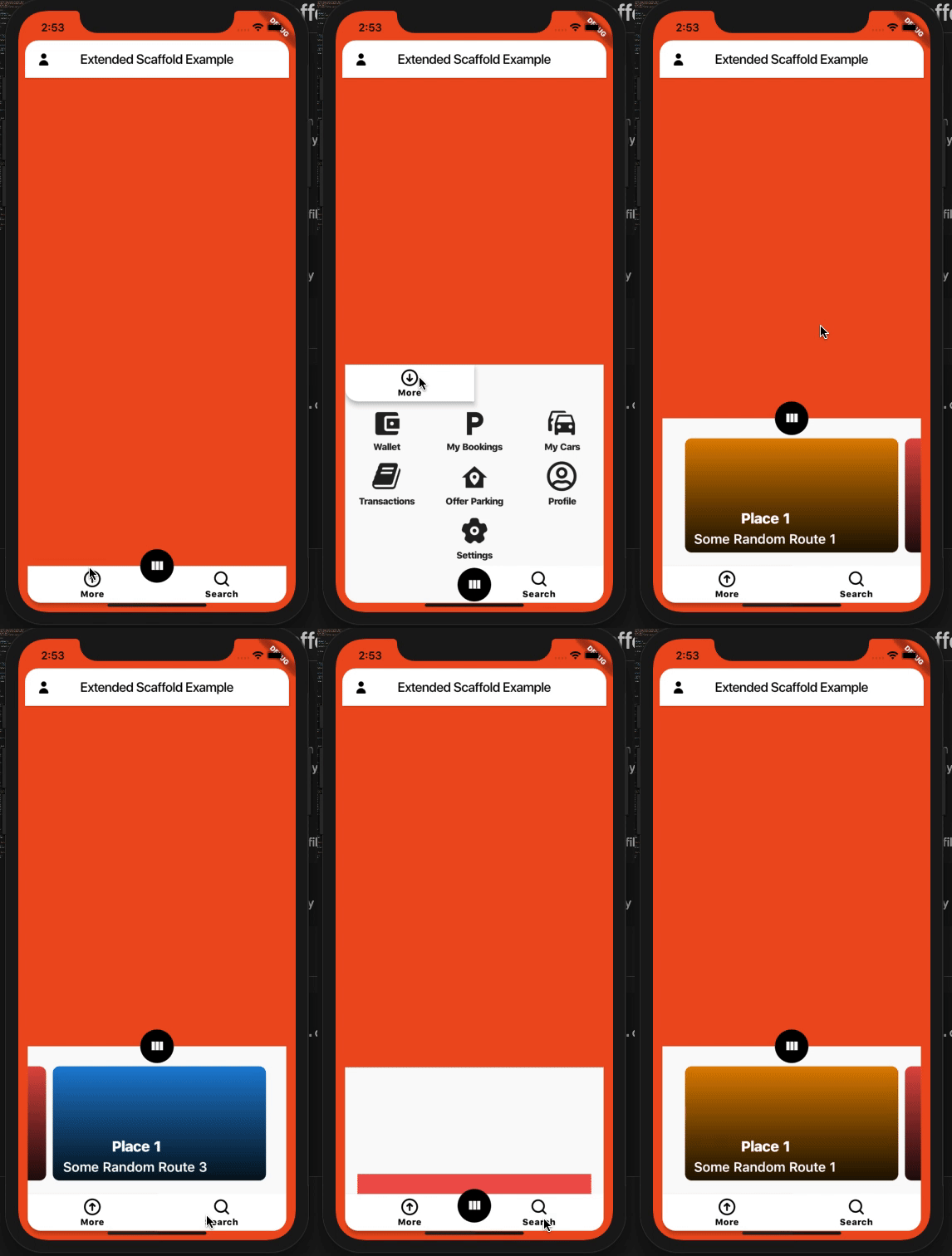
Custom Flutter widgets that makes Bottom Navigation Floating and can be expanded with much cleaner and easier way.
Add the following to your pubspec.yaml file:
dependencies:
  extended_navbar_scaffold: any
ExtendedNavigationBarScaffold(
  body: Container(
    color: Colors.deepOrange,
  ),
  elevation: 0,
  floatingAppBar: true,
  appBar: AppBar(
    shape: kAppbarShape,
    leading: IconButton(
      icon: Icon(
        EvaIcons.person,
        color: Colors.black,
      ),
      onPressed: () {},
    ),
    title: Text(
      'Extended Scaffold Example',
      style: TextStyle(color: Colors.black),
    ),
    centerTitle: true,
    backgroundColor: Colors.white,
  ),
  navBarColor: Colors.white,
  navBarIconColor: Colors.black,
  moreButtons: [
    MoreButtonModel(
      icon: MaterialCommunityIcons.wallet,
      label: 'Wallet',
      onTap: () {},
    ),
    MoreButtonModel(
      icon: MaterialCommunityIcons.parking,
      label: 'My Bookings',
      onTap: () {},
    ),
    MoreButtonModel(
      icon: MaterialCommunityIcons.car_multiple,
      label: 'My Cars',
      onTap: () {},
    ),
    MoreButtonModel(
      icon: FontAwesome.book,
      label: 'Transactions',
      onTap: () {},
    ),
    MoreButtonModel(
      icon: MaterialCommunityIcons.home_map_marker,
      label: 'Offer Parking',
      onTap: () {},
    ),
    MoreButtonModel(
      icon: FontAwesome5Regular.user_circle,
      label: 'Profile',
      onTap: () {},
    ),
    null,
    MoreButtonModel(
      icon: EvaIcons.settings,
      label: 'Settings',
      onTap: () {},
    ),
    null,
  ],
  searchWidget: Container(
    height: 50,
    color: Colors.redAccent,
  ),
  // onTap: (button) {},
  // currentBottomBarCenterPercent: (currentBottomBarParallexPercent) {},
  // currentBottomBarMorePercent: (currentBottomBarMorePercent) {},
  // currentBottomBarSearchPercent: (currentBottomBarSearchPercent) {},
  parallexCardPageTransformer: PageTransformer(
    pageViewBuilder: (context, visibilityResolver) {
      return PageView.builder(
        controller: PageController(viewportFraction: 0.85),
        itemCount: parallaxCardItemsList.length,
        itemBuilder: (context, index) {
          final item = parallaxCardItemsList[index];
          final pageVisibility =
              visibilityResolver.resolvePageVisibility(index);
          return ParallaxCardsWidget(
            item: item,
            pageVisibility: pageVisibility,
          );
        },
      );
    },
  ),
);

निर्भरता सूची 3 आइटम
{"sdk":"flutter"}^2.0.0{"sdk":"flutter"}उपयोग के अनुसार छाँटें, गतिविधि की तुलना करें और अपनाने से पहले मूल प्रोजेक्ट की आवश्यकताएँ जाँचें।
“A repository is the most basic element of GitHub.”
GitHub Docs — About repositories ↗