
 v2.2.0
select_form_field
एक फ्लटर सिलेक्ट फॉर्म फील्ड विजेट। यह एक ड्रॉपडाउन मेनू में विकल्पों की सूची दिखाता है।
87लाइक 55430-दिन डाउनलोड130Pub अंक
AndroidiOSWebmacOSWindowsLinux
एक फ्लटर सिलेक्ट फॉर्म फील्ड विजेट। यह एक ड्रॉपडाउन मेनू में विकल्पों की सूची दिखाता है।

{"sdk":"flutter"}{"sdk":"flutter"}यह अंग्रेज़ी मूल स्नैपशॉट है। नवीनतम सामग्री GitHub पर देखें।
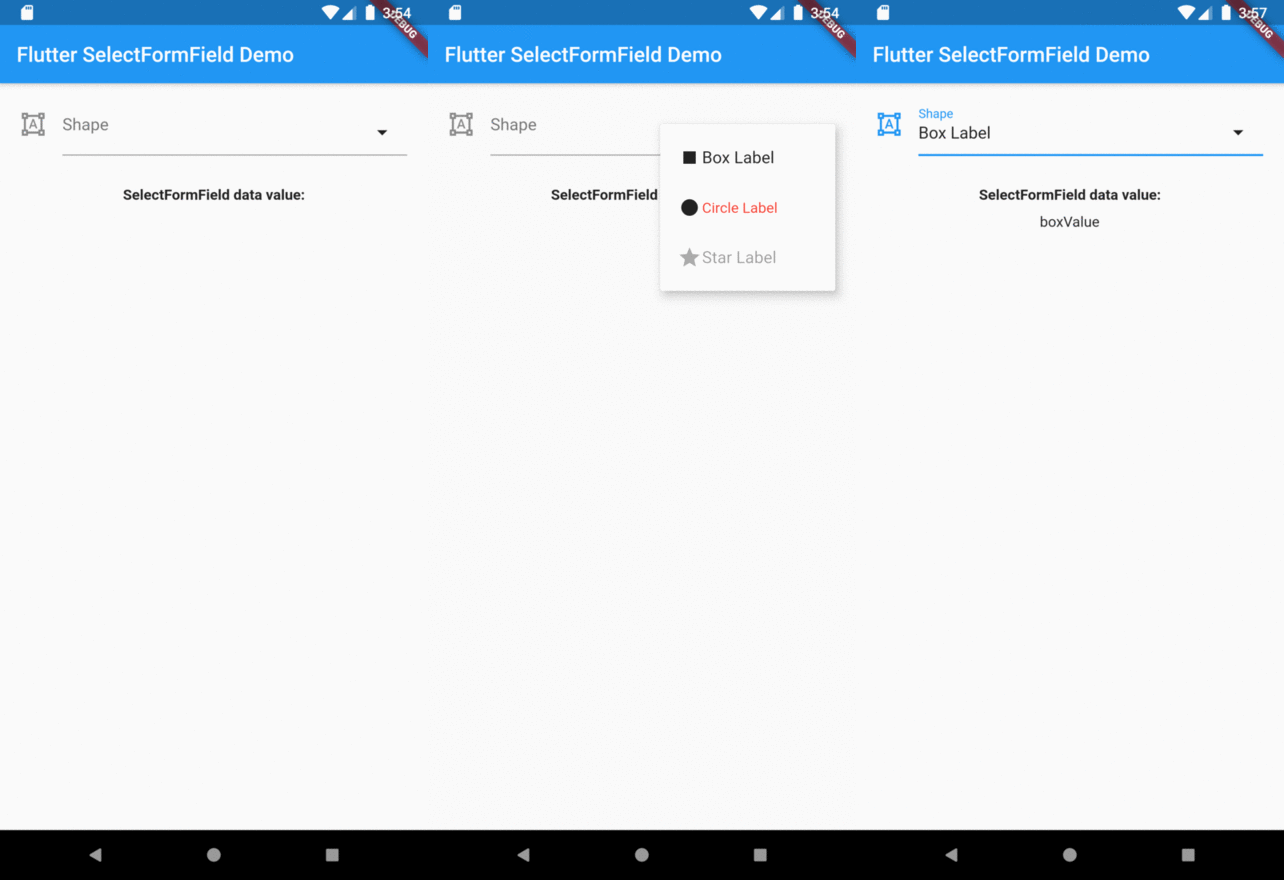
A Flutter select field widget. It shows a list of options in a dropdown menu.
This widget extend TextField and has a similar behavior as TextFormField
In the pubspec.yaml of your flutter project, add the following dependency:
dependencies:
  ...
  select_form_field: "^2.2.0"
In your library add the following import:
import 'package:select_form_field/select_form_field.dart';
For help getting started with Flutter, view the online documentation.
Set items using a List map passing:
value: [String],textStyle: [TextStyle | null],label: [String | null],icon: [Widget | null],enable: [bool | null],final List<Map<String, dynamic>> _items = [
{
'value': 'boxValue',
'label': 'Box Label',
'icon': Icon(Icons.stop),
},
{
'value': 'circleValue',
'label': 'Circle Label',
'icon': Icon(Icons.fiber_manual_record),
'textStyle': TextStyle(color: Colors.red),
},
{
'value': 'starValue',
'label': 'Star Label',
'enable': false,
'icon': Icon(Icons.grade),
},
];
SelectFormField(
  type: SelectFormFieldType.dropdown, // or can be dialog
  initialValue: 'circle',
  icon: Icon(Icons.format_shapes),
  labelText: 'Shape',
  items: _items,
  onChanged: (val) => print(val),
  onSaved: (val) => print(val),
);
The result of val in onChanged, validator and onSaved will be a String.
So, if you tap on Box Label item on select menu the result will be boxValue.
Overview