
 v2.0.4
theme_manager
हल्के, अंधेरे और सिस्टम थीम के लिए एक थीम मैनेजर। थीम को गतिशील रूप से बदलें और चयनित थीम को स्थायी रूप से संग्रहीत करें।
34लाइक 26330-दिन डाउनलोड140Pub अंक
AndroidiOSWebmacOSWindowsLinux
फ्लटर के लिए एक थीम मैनेजर जो हल्के, गहरे और सिस्टम थीम का समर्थन करता है।
यह अंग्रेज़ी मूल स्नैपशॉट है। नवीनतम सामग्री GitHub पर देखें।
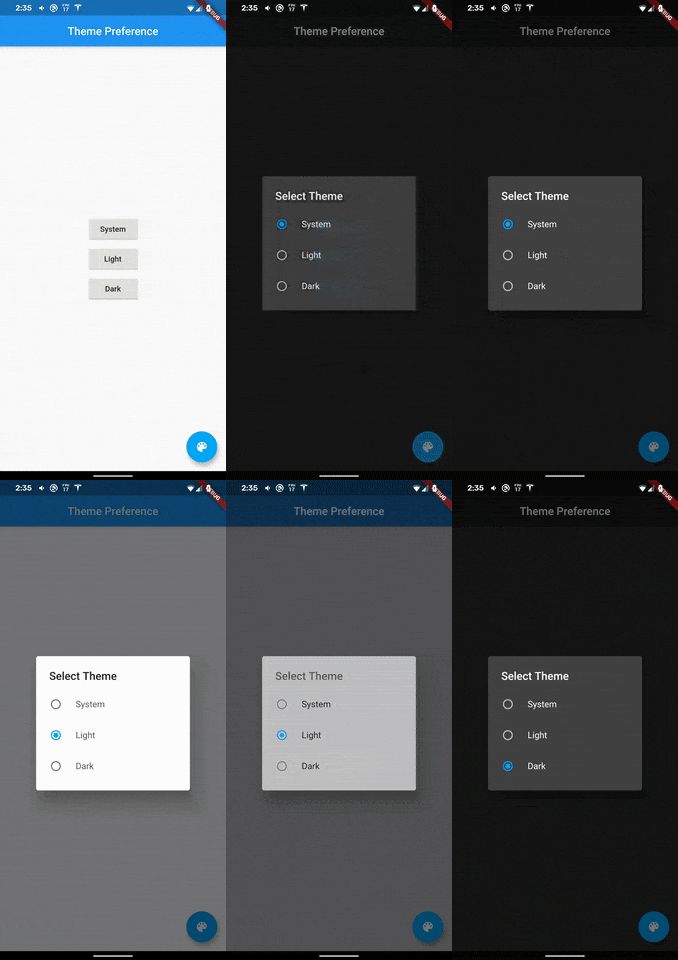
A theme manager that supports light, dark, and system default themes. State is retained and applied upon application start. Heavily inspired by dynamic_theme by Norbert Kozsir.
Add theme_manager to your project.
  dependencies:
    theme_manager: ^2.0.4
run flutter packages get and import theme_manager
import 'package:theme_manager/theme_manager.dart';
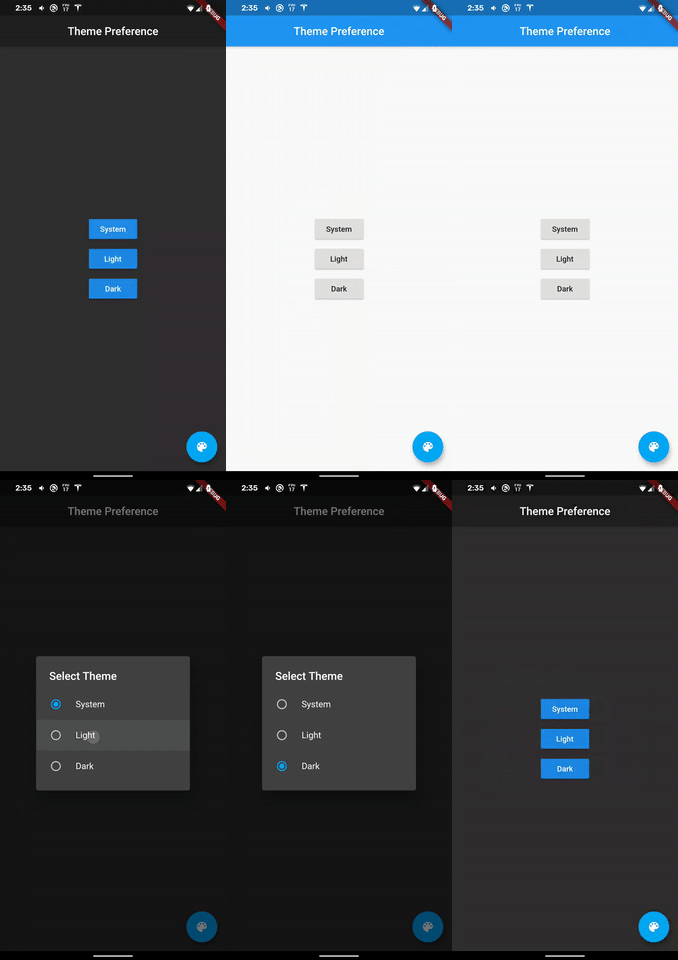
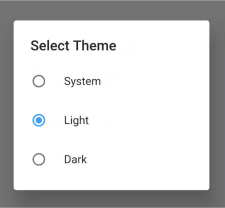
A dialog is provided that can switch between themes.
import 'package:theme_manager/theme_picker_dialog.dart';
Make sure WidgetsFlutterBinding are initialized. This is required.
void main() {
  WidgetsFlutterBinding.ensureInitialized(); // Required
  runApp(MyApp());
}
Wrap your MaterialApp with ThemeManager:
class MyApp extends StatelessWidget {
  @override
  Widget build(BuildContext context) {
    return ThemeManager(
      defaultBrightnessPreference: BrightnessPreference.system,
      data: (Brightness brightness) => ThemeData(
        primarySwatch: Colors.blue,
        accentColor: Colors.lightBlue,
        brightness: brightness,
      ),
      loadBrightnessOnStart: true,
      themedWidgetBuilder: (BuildContext context, ThemeData theme) {
        return MaterialApp(
          title: 'Theme Manager Demo',
          theme: theme,
          home: MyHomePage(),
        );
      },
    );
  }
}
When you want to change your theme:
void setAsSystemDefault() =>
  ThemeManager.of(context).setBrightnessPreference(BrightnessPreference.system);
void setAsLight() =>
  ThemeManager.of(context).setBrightnessPreference(BrightnessPreference.light);
void setAsDark() =>
  ThemeManager.of(context).setBrightnessPreference(BrightnessPreference.dark);
The system default will load either light or dark based on the device preferences. If your device changes themes at sunset or sunrise then light/dark mode will apply automatically.
The BrightnessPreference is saved in SharedPreferences automatically. There is also a clear
function to remove the preferences.
void clear() => ThemeManager.of(context).clearBrightnessPreference();
For help getting started with Flutter, view our online documentation.
For help on editing package code, view the documentation.

निर्भरता सूची 6 आइटम
{"sdk":"flutter"}^2.2.2^3.1.4^2.0.5{"sdk":"flutter"}^3.0.1उपयोग के अनुसार छाँटें, गतिविधि की तुलना करें और अपनाने से पहले मूल प्रोजेक्ट की आवश्यकताएँ जाँचें।
“A repository is the most basic element of GitHub.”
GitHub Docs — About repositories ↗