


 v2.0.2
internet_popup
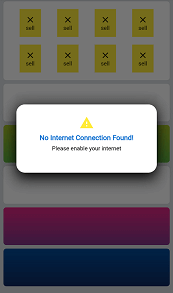
इंटरनेट कनेक्शन बंद होने पर पॉपअप संदेश के लिए एक पैकेज। इंटरनेट कनेक्शन बंद होने या कनेक्टेड लेकिन इंटरनेट नहीं होने पर पॉपअप को प्रारंभ करने के लिए एक पंक्ति लिखें।
53लाइक 3730-दिन डाउनलोड160Pub अंक
प्लेटफ़ॉर्म डेटा नहीं
एक पैकेज जो बिना इंटरनेट कनेक्शन के होने पर एक पॉपअप बनाता है

यह अंग्रेज़ी मूल स्नैपशॉट है। नवीनतम सामग्री GitHub पर देखें।
A package that shows a pop up alert when the internet connection is lost
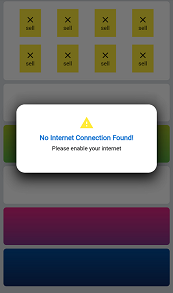
initialize InternetPopup class and add context inside initState() funtion of the top of your widget tree.
InternetPopup().initialize(context: context);
when the widget is popped from widget tree, initialize it again on next page.
If you want your own widget to popUp, use
InternetPopup().initializeCustomWidget(context: context, widget: /*** your custom widget ***/);
You can write custom message title and description using customMessage and customDescription parameter inside initialize.
use onTapPop parameter to decide if the box can be removed before internet connection is back online.
You can use checkInternet function to get a Future value to check connectivity manually before some task.
bool isConnected = await InternetPopup().checkInternet();
निर्भरता सूची 4 आइटम
{"sdk":"flutter"}^3.1.1^1.24.9^3.0.0उपयोग के अनुसार छाँटें, गतिविधि की तुलना करें और अपनाने से पहले मूल प्रोजेक्ट की आवश्यकताएँ जाँचें।
“A repository is the most basic element of GitHub.”
GitHub Docs — About repositories ↗