

 v1.2.2
flutter_verification_code_field
Flutter सत्यापन कोड इनपुट। मुख्य रूप से प्रमाणीकरण ईमेल या संदेशों से OTP कोड दर्ज करने या चिपकाने के लिए उपयोग किया जाता है।
27लाइक 9630-दिन डाउनलोड160Pub अंक
AndroidiOS
otakoyi/flutter_verification_code_field open-source repository details.

यह अंग्रेज़ी मूल स्नैपशॉट है। नवीनतम सामग्री GitHub पर देखें।
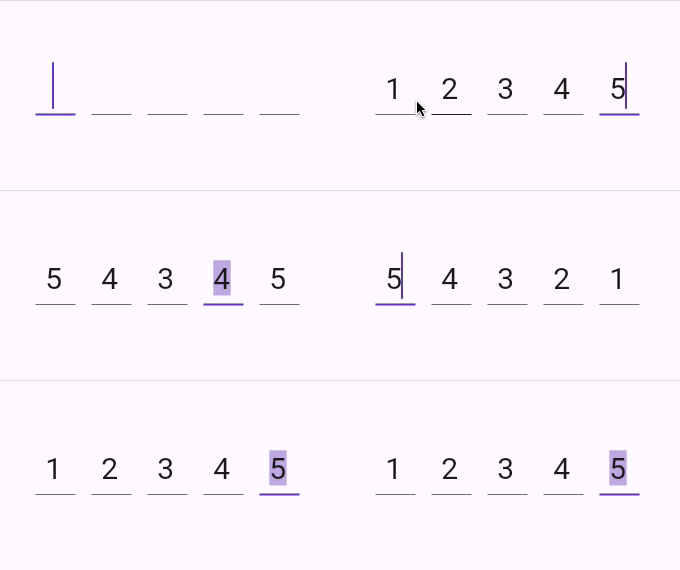
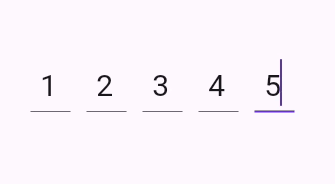
A flutter package which contains a verification code field with a number of advantages, namely with the ability to customize your own validation pattern, customize the number of OTP fields or their size, as well as the spacing between OTP fields, also supports text insertion or character replacement in any cell.

Add this to your package's pubspec.yaml file:
dependencies:
  flutter_verification_code_field: ^1.0.0
You can install packages from the command line:
with pub:
$ pub get
with Flutter:
$ flutter pub get
Now in your Dart code, you can use:
import 'package:flutter_verification_code_field/flutter_verification_code_field.dart';
VerificationCodeField is a Hook Widget that can be used for OTP verification.
Include it in your code like:
    VerificationCodeField(
      length: 5,
      onFilled: (value) => print(value),
      size: Size(30, 60),
      spaceBetween: 16,
      matchingPattern: RegExp(r'^\d+$'),
    );
It has many configurable properties, including:
length – Number of the OTP Fieldssize – Size of the single OTP FieldspaceBetween – Space between the OTP fieldsmatchingPattern – Pattern for validationThere are also custom callback:
onFilled – Callback function that is called when the verification code is filledIf you encounter any problems feel free to open an issue. If you feel the library is missing a feature, please raise a ticket on GitHub and I'll look into it. Pull request are also welcome.
निर्भरता सूची 5 आइटम
{"sdk":"flutter"}^0.21.2^2.4.1{"sdk":"flutter"}^5.0.0उपयोग के अनुसार छाँटें, गतिविधि की तुलना करें और अपनाने से पहले मूल प्रोजेक्ट की आवश्यकताएँ जाँचें।
“A repository is the most basic element of GitHub.”
GitHub Docs — About repositories ↗