
 v0.5.0
unity_ads_plugin
Flutter एप्लिकेशन के लिए Unity Ads प्लगइन। यह प्लगइन Unity बैनर विज्ञापन और Unity वीडियो विज्ञापन प्रदर्शित करने में सक्षम है।
176लाइक 6.6 हज़ार30-दिन डाउनलोड160Pub अंक
AndroidiOS
Flutter एप्लिकेशन के लिए Unity Ads प्लगइन। यह प्लगइन Unity बैनर विज्ञापन और Unity वीडियो विज्ञापन प्रदर्शित करने में सक्षम है।

{"sdk":"flutter"}{"sdk":"flutter"}^5.0.0यह अंग्रेज़ी मूल स्नैपशॉट है। नवीनतम सामग्री GitHub पर देखें।
Pub License Pub likes Monthly downloads Pub points Flutter platform
📢 Follow for updates: t.me/pavelzaichyk_dev
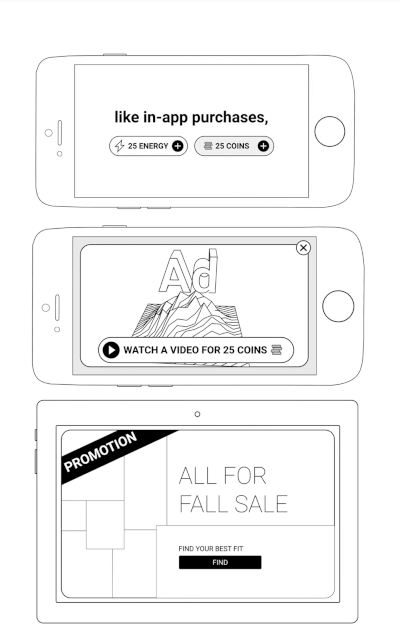
A Flutter plugin for integrating Unity Ads into your mobile applications. Easily display Unity Banner Ads and Unity Video Ads (Rewarded & Interstitial) with simple Dart APIs.
Add the plugin to your pubspec.yaml:
dependencies:
  unity_ads_plugin: ^<latest_version>
Then run:
flutter pub get
Here is a minimal example of using the plugin:
import 'package:unity_ads_plugin/unity_ads_plugin.dart';

void main() {
  UnityAds.init(
    gameId: 'YOUR_GAME_ID',
    testMode: true,
    onComplete: () => print('Unity Ads Initialized'),
    onFailed: (error, message) => print('Unity Ads Initialization Failed: $error $message'),
  );
}
For more detailed usage, see the Getting Started section.
UnityAds.init(
  gameId: 'PROJECT_GAME_ID',
  onComplete: () => print('Initialization Complete'),
  onFailed: (error, message) => print('Initialization Failed: $error $message'),
);
Set your Game ID.
For testing purposes, set testMode to true.
UnityAds.isInitialized() can be used to check if the SDK has initialized successfully.
Android only: To change ad behavior in Firebase Test Lab, use the firebaseTestLabMode parameter. Possible values:
| Mode | Description |
|---|---|
| disableAds | Ads are not displayed in Firebase Test Lab (default) |
| showAdsInTestMode | Ads are displayed in test mode. |
| showAds | Real ads are displayed if testMode is false. |
Rewarded Video Ad Interstitial Video Ad
Load a video ad before showing it.
UnityAds.load(
  placementId: 'PLACEMENT_ID',
  onComplete: (placementId) => print('Load Complete $placementId'),
  onFailed: (placementId, error, message) => print('Load Failed $placementId: $error $message'),
);
Show a loaded ad.
UnityAds.showVideoAd(
  placementId: 'PLACEMENT_ID',
  onStart: (placementId) => print('Video Ad $placementId started'),
  onClick: (placementId) => print('Video Ad $placementId click'),
  onSkipped: (placementId) => print('Video Ad $placementId skipped'),
  onComplete: (placementId) => print('Video Ad $placementId completed'),
  onFailed: (placementId, error, message) => print('Video Ad $placementId failed: $error $message'),
);
UnityAds.showVideoAd has a serverId parameter. To use server-to-server callbacks, set this parameter. Read more at docs.unity.com.
Banner Ad
Place the UnityBannerAd widget in your app.
UnityBannerAd(
  placementId: 'PLACEMENT_ID',
  onLoad: (placementId) => print('Banner loaded: $placementId'),
  onClick: (placementId) => print('Banner clicked: $placementId'),
  onShown: (placementId) => print('Banner shown: $placementId'),
  onFailed: (placementId, error, message) => print('Banner Ad $placementId failed: $error $message'),
)
Read more about privacy consent in the Unity Ads documentation.
Use the following code to pass the appropriate consent flags to the Unity Ads SDK:
UnityAds.setPrivacyConsent(<Privacy Consent type>, true)
Symptom. While a fullscreen ad is playing, Recent Apps shows two cards for your app — your app and the ad. Users can swipe the ad away before it completes, so the impression is lost.
Fix. Remove one line from your app's android/app/src/main/AndroidManifest.xml:
<activity
    android:name=".MainActivity"
    android:taskAffinity=""     <!-- remove this line -->
    ...>
Flutter's template adds that blank affinity; Unity's ad screen keeps the default one. Android puts screens with different affinities in different tasks — hence the second card. Removing it puts the ad back in your app's task.
Trade-off. The attribute guards against task hijacking
(flutter#144018), which Android patches at the
OS level from API 30. On
minSdk 30+ removing it costs nothing; below that, users on Android 7–10 lose partial
protection — raising minSdk to 30 fixes both concerns at once.
Adding excludeFromRecents to Unity's ad activity does not work as an alternative.
See issue #70.
If you find this package helpful and would like to support its continued development, please consider making a donation. Your contributions are greatly appreciated and motivate the further enhancement of this and other plugins.
Your support helps maintain and improve this package, ensuring it remains up-to-date and useful for the community.
Thank you for your generosity!