सार्वजनिक जानकारी से बना चयन मार्गदर्शन। केवल संदर्भ हेतु।
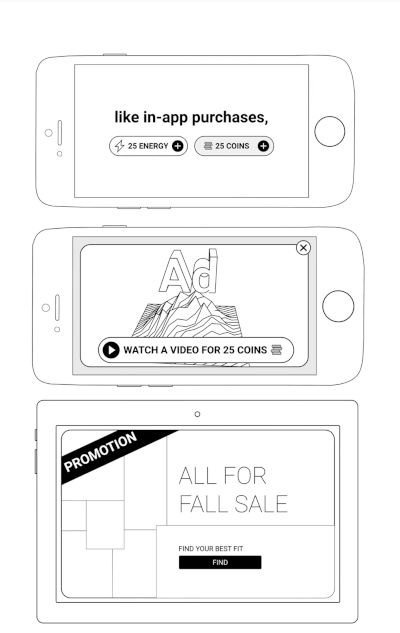
unity_ads_plugin एफ्लटर एप्लिकेशन में यूनिटी विज्ञापनों को एकीकृत करने की अनुमति देता है, जो एंड्रॉइड और आईओएस पर बैनर और वीडियो विज्ञापन प्रारूपों का समर्थन करता है। यह एप्लिकेशन में विज्ञापनों को लोड और प्रदर्शित करने के लिए एक सरल इंटरफेस प्रदान करता है, जो डेवलपर्स को यूनिटी के विज्ञापन प्लेटफॉर्म के माध्यम से अपने प्रोजेक्ट को मोनेटाइज़ करने में मदद करता है। यह प्लगइन फ्लटर के नेटिव इंटीग्रेशन क्षमताओं के साथ बिना किसी बाधा के काम करने के लिए डिज़ाइन किया गया है, जिससे गहन प्लेटफॉर्म-विशिष्ट ज्ञान के बिना चित्रण को चित्रित करने में सक्षम होता है। यह न्यूनतम सेटअप के साथ विश्वसनीय ऐप-आंतरिक विज्ञापन समाधान की तलाश करने वाले ऐप्स के लिए आदर्श है।
उपयोग
मोबाइल गेम्स का मुनाफा करना
एप्प में बैनर विज्ञापन प्रदर्शित करना
रिवार्डेड वीडियो विज्ञापन चला रहे हैं
यूनिटी के विज्ञापन नेटवर्क को एकीकृत करना
एप्लिकेशन आय को बढ़ाने के लिए एप्लिकेशन अंदर के विज्ञापनों का उपयोग करना
मुख्य विशेषताएँ
यूनिटी बैनर विज्ञापन समर्थित
यूनिटी वीडियो विज्ञापन समर्थित
क्रॉस-प्लेटफॉर्म (Android और iOS)
Flutter के साथ सरल एकीकरण
रियल-टाइम विज्ञापन लोडिंग और प्रदर्शन
इनके लिए उपयुक्त
Unity Ads का उपयोग करने वाले Flutter विकासकर्ता
मोबाइल गेम विकासकर्ता जो मुद्रीकरण की खोज कर रहे हैं
प्रोत्साहन वीडियो विज्ञापन की आवश्यकता वाले ऐप्स
Android और iOS के लिए विकासकर्ता
हल्के विज्ञापन एकीकरण की आवश्यकता वाले प्रोजेक्ट
विचार योग्य बातें
Unity Ads खाता सेटअप की आवश्यकता है
यूनिटी एड्स SDK संस्करण पर निर्भर करता है
Android पर अतिरिक्त अनुमतियाँ की आवश्यकता हो सकती है
विज्ञापन उपलब्धता क्षेत्र और स्टॉक पर निर्भर करती है
विज्ञापन लोडिंग देरी से प्रभावित करने वाला प्रदर्शन
मूल README
संबंधित सोर्स रिपॉज़िटरी के मूल README का स्नैपशॉट। नवीनतम सामग्री के लिए रिपॉज़िटरी देखें।
A Flutter plugin for integrating Unity Ads into your mobile applications. Easily display Unity Banner Ads and Unity Video Ads (Rewarded & Interstitial) with simple Dart APIs.
Features
Display Unity Banner, Rewarded, and Interstitial Video Ads
Android: the ad shows up as a separate app in Recent Apps
Symptom. While a fullscreen ad is playing, Recent Apps shows two cards for your app — your
app and the ad. Users can swipe the ad away before it completes, so the impression is lost.
Fix. Remove one line from your app's android/app/src/main/AndroidManifest.xml:
Flutter's template adds that blank affinity; Unity's ad screen keeps the default one. Android
puts screens with different affinities in different tasks
— hence the second card. Removing it puts the ad back in your app's task.
Trade-off. The attribute guards against task hijacking
(flutter#144018), which Android patches at the
OS level from API 30. On
minSdk 30+ removing it costs nothing; below that, users on Android 7–10 lose partial
protection — raising minSdk to 30 fixes both concerns at once.
Adding excludeFromRecents to Unity's ad activity does not work as an alternative.
See issue #70.
Donate
If you find this package helpful and would like to support its continued development, please consider making a donation. Your contributions are greatly appreciated and motivate the further enhancement of this and other plugins.
Your support helps maintain and improve this package, ensuring it remains up-to-date and useful for the community.