
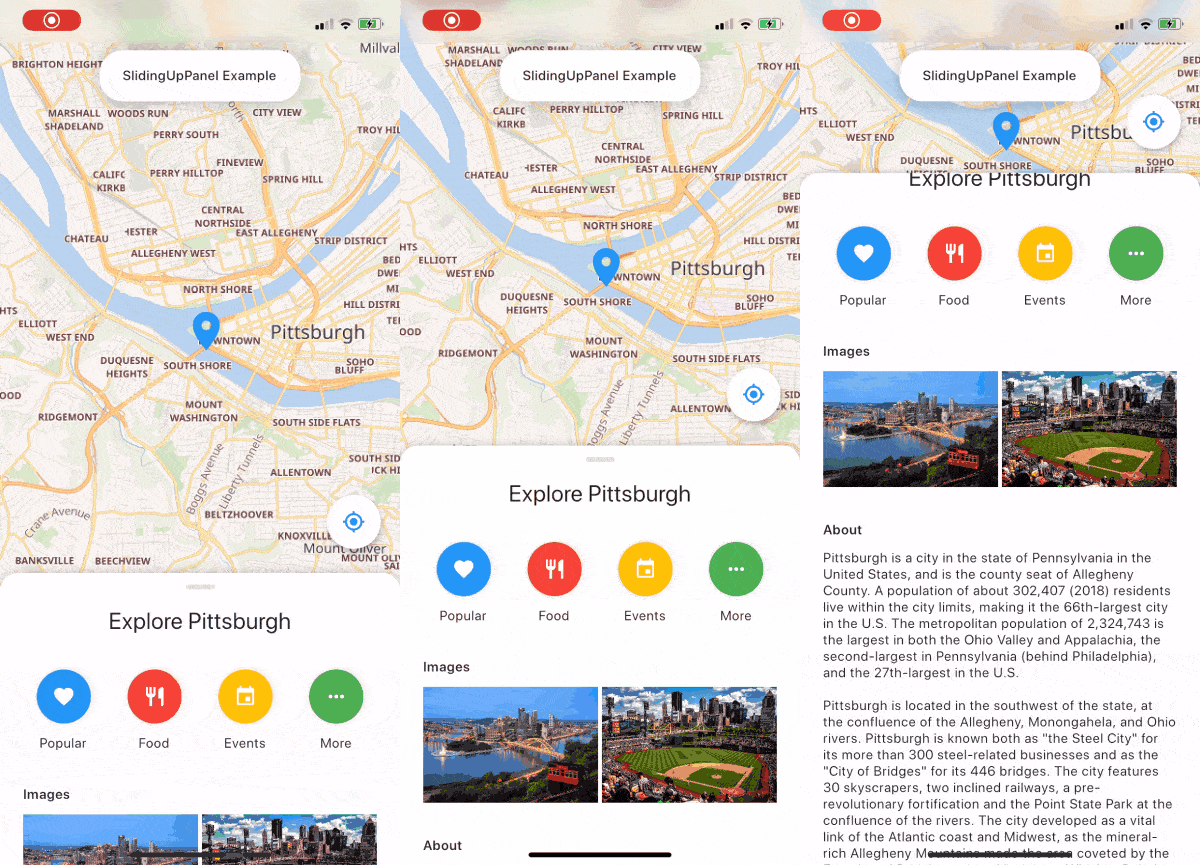
 v2.0.0+1
sliding_up_panel
एक ड्रैगेबल Flutter विजेट जो SlidingUpPanel को आसानी से लागू करने में मदद करता है!
2.9 हज़ारलाइक 83630-दिन डाउनलोड140Pub अंक
AndroidiOSWebmacOSWindowsLinux
Flutter का उपयोग करके बनाया गया संगीत प्लेयर। @ashwinkey04 द्वारा बनाए रखा जा रहा है
 v2.0.0+1
एक ड्रैगेबल Flutter विजेट जो SlidingUpPanel को आसानी से लागू करने में मदद करता है!
YouTube Explode लाइब्रेरी का डार्ट संस्करण। YouTube API कुंजी के बिना कई API कार्यों का समर्थन करता है।
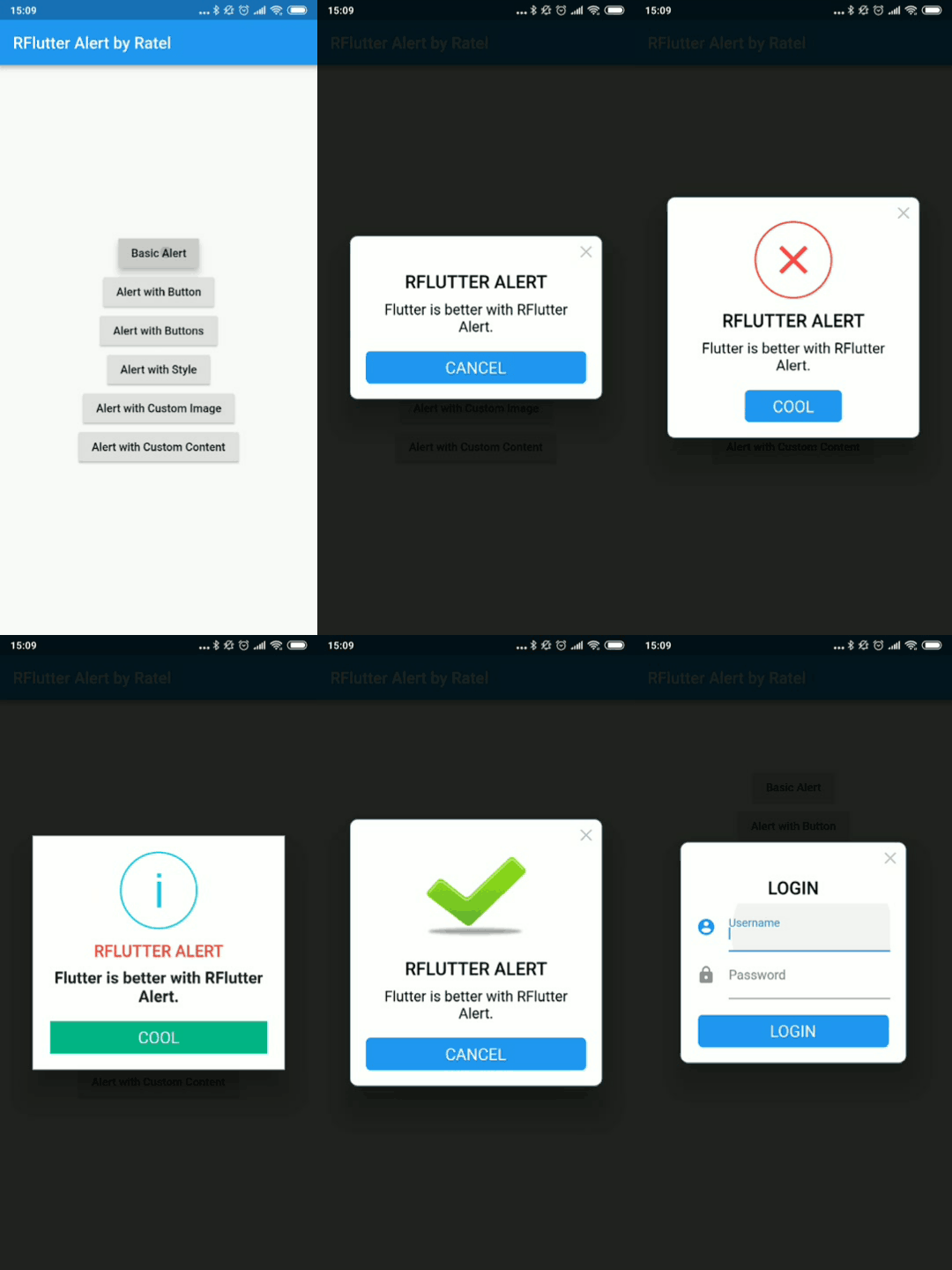 v2.0.7
RFlutter Alert फ्लटर के लिए अत्यधिक कस्टमाइज़ेबल और आसान उपयोग वाले अलर्ट / पॉपअप डायलॉग है। आप आसानी से पुनर्उपयोगी अलर्ट शैलियां बना सकते हैं या जितने भी बटन चाहें, उतने ही जोड़ सकते हैं।
एक फ्लटर विजेट जो अनंत रूप से टेक्स्ट को स्क्रॉल करता है। कई कस्टमाइज़ेशन प्रदान करता है, जिसमें कस्टम स्क्रॉल दिशाओं, अवधि, कर्व और प्रत्येक चक्कर के बाद रुकावट शामिल हैं।
एक प्लगइन जो फ्लटर में नेटिव एपी कॉल कर सकता है फाइलों को खोलने के लिए और स्ट्रिंग परिणाम देता है, iOS (UTI) / Android (इंटेंट) / PC (FFI) / वेब (dart:html) का समर्थन करता है
एक फ्लटर लाइब्रेरी जो एनिमेशन को आसान बनाती है। यह एनिमेशन सेटअप को उपयोगकर्ता इंटरफेस से अलग करने की अनुमति देती है।
डिवाइस स्टोरेज से ऑडियो/गानों की जानकारी [शीर्षक, कलाकार, एल्बम, आदि] को प्रश्न करने के लिए उपयोग किया जाने वाला फ्लटर प्लगइन।
Flutter क्लिपबोर्ड में टेक्स्ट, रिच टेक्स्ट (HTML) और छवि समर्थन है।
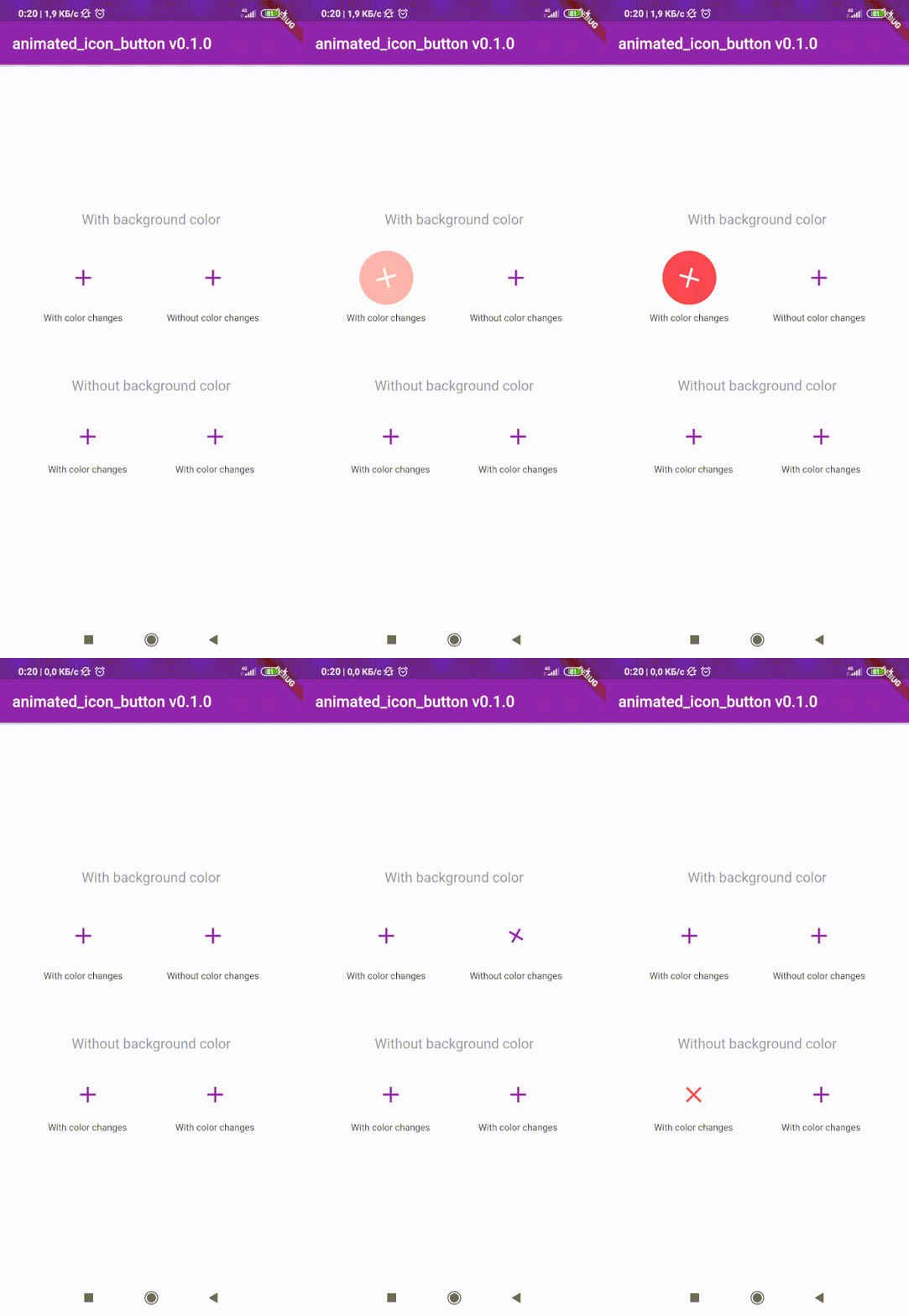 v1.0.2
कस्टम एनिमेटेड IconButton बनाने के लिए Flutter पैकेज। सभी उपलब्ध आइकन शामिल हैं। मूल IconButton पर आधारित।
^1.0.2^3.1.0^0.18.3^0.1.2+8^3.0.6^1.0.0^4.3.2{"sdk":"flutter"}^8.0.8^2.0.5^1.1.0^0.13.3^0.9.18^2.2.0^2.5.3^3.2.0^2.0.0-nullsafety.1^6.0.1^1.4.5^2.0.4^2.0.3^2.0.0+1^2.0.0+3^2.1.1^1.10.9+1^0.9.2{"sdk":"flutter"}यह अंग्रेज़ी मूल स्नैपशॉट है। नवीनतम सामग्री GitHub पर देखें।
stars forks
issues Contrinutors License Release
| Get it on F-Droid | Get it on F-Droid | https://www.buymeacoffee.com/assets/img/custom_images/orange_img.png |
Download and install Git.
Fork Raag
Clone your fork of the project locally. At the command line:
$ git clone https://github.com/YOUR-GITHUB-USERNAME/raag.git
Open Raag in your favourite editor (VS Code, Android Studio etc)
To install the dependencies run the following command in the terminal.
$ flutter pub get
Connect your Android emulator or your mobile device to your computer.
Build the application in your device by clicking Run run button or run the following in terminal.
$ flutter run
| https://raw.githubusercontent.com/raag-music/raag/HEAD/fastlane/metadata/android/en-US/images/phoneScreenshots/1.png | https://raw.githubusercontent.com/raag-music/raag/HEAD/fastlane/metadata/android/en-US/images/phoneScreenshots/2.png |
| https://raw.githubusercontent.com/raag-music/raag/HEAD/fastlane/metadata/android/en-US/images/phoneScreenshots/3.png | https://raw.githubusercontent.com/raag-music/raag/HEAD/fastlane/metadata/android/en-US/images/phoneScreenshots/4.png |
To contribute to this project you can FORK & clone 🍴 the project as mentioned in Setting up your development environment, and make an issue on bug fixing or adding new features, and make a PR 😊.
This project is licensed under the GPL General Public License v2.0.
A few resources to get you started if this is your first Flutter project:
For help getting started with Flutter, view the online documentation, which offers tutorials, samples, guidance on mobile development, and a full API reference.