

 v0.9.1
drop_shadow_image
एक नया Flutter पैकेज जो छाया के लिए चित्र के लिए बहुत सारे गुण हैं जिससे इसे बहुत अच्छा दिखने में मदद मिलती है।
59लाइक 19230-दिन डाउनलोड160Pub अंक
AndroidiOSWebmacOSWindowsLinux
एक छवि के ड्रॉप शैडो प्रभाव बनाने के लिए Flutter पैकेज, जिसमें लागू करने के लिए बहुत सारे गुण हैं।

यह अंग्रेज़ी मूल स्नैपशॉट है। नवीनतम सामग्री GitHub पर देखें।
Package for creating drop shadow effect of an image, with lots of properties to apply.
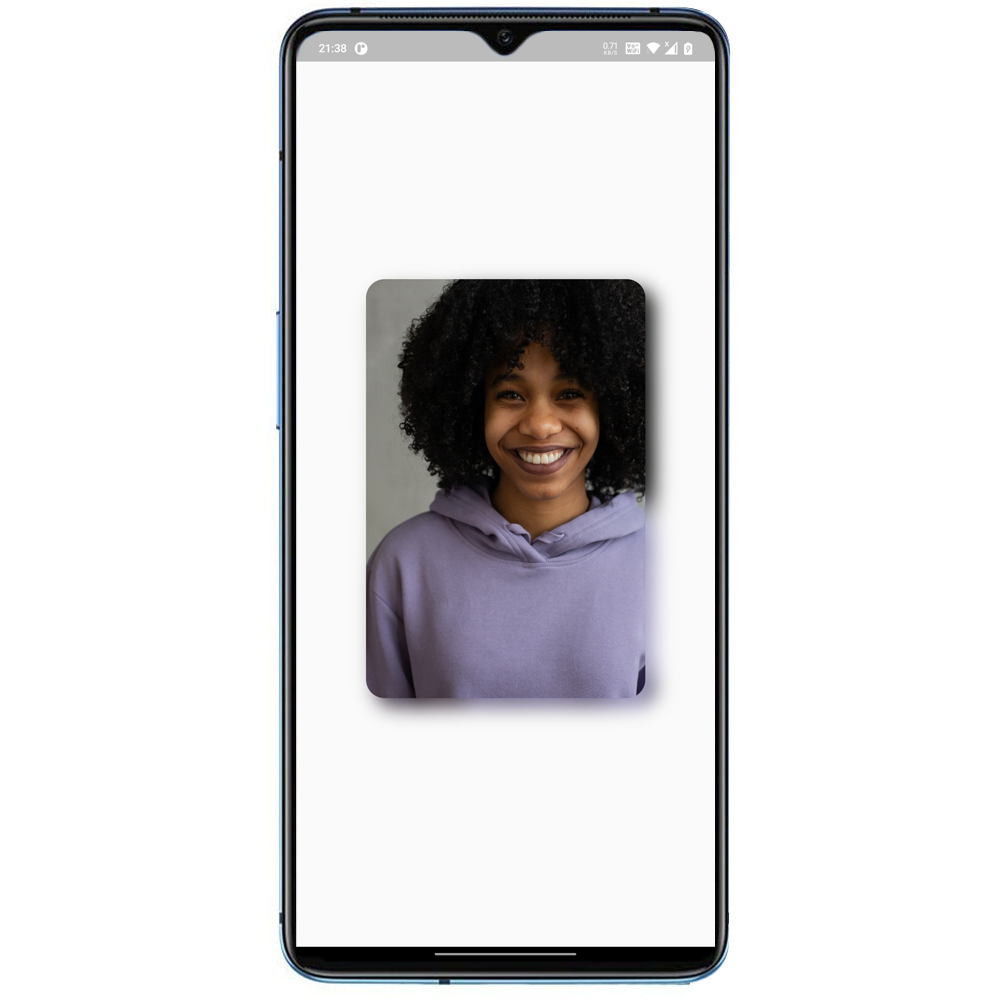
pubspec.yaml file:dependencies:
drop_shadow_image: ^0.9.0
import 'package:drop_shadow_image/drop_shadow_image.dart';
import 'dart:ui';

import 'package:drop_shadow_image/drop_shadow_lib.dart';
import 'package:flutter/material.dart';

main() => runApp(MyApp());

class MyApp extends StatelessWidget {
  @override
  Widget build(BuildContext context) {
    return MaterialApp(
      debugShowCheckedModeBanner: false,
      home: Scaffold(
        body:
        Center(
          child: DropShadowImage(
            offset: Offset(10,10),
            scale: 1,
            blurRadius: 12,
            borderRadius: 20,
            image: Image.asset('assets/cat.png',
            width: 300,),
          ),
        )
      ),
    );
  }
}
1. Key key

2. double scale  // Size to parent.

3. Offset offset  // Position of shadow. (dx) for horizontal displacement (dy) for vertical displacement.

4. double blurRadius // Amount of blur in the shadow. 0 means no blur.

5. double borderRadius //  border radius of image

6. Image image (@required) // The image.
निर्भरता सूची 2 आइटम
{"sdk":"flutter"}{"sdk":"flutter"}उपयोग के अनुसार छाँटें, गतिविधि की तुलना करें और अपनाने से पहले मूल प्रोजेक्ट की आवश्यकताएँ जाँचें।
“A repository is the most basic element of GitHub.”
GitHub Docs — About repositories ↗