पैकेज, रिपॉज़िटरी और ऐप श्रेणियाँ खोजें

GitHub रिपॉज़िटरीtechvootsolutions/flutter_text_detect_area

flutter_text_detect_area

techvootsolutions/flutter_text_detect_area open-source repository details.

flutter_text_detect_area प्रोजेक्ट कवर
स्टार
10
फ़ोर्क
0
अंतिम पुश (UTC)
19 अग॰ 2026
प्रोजेक्ट स्थिति
सक्रिय

मूल README

यह अंग्रेज़ी मूल स्नैपशॉट है। नवीनतम सामग्री GitHub पर देखें।

Flutter Text Detect Area

pub package GitHub stars License: GPLv3 Flutter Compatible Platform


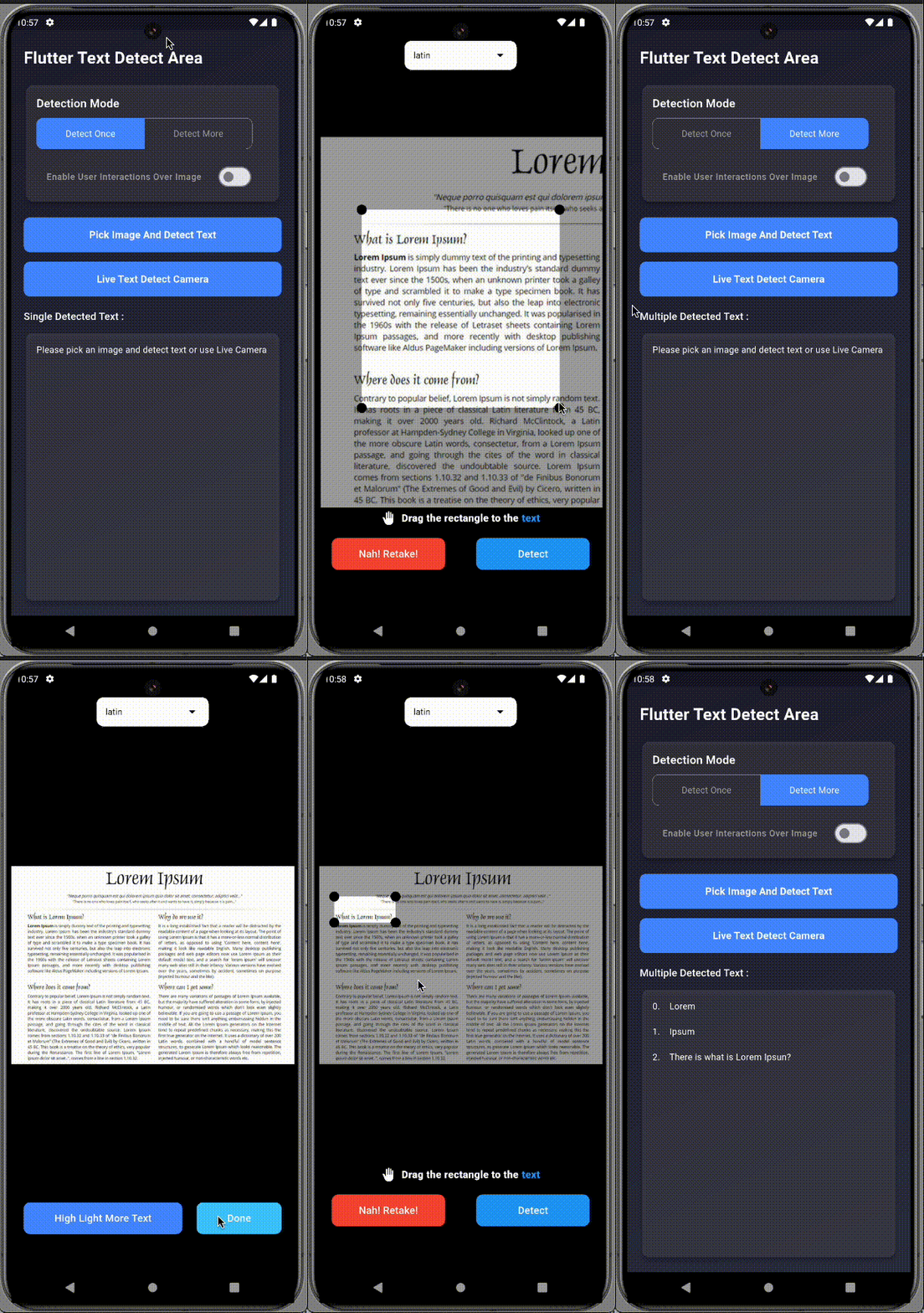
A Flutter plugin that enables text detection from specific areas of an image or live camera preview. Just drag/select the area you want to scan, and let it extract the text using ML Kit.

Perfect for scanning:

  • 🧾 Receipts image
  • 📄 Documents image
  • 📘 PDFs image
  • 🧠 Custom fields in images

🚀 Features

  • 📸 Supports both live camera and gallery image input
  • ✍️ Manual area selection (drag, resize, pan, freeze)
  • 🔁 Detect text once or continuously
  • 📱 Android & iOS support
  • ✅ Simple integration

📦 Installation

Add to your pubspec.yaml:

dependencies:
  flutter_text_detect_area: <latest-version>

Import in your Dart file:

import 'package:flutter_text_detect_area/flutter_text_detect_area.dart';

📸 Preview

Pick Image (GIF) Live Camera (GIF)
Pick Camera
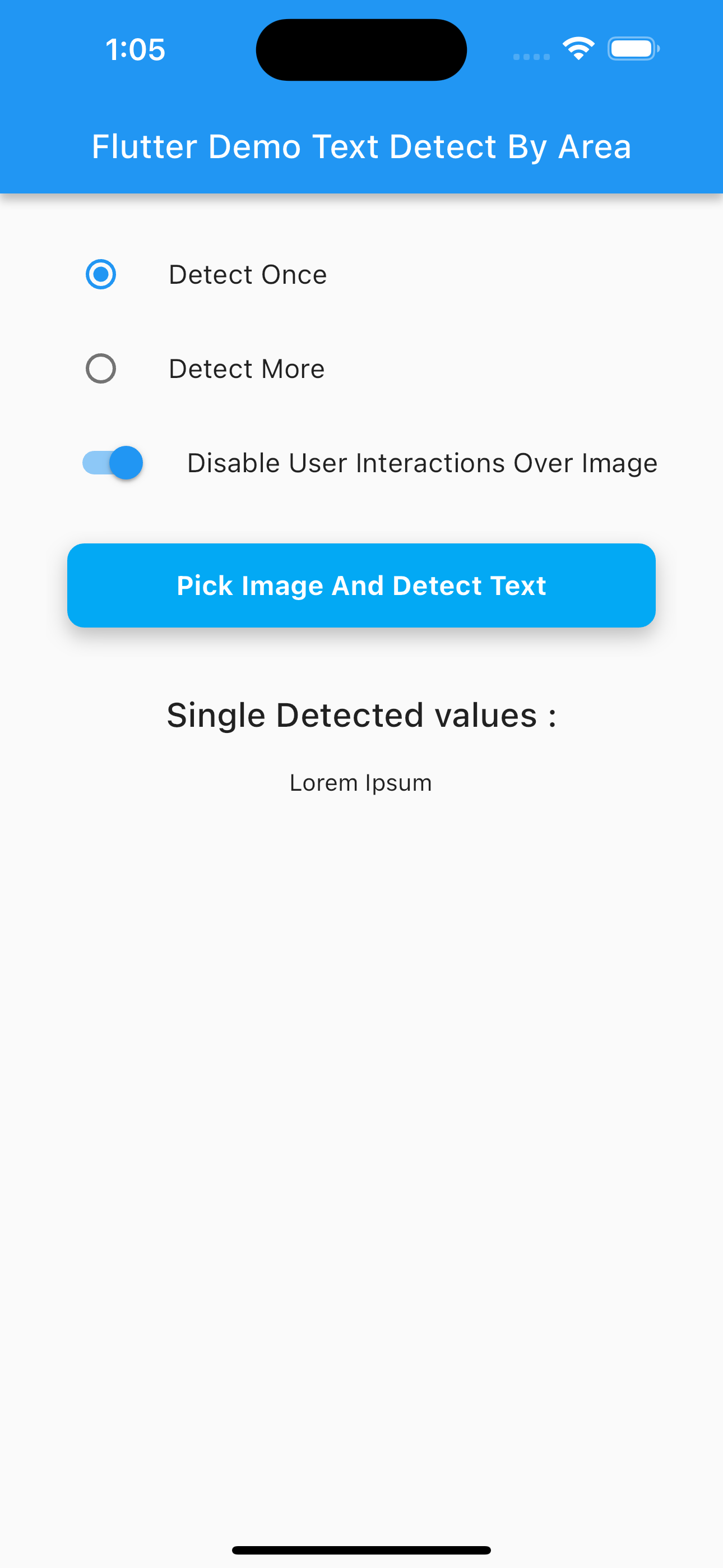
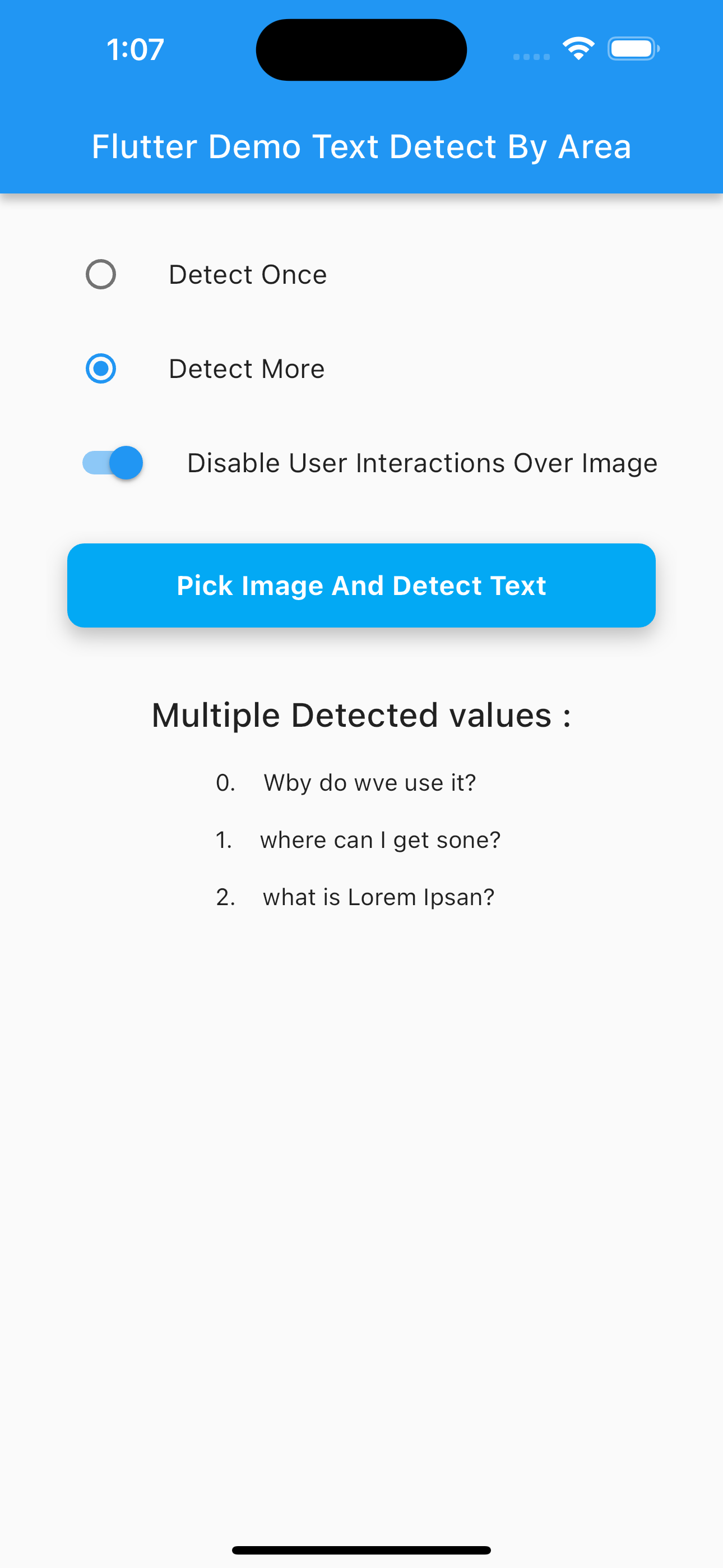
Multi Text Detection (PNG) Single Text Detection Camera (PNG)
Multi Single

📂 Image Picker Setup

Use the image_picker package to choose an image:

final pickedFile = await ImagePicker().pickImage(source: ImageSource.gallery);

✨ Example Usage

Navigator.of(context).push(
  MaterialPageRoute(
    builder: (context) => SelectImageAreaTextDetect(
      detectOnce: true, // Set to false for continuous scan
      enableImageInteractions: true,
      imagePath: pickedFile?.path ?? '',
      onDetectText: (value) {
        if (value is String) {
          print("Detected: $value");
        } else if (value is List<String>) {
          for (int i = 0; i < value.length; i++) {
            print("${i + 1}. ${value[i]}");
          }
        }
      },
      onDetectError: (error) {
        if (error is PlatformException &&
            (error.message?.contains("InputImage width and height should be at least 32!") ?? false)) {
          ScaffoldMessenger.of(context).showSnackBar(
            const SnackBar(content: Text("Selected area must be at least 32x32 pixels.")),
          );
        }
      },
    ),
  ),
);

🔐 Permissions

Android (AndroidManifest.xml)
<uses-permission android:name="android.permission.CAMERA"/>
<uses-permission android:name="android.permission.READ_EXTERNAL_STORAGE"/>
iOS (Info.plist)
<key>NSCameraUsageDescription</key>
<string>Need camera access for live scanning</string>
<key>NSPhotoLibraryUsageDescription</key>
<string>Need photo access to pick images</string>

✅ Platform Support

Platform Supported
Android ✅
iOS ✅
Web ❌

🔍 Output Format

  • If detecting once: returns String
  • If detecting multiple areas: returns List<String>

💡 Use Cases

  • Scan receipts for expenses
  • Extract fields from identity cards
  • Detect table content from scanned documents
  • Select and extract from academic papers or books

👨‍💻 Contributors


📄 License

This project is licensed under the GNU GPLv3.

Techvoot Solutions GitHub avatar
GitHub लेखक

Techvoot Solutions ↗

A leading software development company. Our services are web and mobile app design & development, custom software, enterprise software system

भाषाएँHTMLDartC++CMakeRubySwiftCJavaObjective-CShellKotlin

इस रिपॉज़िटरी के पैकेज

उपयोग की गई निर्भरताएँ

निर्भरता सूची 10 आइटम

अपने प्रोजेक्ट के लिए रिपॉज़िटरी कैसे चुनें?

उपयोग के अनुसार छाँटें, गतिविधि की तुलना करें और अपनाने से पहले मूल प्रोजेक्ट की आवश्यकताएँ जाँचें।

  1. नाम, लेखक या विवरण से खोजें और तकनीकी विषय से परिणाम सीमित करें।
  2. स्टार, फ़ोर्क और हाल के पुश की तुलना करें। स्टार रुचि दर्शाते हैं, गुणवत्ता की गारंटी नहीं।
  3. उपयोग से पहले GitHub पर README, लाइसेंस और Issues जाँचें।

स्रोत और रखरखाव

“A repository is the most basic element of GitHub.”

GitHub Docs — About repositories ↗