flutter_stateless_chessboard
A Stateless Chessboard Widget for Flutter. This package provides just the chessboard. The game logic can be implemented using chess library. Check example/main.dart file, for implementing game logic.
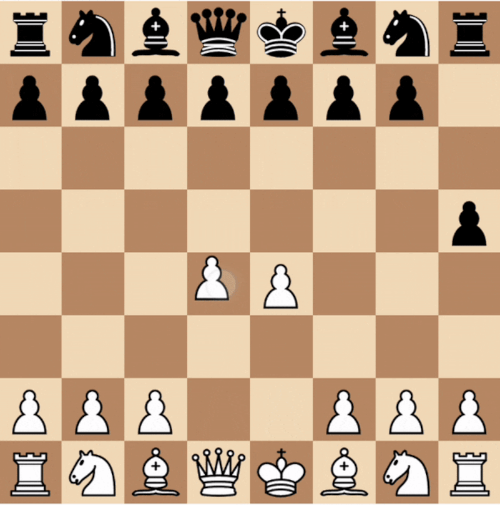
Simple Chess App]
Using the Chessboard
To use Chessboard widget, add flutter_stateless_chessboard as a dependency in your pubspec.yaml
Simple Example
void main() {
  runApp(
    new MaterialApp(
      home: Scaffold(
        body: Center(
          child: Chessboard(
            size: 300,
            fen: "rnbqkbnr/pppppppp/8/8/8/8/PPPPPPPP/RNBQKBNR w KQkq - 0 1",
            onMove: (move) {
              // optional
              // TODO: process the move
              print("move from ${move.from} to ${move.to}");
            },
            orientation: BoardColor.BLACK, // optional
            lightSquareColor: Color.fromRGBO(240, 217, 181, 1), // optional
            darkSquareColor: Color.fromRGBO(181, 136, 99, 1), // optional
          ),
        ),
      ),
    ),
  );
}
Handling Promotion
For handling promotion. You can implement onPromote param. And return the PieceType you want to promote to. See below example.
Chessboard(
  fen: "rnbqkbnr/pppppppp/8/8/8/8/PPPPPPPP/RNBQKBNR w KQkq - 0 1",
  size: 400,
  onMove: ...,
  onPromote: () {
    return showDialog<PieceType>(
      context: context,
      builder: (_) {
        return AlertDialog(
          title: Text('Promotion'),
          content: Column(
            mainAxisSize: MainAxisSize.min,
            children: [
              ListTile(
                title: Text("Queen"),
                onTap: () => navigator.pop(PieceType.QUEEN),
              ),
              ListTile(
                title: Text("Rook"),
                onTap: () => navigator.pop(PieceType.ROOK),
              ),
              ListTile(
                title: Text("Bishop"),
                onTap: () => navigator.pop(PieceType.BISHOP),
              ),
              ListTile(
                title: Text("Knight"),
                onTap: () => navigator.pop(PieceType.KNIGHT),
              ),
            ],
          ),
        );
      },
    );
  },
);
Handling Promotion
Building Custom Pieces
By default, library uses chess_vectors_flutter for pieces. But you can build your own piece widget by implementing buildPiece param. See below example.
Chessboard(
  fen: "rnbqkbnr/pppppppp/8/8/8/8/PPPPPPPP/RNBQKBNR w KQkq - 0 1",
  size: 400,
  buildPiece: (piece, size) {
    if (piece == Piece.WHITE_PAWN) {
      return Icon(
        Icons.person,
        size: size,
        color: Colors.white,
      );
    } else if (piece == Piece.BLACK_PAWN) {
      return Icon(
        Icons.person,
        size: size,
        color: Colors.black,
      );
    }
  },
);
If you don't return widget for a PieceType default widget will be rendered. This is how the above Chessboard will look.
Custom Piece Build
Parameters
fen:
fen that should be show on the board (example rnbqkbnr/pppppppp/8/8/8/8/PPPPPPPP/RNBQKBNR w KQkq - 0 1)
size:
Size of the chessboard widget
onMove (optional):
Called when a move is made on the board. Passing a ShortMove(from, to, promotion).
orientation (optional):
Specify orientation of the chessboard.
lightSquareColor (optional):
color of light square on chessboard.
darkSquareColor (optional):
color of dart square on chessboard.
onPromote (optional):
handle piece promotion
buildPiece (optional):
handle building of custom piece


 v1.1.2