flutter_vision
A Flutter plugin for managing Yolov5, Yolov8, and Yolov11 accessing with LiteRT (TensorFlow Lite). Support object detection and segmentation on Android. iOS not updated, working in progress.
Installation
Add flutter_vision as a dependency in your pubspec.yaml file.
Android
In android/app/build.gradle, add the following setting in android block.
    android{
        aaptOptions {
            noCompress 'tflite'
            noCompress 'lite'
        }
    }
iOS
Coming soon ...
Usage
For YoloV5, YoloV8, and YoloV11 MODEL
- Create a
assets folder and place your labels file and model file in it. In pubspec.yaml add:
  assets:
   - assets/labels.txt
   - assets/yolovx.tflite
- Import the library:
import 'package:flutter_vision/flutter_vision.dart';
- Initialized the flutter_vision library:
FlutterVision vision = FlutterVision();
- Load the model and labels:
modelVersion: yolov5 or yolov8 or yolov8seg or yolo11 or yolov11
await vision.loadYoloModel(
        labels: 'assets/labelss.txt',
        modelPath: 'assets/yolov5n.tflite',
        modelVersion: "yolov5",
        quantization: false,
        numThreads: 1,
        useGpu: false);
For camera live feed
- Make your first detection:
confThreshold work with yolov5 other case it is omited.
Make use of camera plugin
final result = await vision.yoloOnFrame(
        bytesList: cameraImage.planes.map((plane) => plane.bytes).toList(),
        imageHeight: cameraImage.height,
        imageWidth: cameraImage.width,
        iouThreshold: 0.4,
        confThreshold: 0.4,
        classThreshold: 0.5);
For static image
- Make your first detection or segmentation:
final result = await vision.yoloOnImage(
        bytesList: byte,
        imageHeight: image.height,
        imageWidth: image.width,
        iouThreshold: 0.8,
        confThreshold: 0.4,
        classThreshold: 0.7);
- Release resources:
await vision.closeYoloModel();
About results
For Yolo v5, v8, or v11 in detection task
result is a List<Map<String,dynamic>> where Map have the following keys:
   Map<String, dynamic>:{
    "box": [x1:left, y1:top, x2:right, y2:bottom, class_confidence]
    "tag": String: detected class
   }
For YoloV8 in segmentation task
result is a List<Map<String,dynamic>> where Map have the following keys:
   Map<String, dynamic>:{
    "box": [x1:left, y1:top, x2:right, y2:bottom, class_confidence]
    "tag": String: detected class
    "polygons": List<Map<String, double>>: [{x:coordx, y:coordy}]
   }
Example
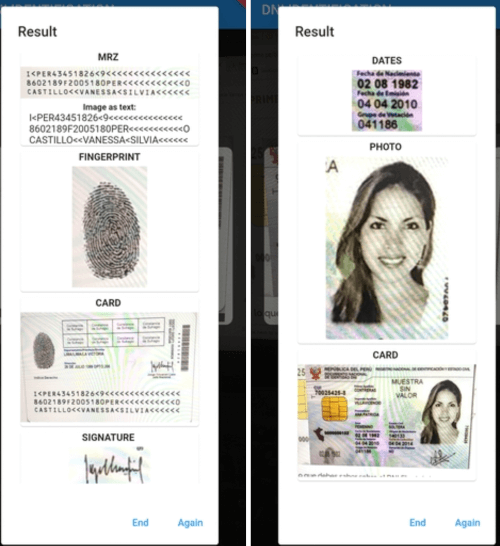
Screenshot_2022-04-08-23-59-05-652_com vladih dni_scanner_example
Home
Detection
Segmentation
Contact
- For flutter_vision bug reports and feature requests please visit GitHub Issues
- For direct contact: yurihuallpavargas@gmail.com


 v2.0.0