

 v1.0.0
progress_indicators
कुछ शानदार प्रगति सूचक और पाठ एनिमेटर का एक हाथ भर संग्रह।
198लाइक 6.4 हज़ार30-दिन डाउनलोड130Pub अंक
AndroidiOSWebmacOSWindowsLinux
wal33d006/progress_indicators open-source repository details.

यह अंग्रेज़ी मूल स्नैपशॉट है। नवीनतम सामग्री GitHub पर देखें।
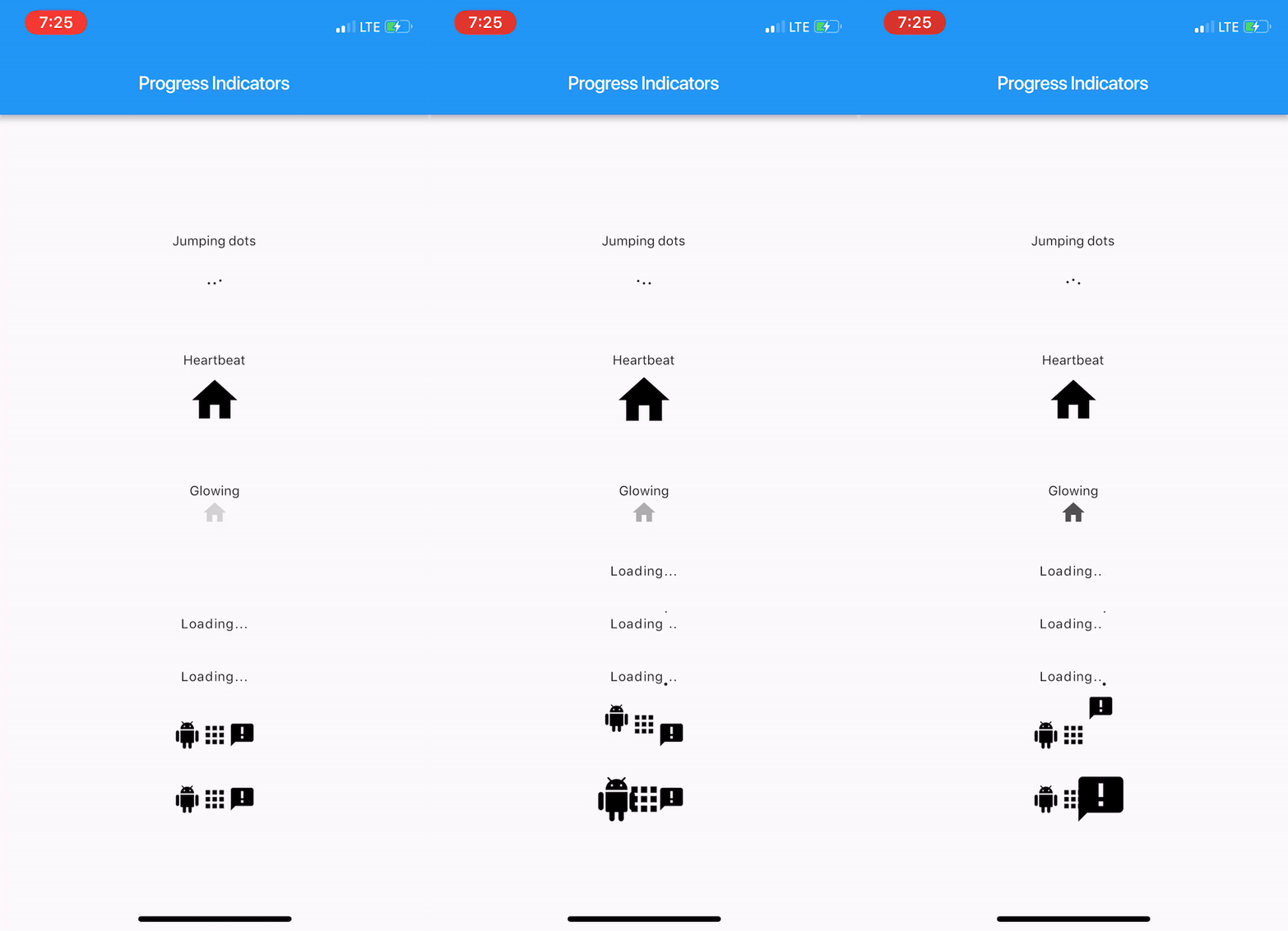
With this project, we are aiming to provide some cool, animated progress indicators to Flutter developers.
Here's how it looks like.
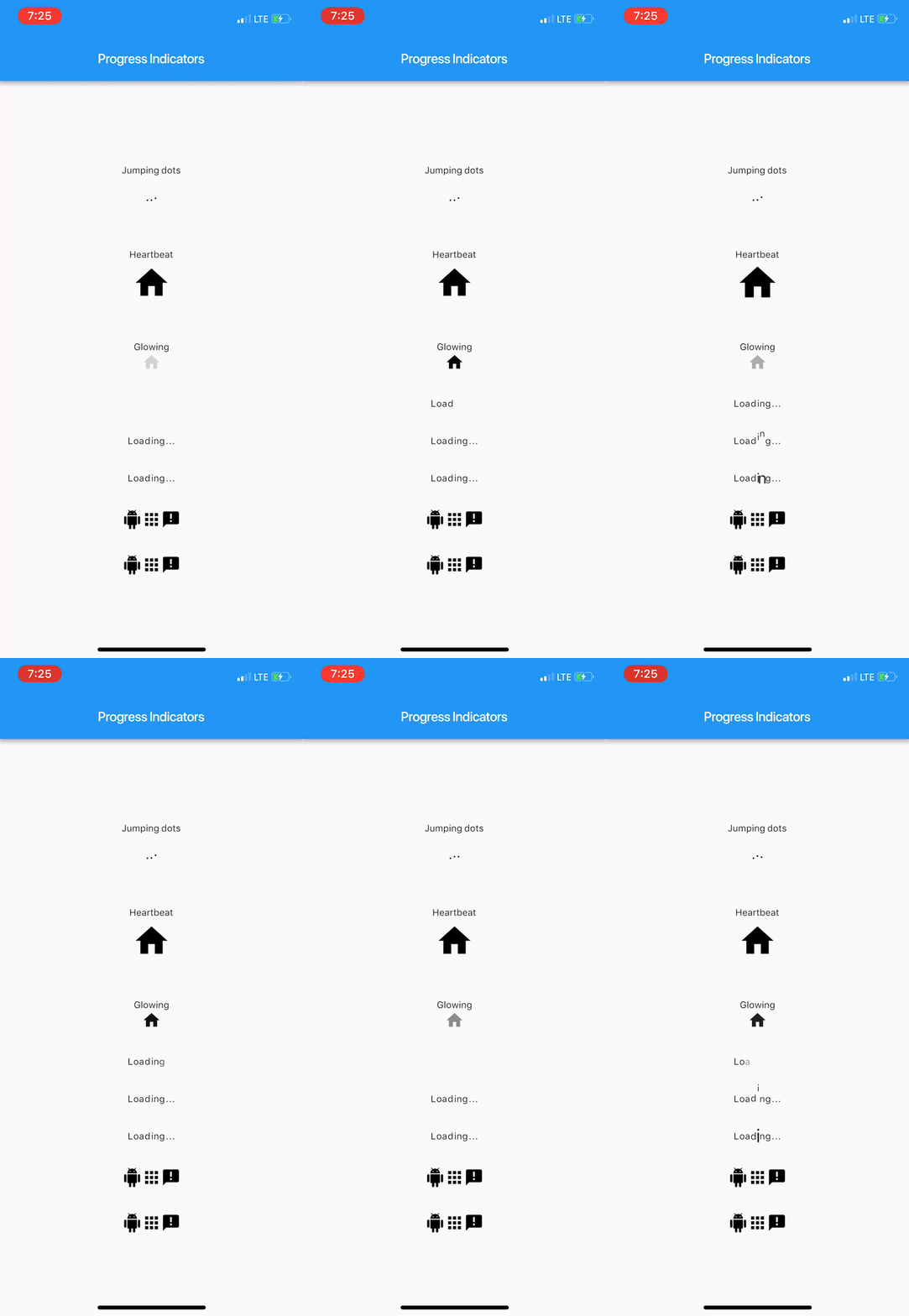
Import package:progress_indicators/progress_indicators.dart and use these avaiable widgets:
FadingTextJumpingTextScalingTextJumpingDotsHeartbeatProgressIndicatorGlowingProgressIndicatorCollectionSlideTranstionCollectionScaleTransitionWidget build(BuildContext context) {
print(Offset(0.0, -1.0).distanceSquared - Offset(0.0, 0.0).distanceSquared);
return new Scaffold(
appBar: new AppBar(
title: new Text(widget.title),
),
body: new Center(
child: new Column(
mainAxisAlignment: MainAxisAlignment.center,
children: <Widget>[
new Text('Jumping dots'),
JumpingDotsProgressIndicator(
fontSize: 20.0,
),
SizedBox(height: 60.0),
new Text('Heartbeat'),
SizedBox(height: 16.0),
HeartbeatProgressIndicator(
child: Icon(Icons.home),
),
SizedBox(height: 60.0),
new Text('Glowing'),
GlowingProgressIndicator(
child: Icon(Icons.home),
),
SizedBox(height: 32.0),
FadingText('Loading...'),
SizedBox(height: 32.0),
JumpingText('Loading...'),
SizedBox(height: 32.0),
ScalingText('Loading...'),
SizedBox(height: 32.0),
CollectionSlideTransition(
children: <Widget>[
Icon(Icons.android),
Icon(Icons.apps),
Icon(Icons.announcement),
],
),
SizedBox(height: 32.0),
CollectionScaleTransition(
children: <Widget>[
Icon(Icons.android),
Icon(Icons.apps),
Icon(Icons.announcement),
],
),
],
),
),
);
}
For complete sample, see the this example app.
निर्भरता सूची 2 आइटम
{"sdk":"flutter"}{"sdk":"flutter"}उपयोग के अनुसार छाँटें, गतिविधि की तुलना करें और अपनाने से पहले मूल प्रोजेक्ट की आवश्यकताएँ जाँचें।
“A repository is the most basic element of GitHub.”
GitHub Docs — About repositories ↗