
 v0.0.16
three_dart
डार्ट द्वारा लागू किया गया थ्री.जेएस। डार्ट 3D लाइब्रेरी। आसानी से उपयोग करने योग्य, हल्का, क्रॉस-प्लेटफॉर्म, सामान्य उद्देश्य की 3D लाइब्रेरी।
201लाइक 22830-दिन डाउनलोड120Pub अंक
AndroidiOSmacOSWindows
Dart द्वारा लिखित three.js का पुनर्लेखन, Dart 3D लाइब्रेरी। आसान उपयोग, हल्का, क्रॉस-प्लेटफ़ॉर्म, सामान्य उद्देश्य की 3D लाइब्रेरी।

निर्भरता सूची 10 आइटम
{"sdk":"flutter"}^0.13.4^2.0.8^2.0.1^3.1.1^0.0.20^3.0.1—{"sdk":"flutter"}^2.0.0यह अंग्रेज़ी मूल स्नैपशॉट है। नवीनतम सामग्री GitHub पर देखें।
Dart 3D library. an easy to use, lightweight, cross-platform, general purpose 3D library.
three.js rewrite by Dart. 3D for Flutter. Base on flutter_gl
support Web, iOS, Android, macOS, Windows
Linux TODO, need flutter_gl support
three.js r138
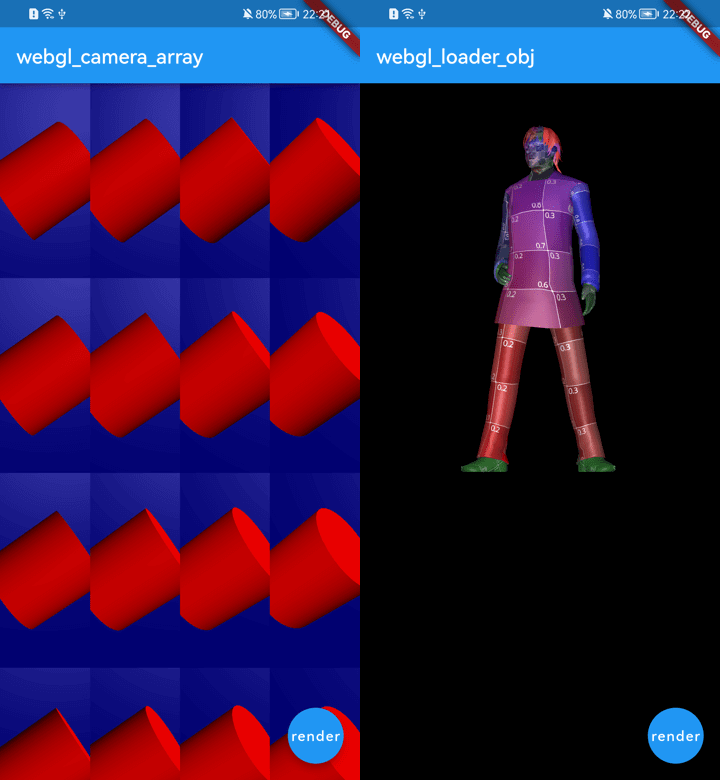
Example Demo on flutter web https://wasabia.github.io/three_dart_example/#/
First at all. Follow flutter_gl Usage flutter_gl
TODO
check example project
camera = new three.PerspectiveCamera( 40, 1, 0.1, 10 );
camera.position.z = 3;

scene = new three.Scene();
camera.lookAt(scene.position);

scene.background = three.Color(1.0, 1.0, 1.0);
scene.add( new three.AmbientLight( 0x222244, null ) );

var geometryCylinder = new three.CylinderGeometry( 0.5, 0.5, 1, 32 );
var materialCylinder = new three.MeshPhongMaterial( { "color": 0xff0000 } );

mesh = new three.Mesh( geometryCylinder, materialCylinder );
scene.add( mesh );
cd example && flutter run
3
File any issues, bugs, or feature requests.
Pull request please!
https://github.com/wasabia/three_dart_jsm