


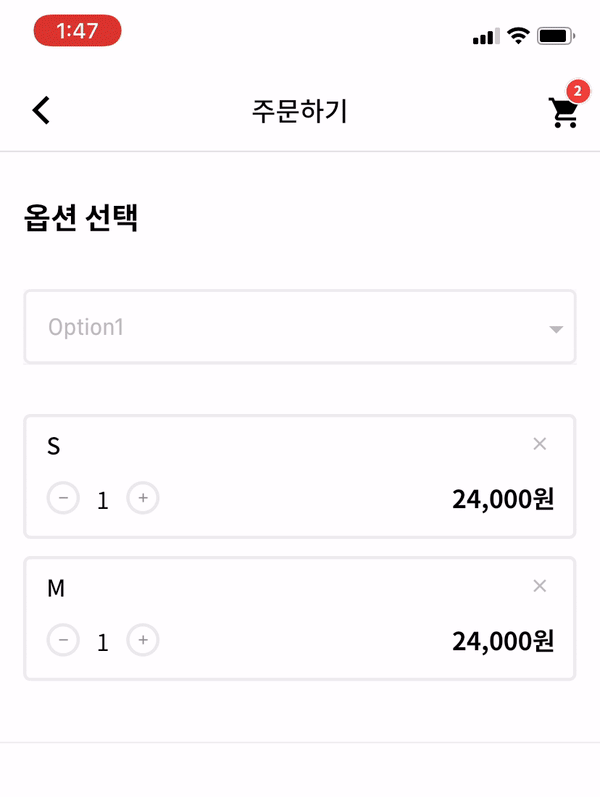
 v1.0.3
dropdown_below
Flutter कस्टम ड्रॉपडाउन बॉक्स। विकासकर्ता अपने स्वाद के लिए कई विकल्पों को कस्टमाइज़ कर सकते हैं। यह ड्रॉपडाउन UX के लिए एक बड़ा फायदा हो सकता है।
71लाइक 1.1 हज़ार30-दिन डाउनलोड140Pub अंक
AndroidiOSWebmacOSWindowsLinux
एक फ्लटर ड्रॉपडाउन विजेट।

यह अंग्रेज़ी मूल स्नैपशॉट है। नवीनतम सामग्री GitHub पर देखें।


| options | description | type | required |
|---|---|---|---|
| itemWidth | dropdown item's box width | double | X |
| itemTextstyle | dropdown item's text style | double | X |
| boxTextstyle | seletced box text style | TextStyle | X |
| boxPadding | seletced box inner padding | EdgeInsetsGeometry | X |
| boxHeight | seletced box height | double | X |
| boxWidth | seletced box width | double | X |
| hint | text before you choose item | Widget | X |
| value | selected item | T | X |
| boxDecoration | box's border, borderRadius, color | BoxDecoration | X |
| icon | widget which is right beside | Widget | X |
| items | itemsList | List<DropdownMenuItem> | O |
| onChange | change item function | ValueChanged | O |
_testList's type is always be a list.
If you want to use map or other type, you can customize this package.
  List _testList = [{'no': 1, 'keyword': 'blue'},{'no': 2, 'keyword': 'black'},{'no': 3, 'keyword': 'red'}];
  List<DropdownMenuItem> _dropdownTestItems;
  var _selectedTest;
If you want to customize item's child widget ex) Text -> Container, You can change any widget you want.
  @override
  void initState() {
    _dropdownTestItems = buildDropdownTestItems(_testList);
    super.initState();
  }

  List<DropdownMenuItem> buildDropdownTestItems(List _testList) {
    List<DropdownMenuItem> items = List();
    for (var i in _testList) {
      items.add(
        DropdownMenuItem(
          value: i,
          child: Text(i['keyword']),
        ),
      );
    }
    return items;
  }
  onChangeDropdownTests(selectedTest) {
    print(selectedTest);
    setState(() {
      _selectedTest = selectedTest;
    });
  }
Dropdown Widget.
    DropdownBelow(
      itemWidth: 200,
      itemTextstyle: TextStyle(fontSize: 14, fontWeight: FontWeight.w400, color: Colors.black),
      boxTextstyle: TextStyle(fontSize: 14, fontWeight: FontWeight.w400, color: Color(0XFFbbbbbb)),
      boxPadding: EdgeInsets.fromLTRB(13, 12, 0, 12),
      boxHeight: 45,
      boxWidth: 200,
      hint: Text('choose item'),
      value: _selectedTest,
      items: _dropdownTestItems,
      onChanged: onChangeDropdownTests,
    ),
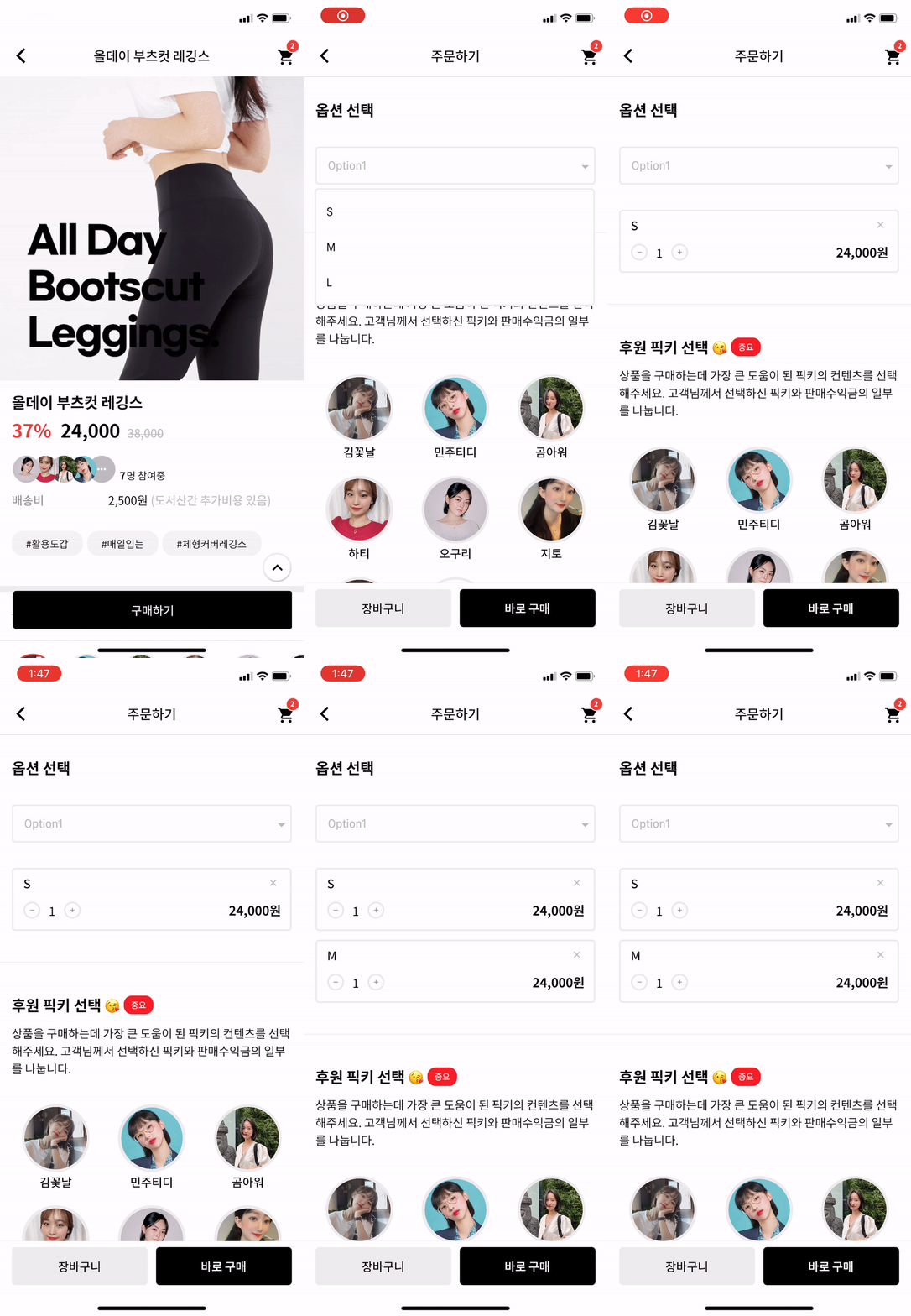
IF you want to make itemBox dropdown when you enter the page?
Put this code to initState like this.
Timer(Duration(milliseconds: 200), () {
    CustomDropdownButtonState state = dropdownKey1.currentState;
    state.callTap();
});
And put key to Widget like this.
DropdownBelow(
  key: dropdownKey1,
  itemWidth: 200,
  itemTextstyle: TextStyle(fontSize: 14, fontWeight: FontWeight.w400, color: Colors.black),
  boxTextstyle: TextStyle(fontSize: 14, fontWeight: FontWeight.w400, color: Color(0XFFbbbbbb)),
  boxPadding: EdgeInsets.fromLTRB(13, 12, 0, 12),
  boxHeight: 45,
  boxWidth: 200,
  hint: Text('choose item'),
  value: _selectedTest,
  items: _dropdownTestItems,
  onChanged: onChangeDropdownTests,
)
Actually, dropdown widget is made by Navigation. So, it can work.
निर्भरता सूची 2 आइटम
{"sdk":"flutter"}{"sdk":"flutter"}उपयोग के अनुसार छाँटें, गतिविधि की तुलना करें और अपनाने से पहले मूल प्रोजेक्ट की आवश्यकताएँ जाँचें।
“A repository is the most basic element of GitHub.”
GitHub Docs — About repositories ↗