


 v3.1.1
full_screen_menu
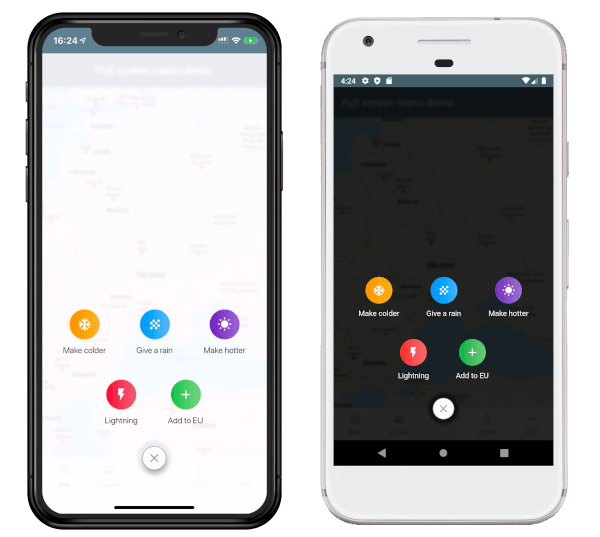
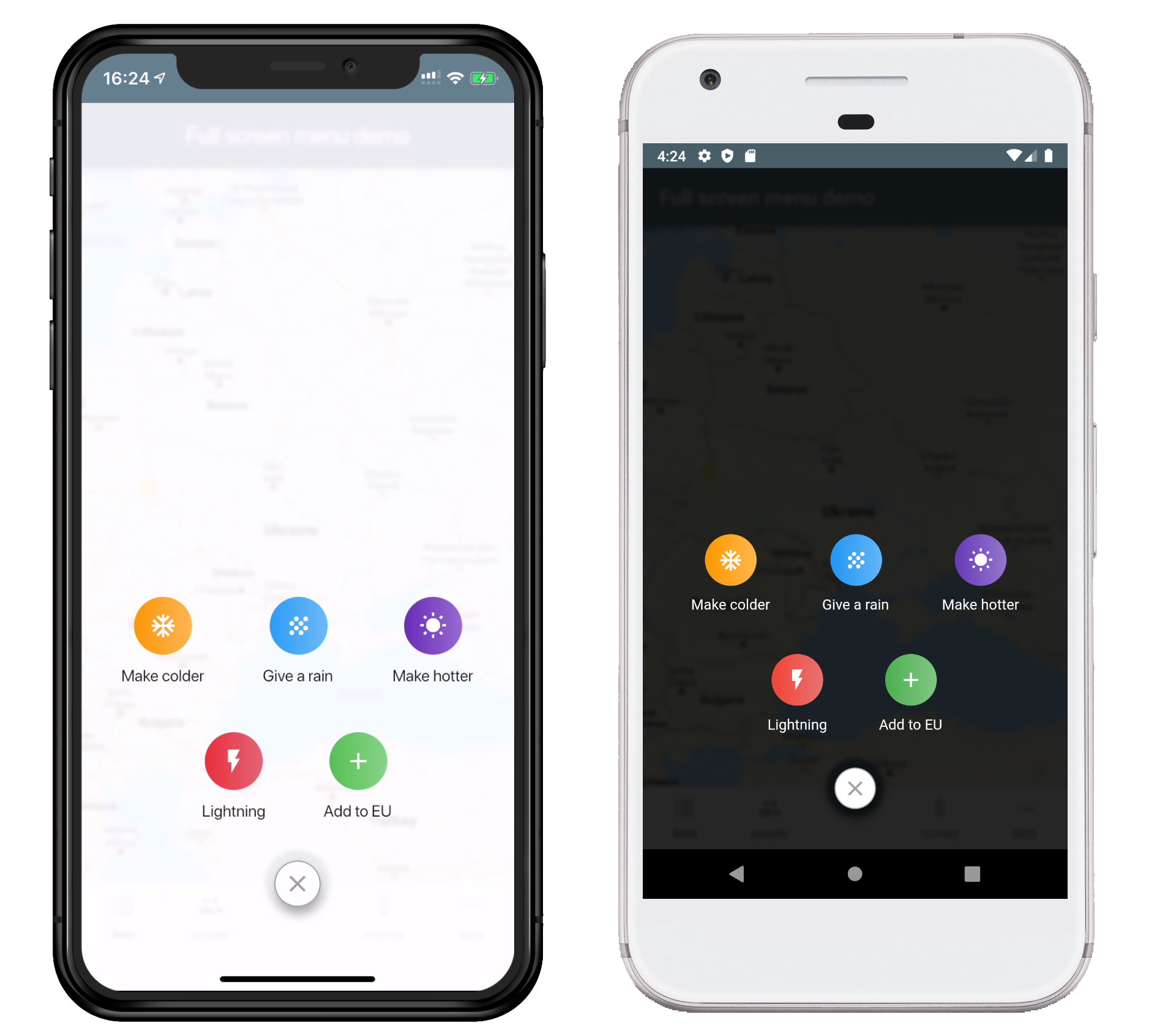
फ्लटर ऐप्स के लिए पूर्ण स्क्रीन मेनू, उपयोगकर्ता को सुंदर तरीके से विभिन्न विकल्प प्रदान करने के लिए
89लाइक 46730-दिन डाउनलोड160Pub अंक
AndroidiOSWebmacOSWindowsLinux
फ्लटर ऐप्स के लिए पूर्ण स्क्रीन मेनू, उपयोगकर्ता को सुंदर तरीके से विभिन्न विकल्प प्रदान करने के लिए

यह अंग्रेज़ी मूल स्नैपशॉट है। नवीनतम सामग्री GitHub पर देखें।
pubspec.yaml file.dependencies:
full_screen_menu: ^2.0.0
settings_ui package.import 'package:full_screen_menu/full_screen_menu.dart';
    FullScreenMenu.show(
      context,
      items: [
        Image.asset('assets/image.png'),
        FSMenuItem(
          icon: Icon(Icons.ac_unit, color: Colors.white),
          text: Text('Make colder'),
          gradient: orangeGradient,
          onTap: () => print('The weather is colder now');
        ),
        FSMenuItem(
          icon: Icon(Icons.wb_sunny, color: Colors.white),
          text: Text('Make hotter'),
          gradient: blueGradient,
          onTap: () => print('The weather is hotter now');
        ),
      ],
    );
The Full Screen Menu Base Widget is the block of your menu items located in your screen
| Parameter | Description | Required |
|---|---|---|
| Color backgroundColor | Set a background color of your FullScreenMenu | + |
| VoidCallback onHide | Set a function which is called by pressing FAB | - |
| List items | Set a menu items which you want to display | - |
| BuildContext context | Set the context of your parent widget | - |
| Function(AnimationController) animationController | Setup your animation when open full screen menu | + |
The Full Screen Menu Base Widget is the block of your menu items located in your screen
| Parameter | Description | Required |
|---|---|---|
| Text text | Set the text that will be displayed on the item | - |
| Icon icon | Set the icon that will be displayed on the item | - |
| Function onTap | Set The function that will be called when you click on item | + |
| Gradient gradient | Set a gradient that will fill the background of your icon | + |
This project is licensed under the Apache License 2.0 - see the LICENSE file for details
निर्भरता सूची 3 आइटम
{"sdk":"flutter"}{"sdk":"flutter"}^2.0.1उपयोग के अनुसार छाँटें, गतिविधि की तुलना करें और अपनाने से पहले मूल प्रोजेक्ट की आवश्यकताएँ जाँचें।
“A repository is the most basic element of GitHub.”
GitHub Docs — About repositories ↗