

 v0.1.2
appflowy_board
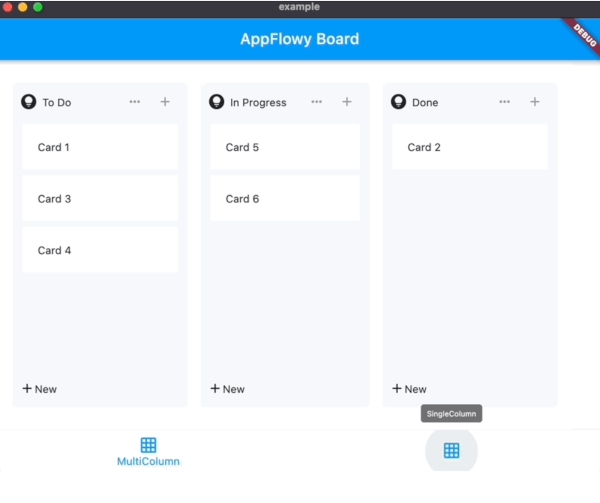
AppFlowyBoard は、複数のグループから構成されるボードスタイルのウィジェットです。異なるグループ間でのドラッグアンドドロップをサポートしています。
225いいね 339030日間ダウンロード130Pub ポイント
AndroidiOSmacOSWindowsLinux
AppFlowy Board は、複数のグループから構成されるボード形式のウィジェットです。異なるグループ間でのドラッグアンドドロップをサポートしています。AppFlowy およびその先のための AppFlowy Kanban Board プロジェクト。

以下は英語原文のスナップショットです。最新版は GitHub をご覧ください。
A customizable and draggable Kanban Board widget for Flutter
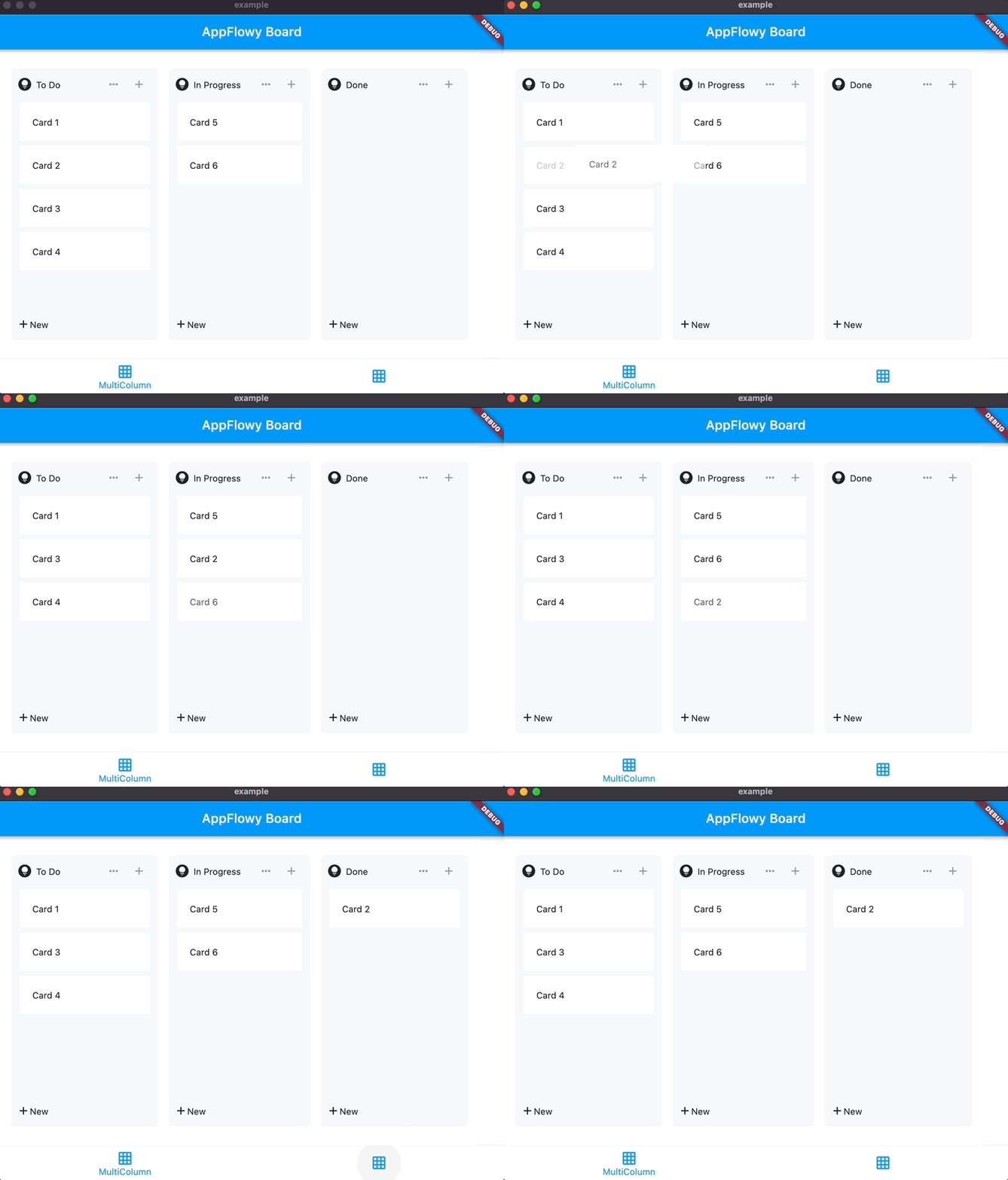
appflowy_board is a customizable and draggable Kanban Board widget for Flutter. You can use it to create a Kanban Board tool like those in Trello.
Check out appflowy_board to see to build a BoardView database.
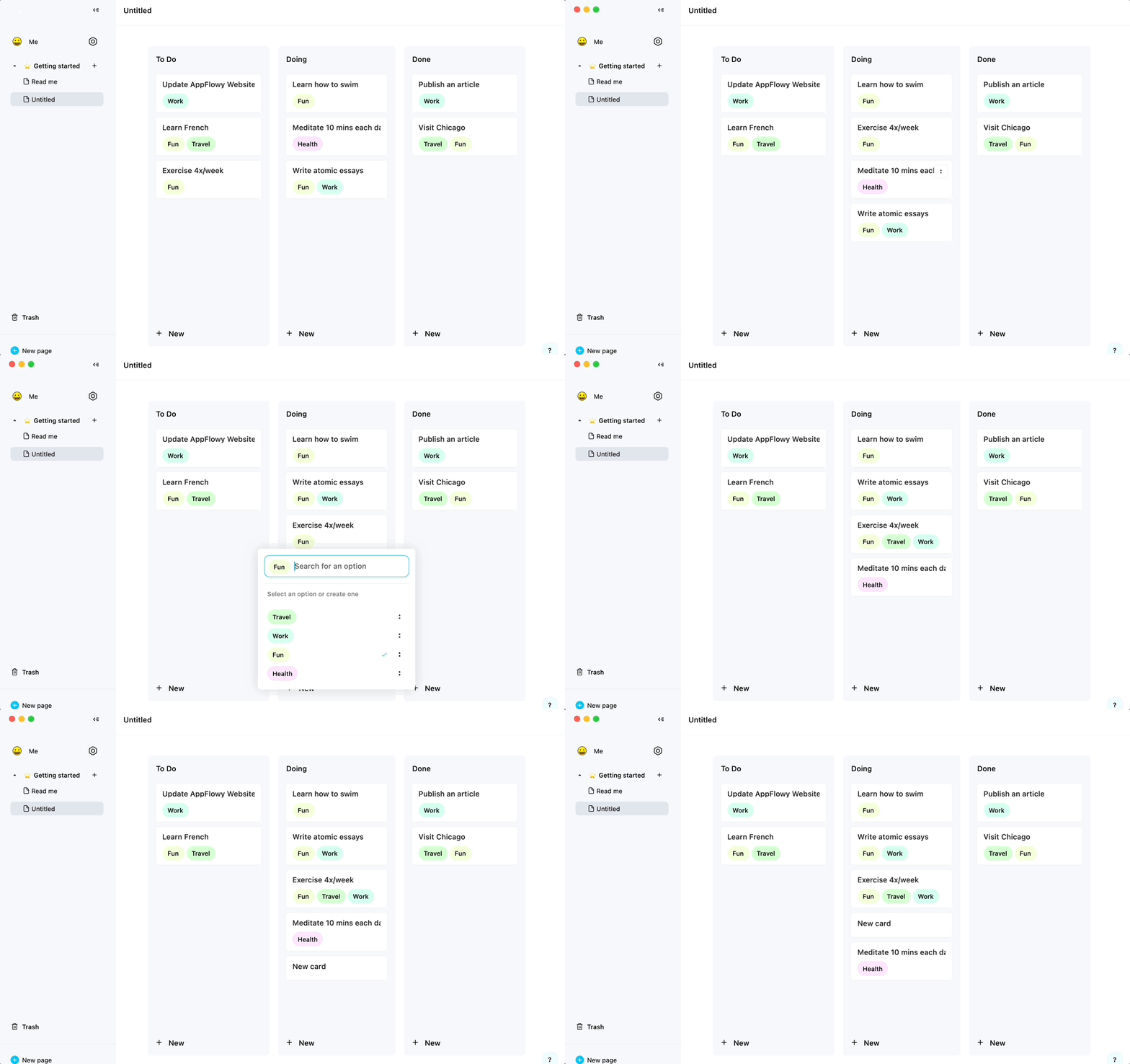
Add the AppFlowy Board Flutter package to your environment.
With Flutter:
flutter pub add appflowy_board
flutter pub get
This will add a line like this to your package's pubspec.yaml:
dependencies:
  appflowy_board: ^0.1.0
Initialize an AppFlowyBoardController for the board. It contains the data used by the board. You can
register callbacks to receive the changes of the board.
final AppFlowyBoardController controller = AppFlowyBoardController(
  onMoveGroup: (fromGroupId, fromIndex, toGroupId, toIndex) {
    debugPrint('Move item from $fromIndex to $toIndex');
  },
  onMoveGroupItem: (groupId, fromIndex, toIndex) {
    debugPrint('Move $groupId:$fromIndex to $groupId:$toIndex');
  },
  onMoveGroupItemToGroup: (fromGroupId, fromIndex, toGroupId, toIndex) {
    debugPrint('Move $fromGroupId:$fromIndex to $toGroupId:$toIndex');
  },
);
Provide an initial value of the board by initializing the AppFlowyGroupData. It represents a group data and contains list of items. Each item displayed in the group requires to implement the AppFlowyGroupItem class.
void initState() {
  final group1 = AppFlowyGroupData(id: "To Do", items: [
    TextItem("Card 1"),
    TextItem("Card 2"),
  ]);
  final group2 = AppFlowyGroupData(id: "In Progress", items: [
    TextItem("Card 3"),
    TextItem("Card 4"),
  ]);

  final group3 = AppFlowyGroupData(id: "Done", items: []);

  controller.addGroup(group1);
  controller.addGroup(group2);
  controller.addGroup(group3);
  super.initState();
}

class TextItem extends AppFlowyGroupItem {
  final String s;
  TextItem(this.s);

  @override
  String get id => s;
}
Finally, return a AppFlowyBoard widget in the build method.
@override
Widget build(BuildContext context) {
  return AppFlowyBoard(
    controller: controller,
    cardBuilder: (context, group, groupItem) {
      final textItem = groupItem as TextItem;
      return AppFlowyGroupCard(
        key: ObjectKey(textItem),
        child: Text(textItem.s),
      );
    },
    groupConstraints: const BoxConstraints.tightFor(width: 240),
  );
}
To quickly grasp how it can be used, look at the /example/lib folder. First, run main.dart to play with the demo.
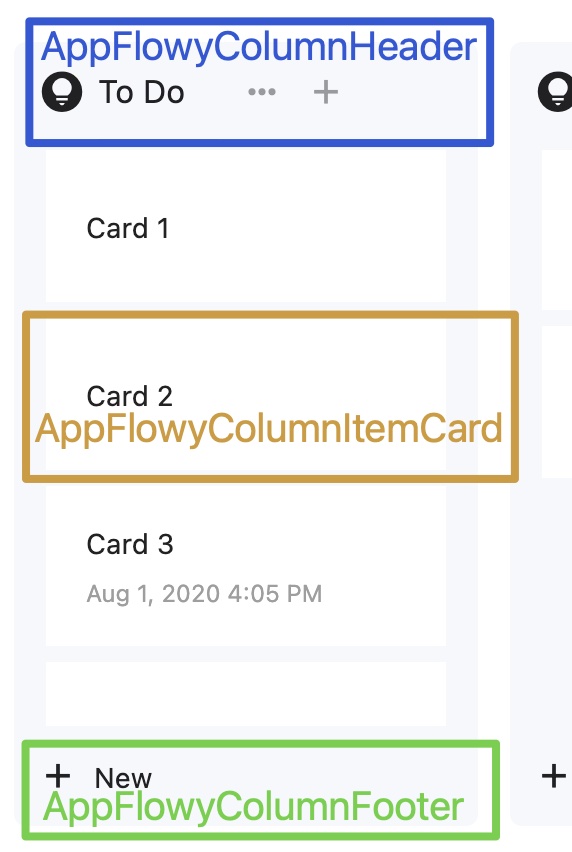
Second, let's delve into multi_board_list_example.dart to understand a few key components:
AppFlowyBoard object.AppFlowyBoard object, you can find the AppFlowyBoardController, which is defined in board_data.dart, is fed with pre-populated mock data. It also contains callback functions to materialize future user data.
Please refer to the API documentation.
Contributions are what make the open source community such an amazing place to learn, inspire, and create. Any contributions you make are greatly appreciated.
Please look at CONTRIBUTING.md for details.
依存関係一覧 5 件
{"sdk":"flutter"}^2.0.7^6.1.2^5.0.0{"sdk":"flutter"}用途で絞り込み、開発状況を比較し、採用前に元のリポジトリで要件を確認しましょう。
“A repository is the most basic element of GitHub.”
GitHub Docs — About repositories ↗