
flutter-リアクション効果
:lion: パッケージは、Facebookのようにポップアップ反応を表示するのを支援し、ウィジェットのラッパー(このメッセージに反応した人を表示)です。
- スター
- 20
- フォーク
- 6
- 最終プッシュ(UTC)
- 2023/09/21
- プロジェクト状態
- 公開中
元の README
以下は英語原文のスナップショットです。最新版は GitHub をご覧ください。
:four_leaf_clover: Package help show popup reaction like Facebook and wrapper for widget (Show anyone who reaction this message).
:four_leaf_clover::four_leaf_clover: Preview
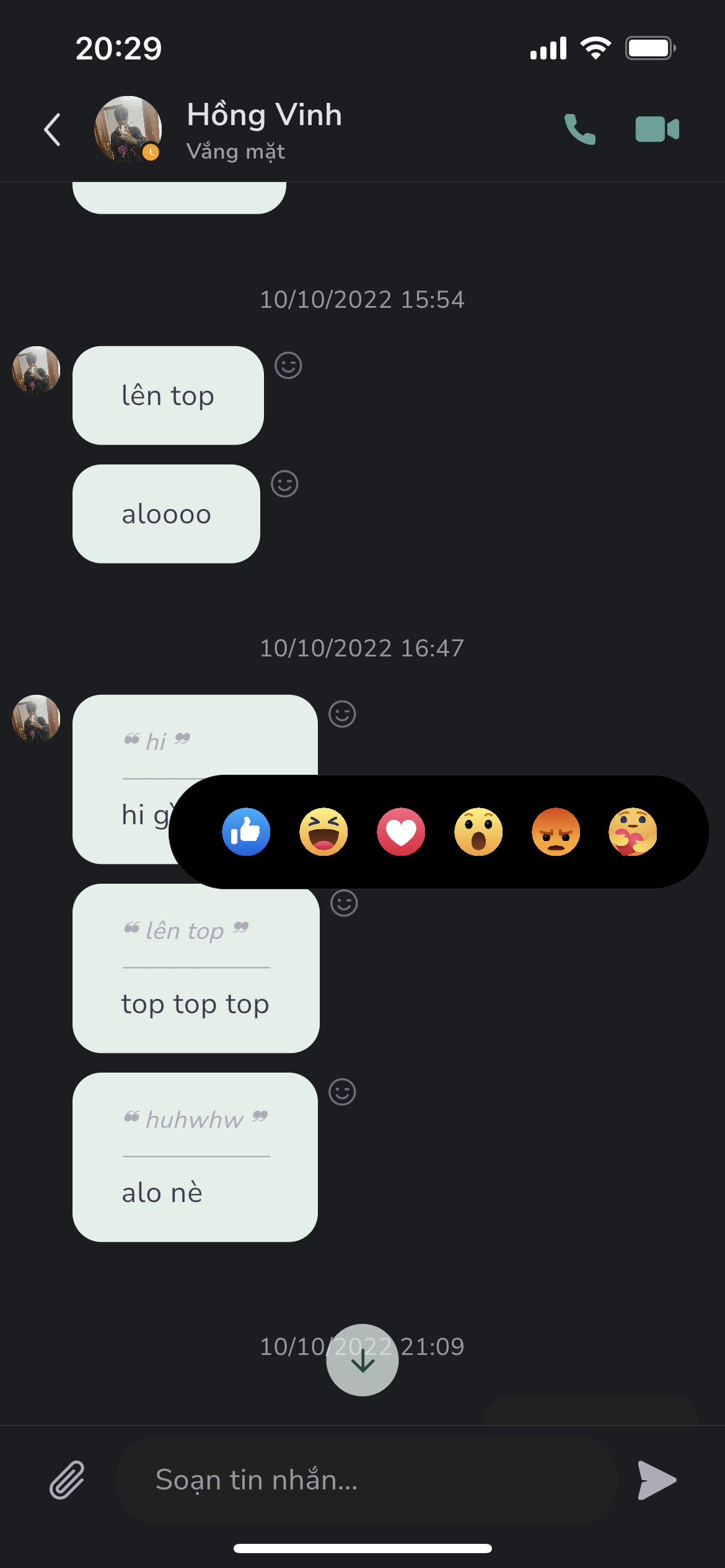
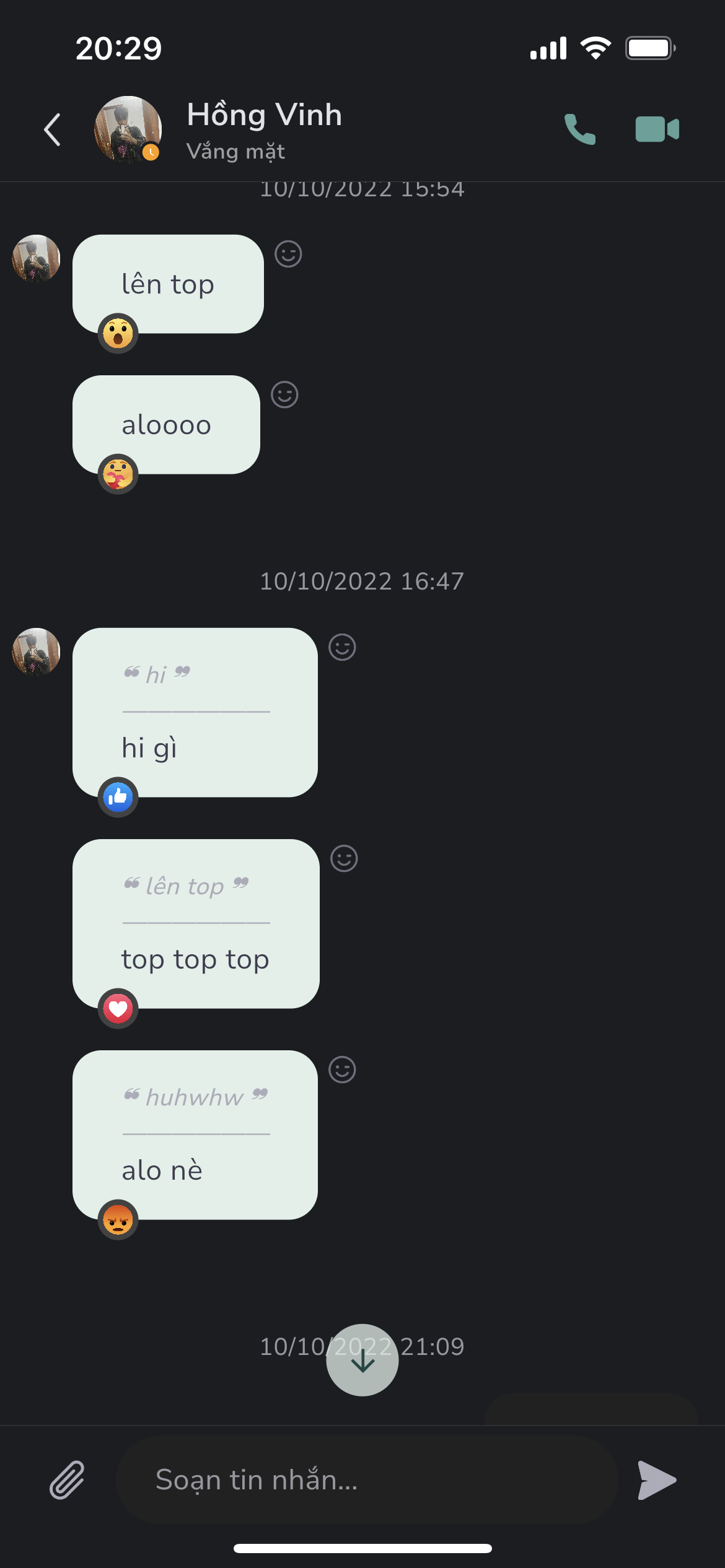


Features
- Support show popup emotions picker
- Support reaction wrapper for message card use case
Usage
- Show reaction popup
        GestureDetector(
          onTapDown: (details) {
            ReactionAskany.showReactionBox(
              context,
              offset: details.globalPosition,
              boxParamenters: boxParamenters,
              emotionPicked: _emotion,
              handlePressed: (Emotions emotion) {
                setState(() {
                  _emotion = emotion;
                });
              },
            );
          },
          child: widget.buttonReaction,
        ),
- Use reaction wrapper - useful for reaction message
            ReactionWrapper(
              boxParamenters: ReactionBoxParamenters(
                brightness: Brightness.light,
                iconSize: 26,
                iconSpacing: 10,
                paddingHorizontal: 30,
                radiusBox: 40,
                quantityPerPage: 6,
              ),
              buttonReaction: const Padding(
                padding: EdgeInsets.only(top: 2.0),
                child: Icon(
                  Icons.face_outlined,
                  size: 20.0,
                  color: Colors.grey,
                ),
              ),
              child: Container(
                padding: const EdgeInsets.symmetric(
                  vertical: 12.0,
                  horizontal: 20.0,
                ),
                decoration: BoxDecoration(
                  color: Colors.greenAccent.shade100,
                  borderRadius: BorderRadius.circular(30),
                ),
                child: const Text(
                  'Message from lambiengcode <3',
                ),
              ),
            ),
ReactionBoxParamenters
| parameter | description | default |
|---|---|---|
| iconSize | Size of emotion in reaction box | 20 |
| iconSpacing | Padding horizontal value for each emotion | 8 |
| paddingHorizontal | Padding horizontal value for reaction box | 16 |
| radiusBox | Radius circular of reaction box | 10 |
| quantityPerPage | Number of emotions per page view | 5 |
| brightness | Set brightness for show background color compatitive | Brightness.light |
Download Askany


License - lambiengcode
MIT License

Copyright (c) 2022 Askany

Permission is hereby granted, free of charge, to any person obtaining a copy
of this software and associated documentation files (the "Software"), to deal
in the Software without restriction, including without limitation the rights
to use, copy, modify, merge, publish, distribute, sublicense, and/or sell
copies of the Software, and to permit persons to whom the Software is
furnished to do so, subject to the following conditions:

The above copyright notice and this permission notice shall be included in all
copies or substantial portions of the Software.

THE SOFTWARE IS PROVIDED "AS IS", WITHOUT WARRANTY OF ANY KIND, EXPRESS OR
IMPLIED, INCLUDING BUT NOT LIMITED TO THE WARRANTIES OF MERCHANTABILITY,
FITNESS FOR A PARTICULAR PURPOSE AND NONINFRINGEMENT. IN NO EVENT SHALL THE
AUTHORS OR COPYRIGHT HOLDERS BE LIABLE FOR ANY CLAIM, DAMAGES OR OTHER
LIABILITY, WHETHER IN AN ACTION OF CONTRACT, TORT OR OTHERWISE, ARISING FROM,
OUT OF OR IN CONNECTION WITH THE SOFTWARE OR THE USE OR OTHER DEALINGS IN THE
SOFTWARE.

GitHub 作者
Askany ↗
言語DartC++CMakeHTMLCSwiftKotlinObjective-C
カテゴリー
使用している依存関係
依存関係一覧 3 件
- flutter
{"sdk":"flutter"} - flutter_test開発用
{"sdk":"flutter"} - flutter_lints開発用
^2.0.0
プロジェクトに合うリポジトリを選ぶには?
用途で絞り込み、開発状況を比較し、採用前に元のリポジトリで要件を確認しましょう。
- 名前・作者・説明で検索し、技術トピックで絞り込みます。
- スター、フォーク、最近のプッシュを比較します。スターは関心の目安であり、品質の保証ではありません。
- 利用前に GitHub で README、ライセンス、Issues を確認します。
情報源と管理
“A repository is the most basic element of GitHub.”
GitHub Docs — About repositories ↗