
 v0.0.4
awesome_dropdown
カスタムスタイルとすべてのタッチイベントを制御できるシンプルなドロップダウンライブラリ。
116いいね 66130日間ダウンロード70Pub ポイント
プラットフォーム情報なし
Faiza-Farooqui/Flutter-CustomizableDropDown open-source repository details.
以下は英語原文のスナップショットです。最新版は GitHub をご覧ください。
A customizable drop-down library that handles all the touch and clicks events, including iOS and mobile back-pressed callbacks.
Add following dependency in pubspec.yaml file. And add this import to your file.
awesome_dropdown:^0.0.4

import 'package:awesome_dropdown/awesome_dropdown.dart';
Add AwesomeDropdown to the widget tree
AwesomeDropDown(
isPanDown: _isPanDown,
dropDownList: _list,
dropDownIcon: Icon(Icons.arrow_drop_down, color: Colors.grey, size: 23,),
selectedItem: _selectedItem,
onDropDownItemClick: (selectedItem) {
_selectedItem = selectedItem;
},
dropStateChanged: (isOpened) {
_isDropDownOpened = isOpened;
if (!isOpened) {
_isBackPressedOrTouchedOutSide = false; }
},
),
AwesomeDropDown(
isPanDown: _isPanDown,
isBackPressedOrTouchedOutSide:
_isBackPressedOrTouchedOutSide,
dropDownBGColor: Colors.white,
dropDownOverlayBGColor: Colors.transparent,
padding: 8,
dropDownIcon: Icon(Icons.arrow_drop_down, color: Colors.grey, size: 23,),
elevation: 5,
dropDownBorderRadius: 10,
dropDownTopBorderRadius: 50,
dropDownBottomBorderRadius: 50,
dropDownIconBGColor: Colors.transparent,
dropDownList: _list,
selectedItem: _selectedItem,
numOfListItemToShow: 4,
selectedItemTextStyle: TextStyle(
color: Colors.black,
fontSize: 16,
fontWeight: FontWeight.normal),
dropDownListTextStyle: TextStyle(
color: Colors.grey,
fontSize: 15,
backgroundColor: Colors.transparent),
onDropDownItemClick: (selectedItem) {
_selectedItem = selectedItem;
},
dropStateChanged: (isOpened) {
_isDropDownOpened = isOpened;
if (!isOpened) {
_isBackPressedOrTouchedOutSide = false;
}
},
),
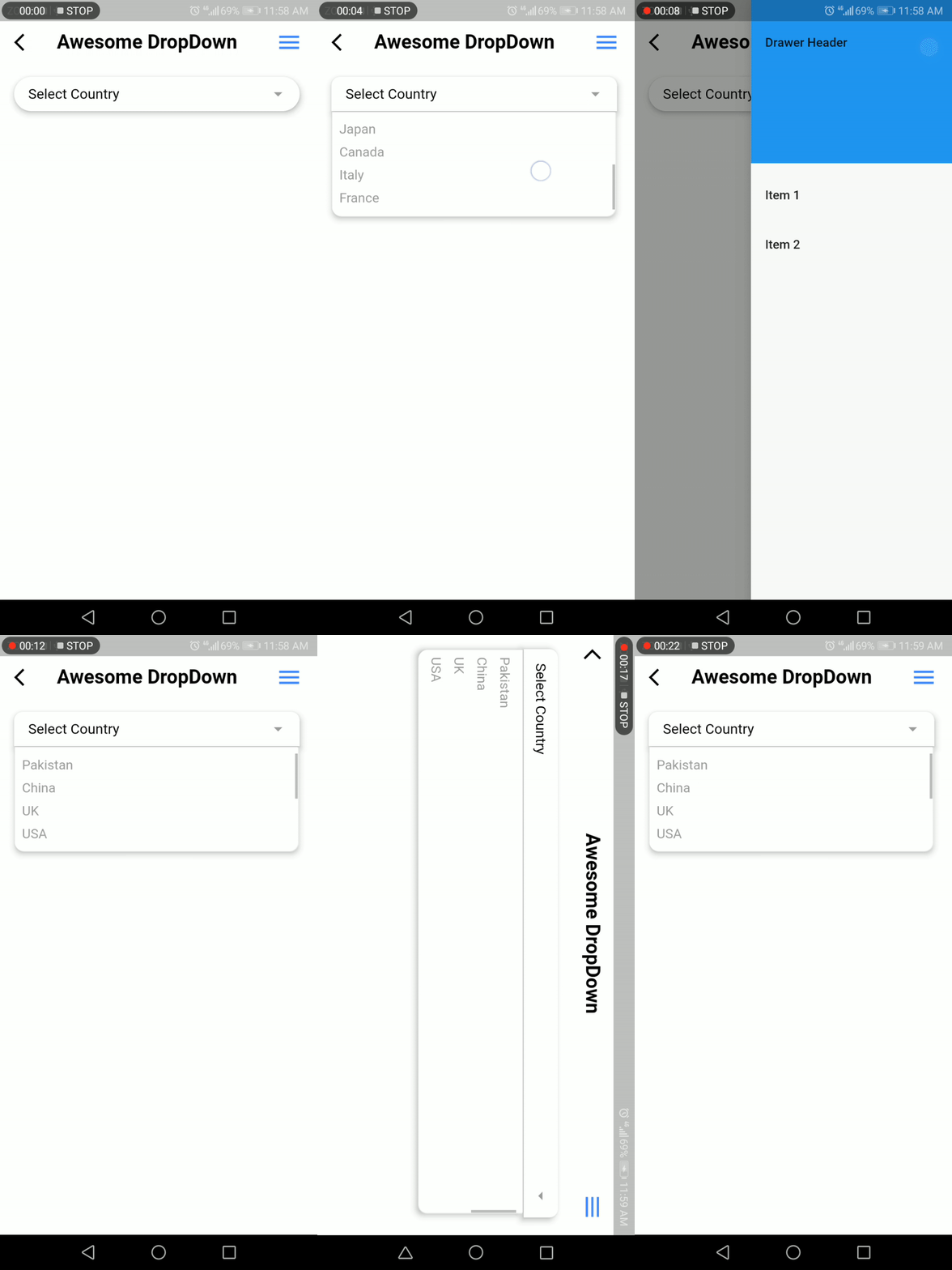
Faiza Farooqui & my team members (Hina Hussain, Kamran Khan, Abdul Sattar)

依存関係一覧 2 件
{"sdk":"flutter"}{"sdk":"flutter"}用途で絞り込み、開発状況を比較し、採用前に元のリポジトリで要件を確認しましょう。
“A repository is the most basic element of GitHub.”
GitHub Docs — About repositories ↗