

 v2.1.0
ftoast
開発者が柔軟で簡潔かつ美しいトーストを作成できるように支援します。
20いいね 58230日間ダウンロード130Pub ポイント
AndroidiOSWebmacOSWindowsLinux
開発者が柔軟で簡潔かつ美しいトーストを作成できるように支援します。

以下は英語原文のスナップショットです。最新版は GitHub をご覧ください。

Simple, beautiful Toast
Help developers create flexible, concise and beautiful Toast
Author:Newton(coorchice.cb@alibaba-inc.com)


English | 简体中文
Like it? Please cast your Star 🥰 !
Provide a convenient way to create Toast
Support primary information, secondary information, and customize their style
Support flexible icon view
Support to configure corner size and background color
Support queue display
Support custom Toast style
In FToast, developers can easily create a Toast with simple code.
FToast.toast(context, msg: "FToast");
| Param | Type | Necessary | Default | desc |
|---|---|---|---|---|
| context | BuildContext | true | null | page environment |
| toast | Widget | false | null | custom toast view, will override the default view |
| msg | String | false | null | main title |
| msgStyle | TextStyle | false | null | main title text style |
| subMsg | String | false | null | Subtitle |
| subMsgStyle | TextStyle | false | null | Subtitle text style |
| subMsgSpace | double | false | 12.0 | Subtitle and main title spacing |
| corner | double | false | 6.0 | Corner |
| color | Color | false | Colors.black54 | Color |
| duration | double | false | 1800 | Impression duration |
| padding | EdgeInsets | false | EdgeInsets.only(left: 16.0, right: 16.0, top: 16.0, bottom: 16.0) |
inner spacing |
| image | Widget | false | null | icon |
| imageDirection | AxisDirection | false | AxisDirection.up | position of icon relative to text |
| imageSpace | double | false | 9.0 | distance between icon and text |

FToast.toast(
  context,

  /// 配置显示时长
  ///
  /// Configure display duration
  duration: 800,

  /// 配置 Msg
  ///
  /// set Msg
  msg: "I'm FToast: ${count++}",

  /// 配置 Msg 样式
  ///
  /// set Msg style
  msgStyle: TextStyle(color: Colors.white),
)

FToast.toast(
  context,
  msg: "This is Msg",

  /// 配置 subMsg
  ///
  /// set subMsg
  subMsg: "Welcome to use FToast. This is subMsg!",

  /// 配置 SubMsg 样式
  ///
  /// set SubMsg style
  subMsgStyle: TextStyle(color: Colors.white, fontSize: 13),
)
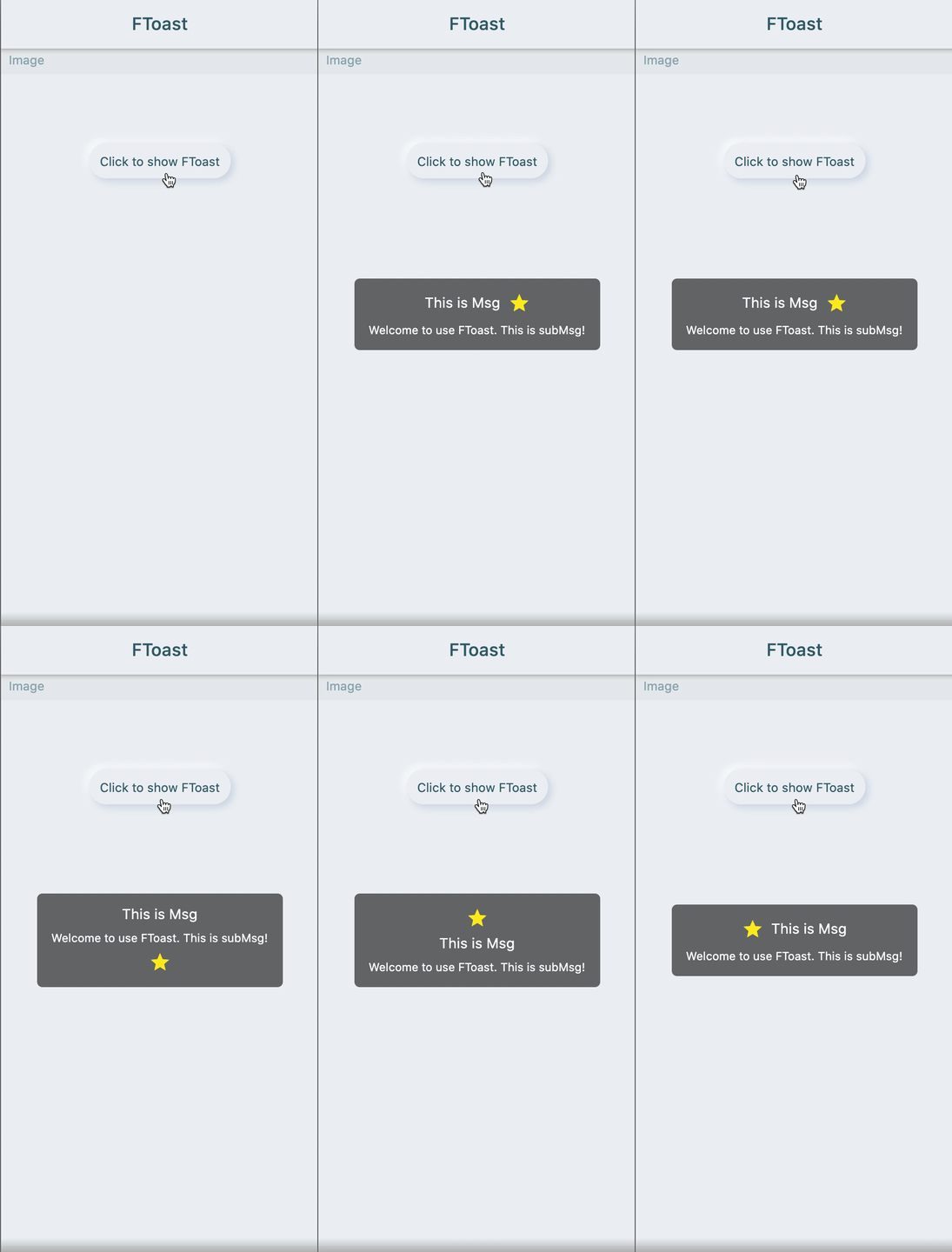
FToast.toast(
  context,
  msg: "This is Msg",
  subMsg: "Welcome to use FToast. This is subMsg!",

  /// 配置图标
  ///
  /// set image
  image: Icon(
    Icons.star,
    color: Colors.yellow,
  ),

  /// 配置图标相对文本的位置
  ///
  /// set position of icon relative to text
  imageDirection: up,
)
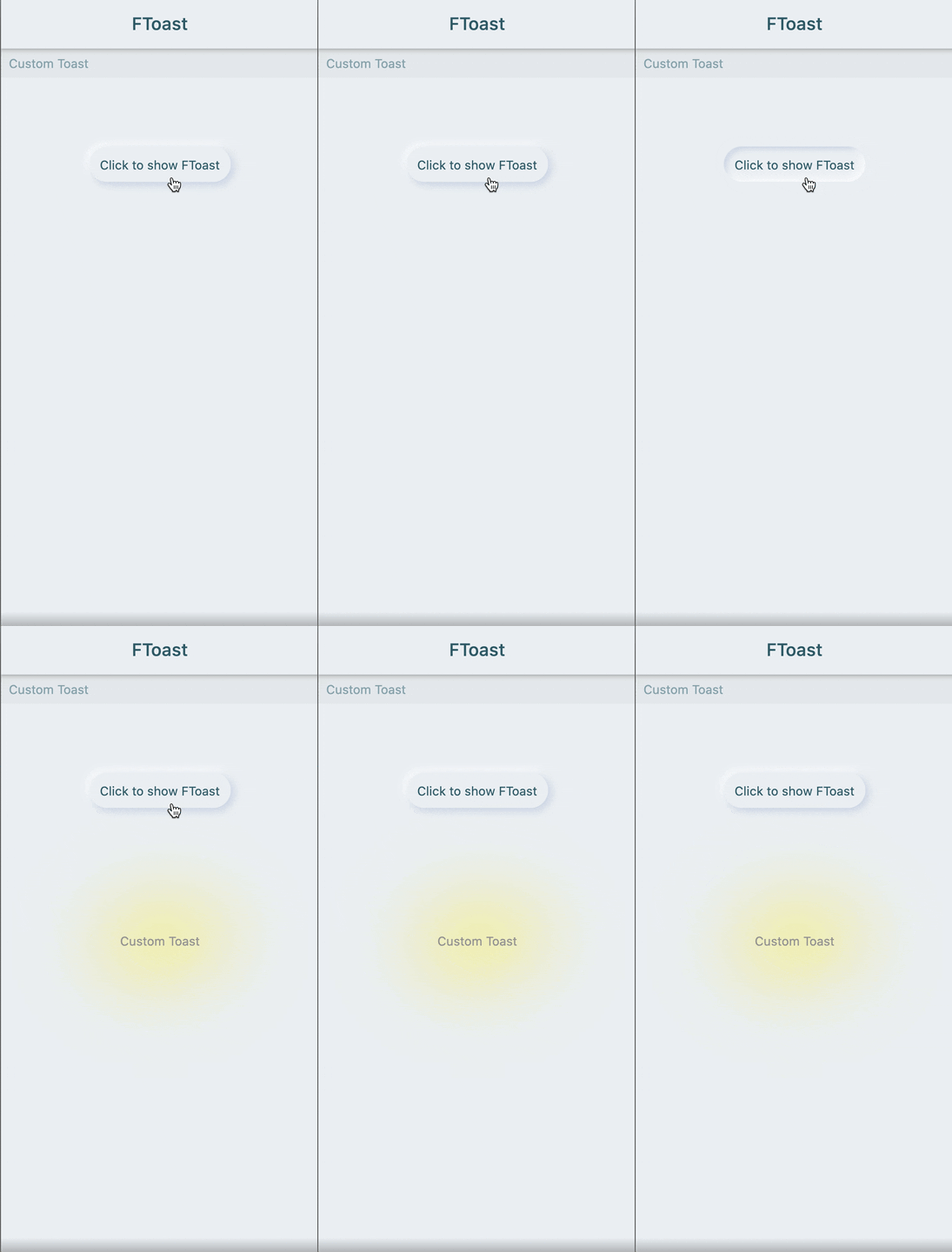
FToast.toast(
  context,
  /// 自定义 Toast 样式
  ///
  /// Custom Toast style
  toast: FSuper(
    text: "Custom Toast",
    style: TextStyle(color: Colors.grey),
    padding: EdgeInsets.all(12),
    shadowColor: Colors.yellow,
    shadowBlur: 80,
  ),
)
Add dependencies in the project pubspec.yaml file:
dependencies:
  ftoast: ^<version number>
⚠️ Attention,please go to [pub] (https://pub.dev/packages/ftoast) to get the latest version number of FToast
dependencies:
  ftoast:
    git:
      url: 'git@github.com:Fliggy-Mobile/ftoast.git'
      ref: '<Branch number or tag number>'
⚠️ Attention,please refer to [FToast] (https://github.com/Fliggy-Mobile/ftoast) official project for branch number or tag.
Copyright 2020-present Fliggy Android Team <alitrip_android@list.alibaba-inc.com>.

Licensed under the Apache License, Version 2.0 (the "License");
you may not use this file except in compliance with the License.
You may obtain a copy of the License at following link.

    http://www.apache.org/licenses/LICENSE-2.0

Unless required by applicable law or agreed to in writing, software
distributed under the License is distributed on an "AS IS" BASIS,
WITHOUT WARRANTIES OR CONDITIONS OF ANY KIND, either express or implied.
See the License for the specific language governing permissions and
limitations under the License.
clone project to local
Enter the project example directory and run the following command
flutter create .
example依存関係一覧 2 件
{"sdk":"flutter"}{"sdk":"flutter"}用途で絞り込み、開発状況を比較し、採用前に元のリポジトリで要件を確認しましょう。
“A repository is the most basic element of GitHub.”
GitHub Docs — About repositories ↗