

v7.0.0
date_field
適応的な Material および Cupertino 日時ピッカーを使用して DateTime 値を選択するためのフォームフィールドウィジェットです。また、ピッカーを提供するグローバル関数も用意されています。
139いいね 313030日間ダウンロード160Pub ポイント
AndroidiOSWebmacOSWindowsLinux
Flutter DateField と DateFormField

以下は英語原文のスナップショットです。最新版は GitHub をご覧ください。

This package provides two widgets, DateTimeField and DateTimeFormField, which allow users to pick a date and/or time from an input field. You can customize the appearance of the widgets using the decoration argument, and specify whether to ask for a date, a time, or both using the mode parameter. You can further customize the picker by configuring dialog properties.
| iOS | Android |
|---|---|
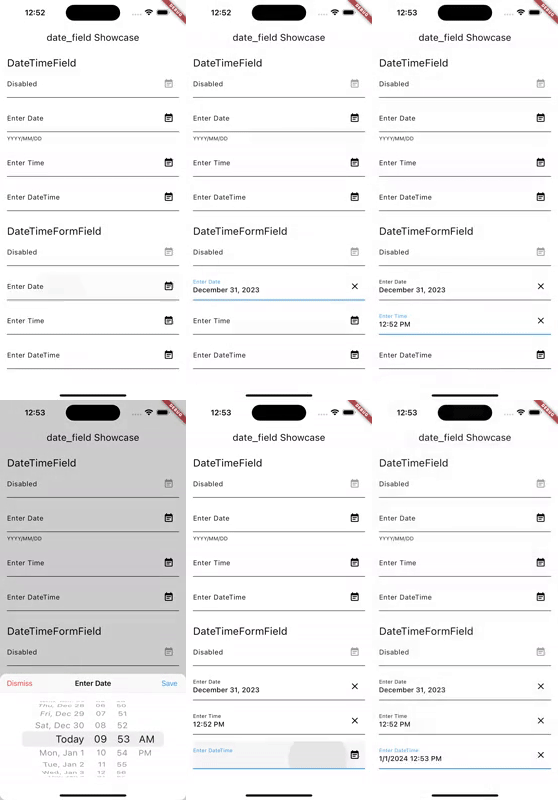 |
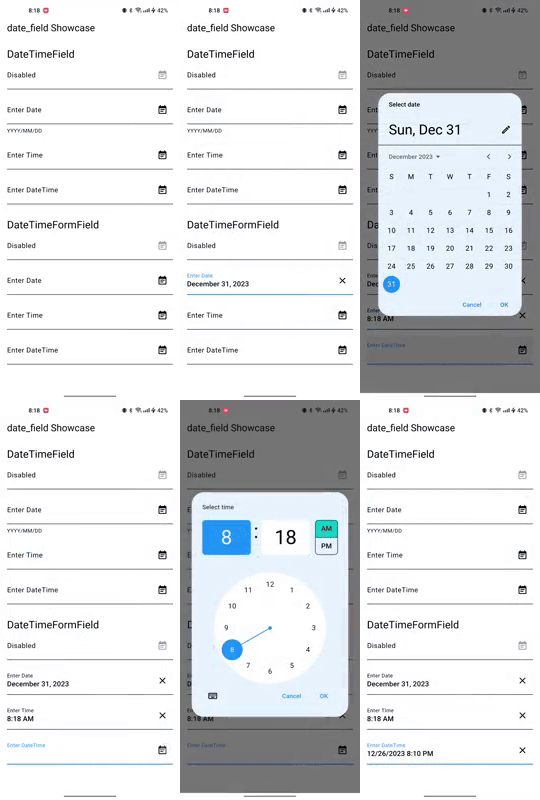 |
Add date_field package to your dependencies in pubspec.yaml.
dependencies:
  ...
  date_field: ^6.0.0
Run flutter pub get to install the package.
Initialize your systems locale. If not, users might see AM/PM even when they configured their system to use 24h format. Add the following code to your main function:
import 'package:intl/intl_standalone.dart' if (dart.library.html) 'package:intl/intl_browser.dart';

Future<void> main() async {
  WidgetsFlutterBinding.ensureInitialized();
  await findSystemLocale();
  runApp(const MyApp());
}
Import the package in your Dart code.
import 'package:date_field/date_field.dart';
Use the Widget. Example:
DateTimeFormField(
  decoration: const InputDecoration(
    labelText: 'Enter Date',
  ),
  firstDate: DateTime.now().add(const Duration(days: 10)),
  lastDate: DateTime.now().add(const Duration(days: 40)),
  initialPickerDateTime: DateTime.now().add(const Duration(days: 20)),
  onChanged: (DateTime? value) {
    selectedDate = value;
  },
),
To display the adaptive dialog without the field widget, you can directly use the showAdaptiveDateTimePicker.
 final DateTime? result = await showAdaptiveDateTimePicker(
   context: context,
   mode: DateTimeFieldPickerMode.dateAndTime,
 );
Note that you can also use the showMaterialDateTimePicker and showCupertinoDateTimePicker functions to show
the Material and Cupertino pickers directly.
Version 4.0.0 contains breaking changes. Use dart fix to migrate to the latest version.
This package is released under the MIT license.
Contributions to this package are welcome! If you find a bug or have a feature request, please create an issue on the GitHub repository. If you'd like to contribute code, please create a pull request with your changes.
Before submitting a pull request, please make sure to run the tests and ensure they all pass. Additionally, please follow the existing coding style and make sure your code is well-documented.
Thank you for your contributions!
依存関係一覧 5 件
{"sdk":"flutter"}>=0.18.0 <0.21.0^1.1.0^1.0.1{"sdk":"flutter"}用途で絞り込み、開発状況を比較し、採用前に元のリポジトリで要件を確認しましょう。
“A repository is the most basic element of GitHub.”
GitHub Docs — About repositories ↗