
 v0.3.0
rich_editor
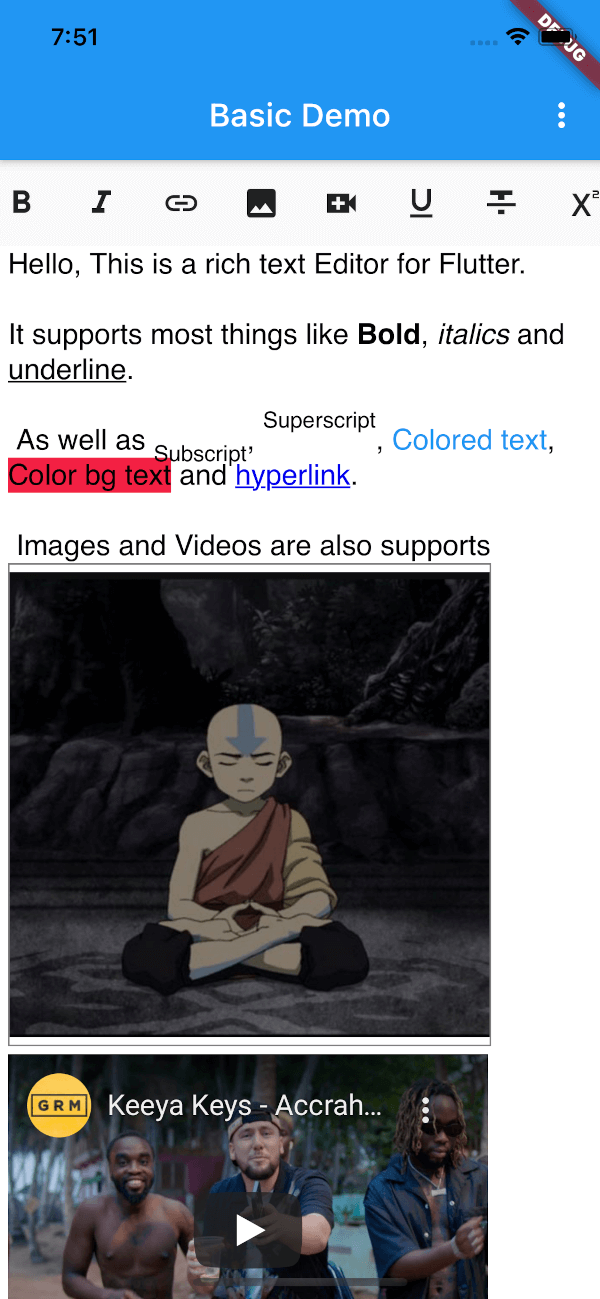
豊富なフォーマットオプションをサポートする Flutter 向けの WYSIWYG エディタ。
93いいね 22530日間ダウンロード135Pub ポイント
AndroidiOSmacOSWindows
豊富なフォーマットオプションをサポートする Flutter 向けの WYSIWYG エディタ。(開発中)
以下は英語原文のスナップショットです。最新版は GitHub をご覧ください。

WYSIWYG editor for Flutter with a rich set of supported formatting options.
Based on https://github.com/dankito/RichTextEditor, but for Flutter.
      // Insert widget into tree
      RichEditor(
        key: keyEditor,
        value: 'initial html here',
        editorOptions: RichEditorOptions(
          placeholder: 'Start typing',
          // backgroundColor: Colors.blueGrey, // Editor's bg color
          // baseTextColor: Colors.white,
          // editor padding
          padding: EdgeInsets.symmetric(horizontal: 5.0),
          // font name
          baseFontFamily: 'sans-serif',
          // Position of the editing bar (BarPosition.TOP or BarPosition.BOTTOM)
          barPosition: BarPosition.TOP,
        ),
        // You can return a Link (maybe you need to upload the image to your
        // storage before displaying in the editor or you can also use base64
        getImageUrl: (image) {
          String link = 'https://avatars.githubusercontent.com/u/24323581?v=4';
          String base64 = base64Encode(image.readAsBytesSync());
          String base64String = 'data:image/png;base64, $base64';
          return base64String;
        },
      )
Get current HTML from editor
String? html = await keyEditor.currentState?.getHtml();
print(html);
Set Focus and Unfocus
await keyEditor.currentState?.focus();
await keyEditor.currentState?.unFocus();
Clear Editor content
await keyEditor.currentState?.clear();
If you're interested in creating your own toolbar check the custom_toolbar_demo.dart in the example
Copyright 2021 JideGuru

Licensed under the Apache License, Version 2.0 (the "License");
you may not use this file except in compliance with the License.
You may obtain a copy of the License at

   http://www.apache.org/licenses/LICENSE-2.0

Unless required by applicable law or agreed to in writing, software
distributed under the License is distributed on an "AS IS" BASIS,
WITHOUT WARRANTIES OR CONDITIONS OF ANY KIND, either express or implied.
See the License for the specific language governing permissions and
limitations under the License.

依存関係一覧 10 件
{"sdk":"flutter"}^6.2.0-beta.3^2.0.0^1.2.0^0.16.0^1.1.0^1.9.1^5.3.6{"sdk":"flutter"}^4.0.0用途で絞り込み、開発状況を比較し、採用前に元のリポジトリで要件を確認しましょう。
“A repository is the most basic element of GitHub.”
GitHub Docs — About repositories ↗