
 v1.2.1
window_focus
Window Focus は、Flutter用の便利なプラグインで、ユーザーの非アクティブ状態を追跡し、Mac OSおよびWindows上のアクティブなウィンドウのタイトル情報を取得できます。
6いいね 3130日間ダウンロード150Pub ポイント
macOSWindowsLinux
Window Focus は、Mac OS および Windows オペレーティングシステム上のアクティブなウィンドウのタイトル情報を取得し、ユーザーの非活動状態を追跡できる便利な Flutter プラグインです。

{"sdk":"flutter"}^2.0.2{"sdk":"flutter"}^3.0.0以下は英語原文のスナップショットです。最新版は GitHub をご覧ください。
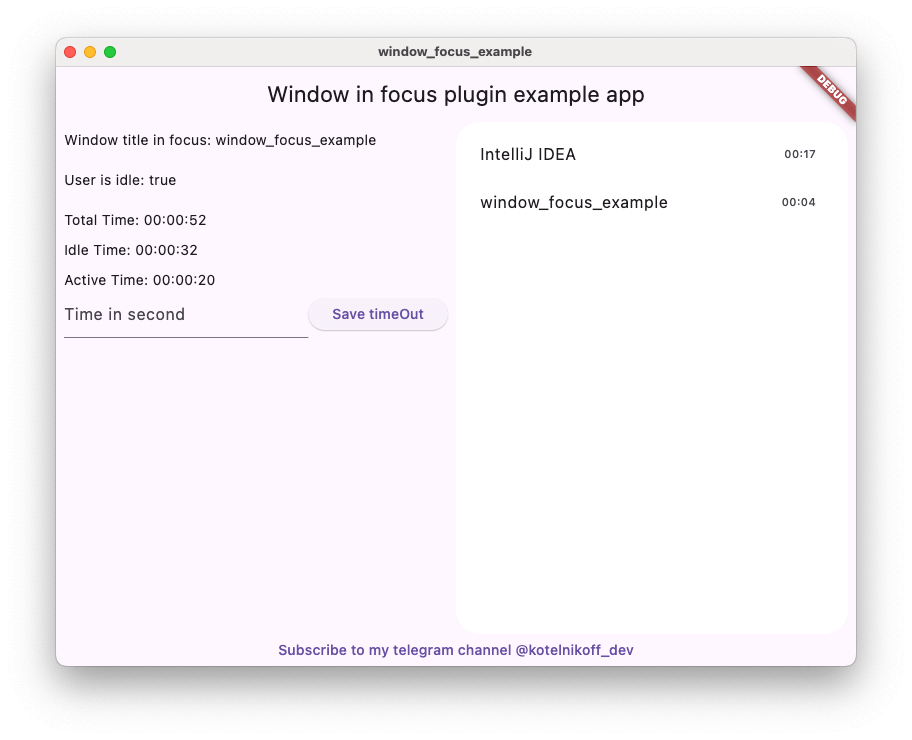
Usage_example
Window Focus is a Flutter plugin that allows you to track user activity and focus on the active window for Windows and macOS platforms. The plugin provides features such as detecting user inactivity, identifying the active application, and enabling debug mode for enhanced logging.
The plugin enables you to detect periods of user inactivity within your Flutter application. You can customize the inactivity threshold and handle inactivity events according to your needs.
Provides the ability to retrieve the title of the active window of the operating system.
CGWindowList. Supports capturing titles for the active process. Requires Screen Recording permission for accurate window titles.Enable detailed logs for troubleshooting during development.
Define the timeout period after which the user is considered inactive.
Capture the entire screen or just the active window. This is useful for time tracking applications.
No action required.
You need to add the following code to the Info.plist file for MacOS:
<key>NSApplicationSupportsSecureRestorableState</key>
<true/>
To use the screenshot functionality on macOS 10.15+, you must request screen recording permission. You can check the permission status using checkScreenRecordingPermission() and request it using requestScreenRecordingPermission().
The user must manually enable this in: System Preferences > Security & Privacy > Privacy > Screen Recording
To track keyboard activity globally (outside the app) on macOS, the application requires Accessibility permissions. Crucial: Without these permissions, the plugin will only detect mouse movements and clicks outside the app, but keyboard events will be ignored for security reasons.
The user must manually enable this in: System Preferences > Security & Privacy > Privacy > Accessibility (Or System Settings > Privacy & Security > Accessibility on macOS Ventura and newer).
import 'package:window_focus/window_focus.dart';
  void main() {
  final windowFocus = WindowFocus(debug: true, duration: Duration(seconds: 10));

  // Add focus change listener
  windowFocus.addFocusChangeListener((appWindow) {
    print('Active window: ${appWindow.appName}, Title: ${appWindow.windowTitle}');
  });

  // Add user activity listener
  windowFocus.addUserActiveListener((isActive) {
    if (isActive) {
      print('User is active');
    } else {
      print('User is inactive');
    }
  });
}
WindowFocus({bool debug = false, Duration duration = const Duration(seconds: 1)})
Sets the threshold for detecting user inactivity.
duration: The duration after which the user is considered inactive.await windowFocus.setIdleThreshold(Duration(seconds: 15));
Gets the current idle threshold.
Duration - The currently set idle threshold.final threshold = await windowFocus.getIdleThreshold();
print('Idle threshold: ${threshold.inSeconds} seconds');
Adds a listener for changes in the focused window.
listener: A callback function that receives an AppWindowDto object containing:
appName: The name of the active application.windowTitle: The title of the active window.Platform-specific Details
windowFocus.addFocusChangeListener((appWindow) {
  print('Active application: ${appWindow.appName}, Window title: ${appWindow.windowTitle}');
});
Adds a listener for user activity changes.
listener: A callback function that receives a bool indicating user activity (true for active, false for inactive).windowFocus.addUserActiveListener((isActive) {
if (isActive) {
print('User is active');
} else {
print('User is inactive');
}
});
Enables or disables debug mode.
value: true to enable debug mode, false to disable it.await windowFocus.setDebug(true);
Takes a screenshot of the entire screen or just the active window.
activeWindowOnly: If true, captures only the currently focused window.Future<Uint8List?> - PNG image data.Uint8List? screenshot = await windowFocus.takeScreenshot(activeWindowOnly: true);
Checks if screen recording permission is granted (macOS).
Requests screen recording permission (macOS).
Represents the active application and window information.
Properties
appName: String - The name of the active application.windowTitle: String - The title of the active window.Example
final appWindow = AppWindowDto(appName: "Chrome", windowTitle: "Flutter Documentation");
print(appWindow); // Output: Window title: Flutter Documentation. AppName: Chrome
My telegram channel - @kotelnikoff_dev Contributions
Contributions are welcome! Feel free to open issues or create pull requests on the GitHub repository.