
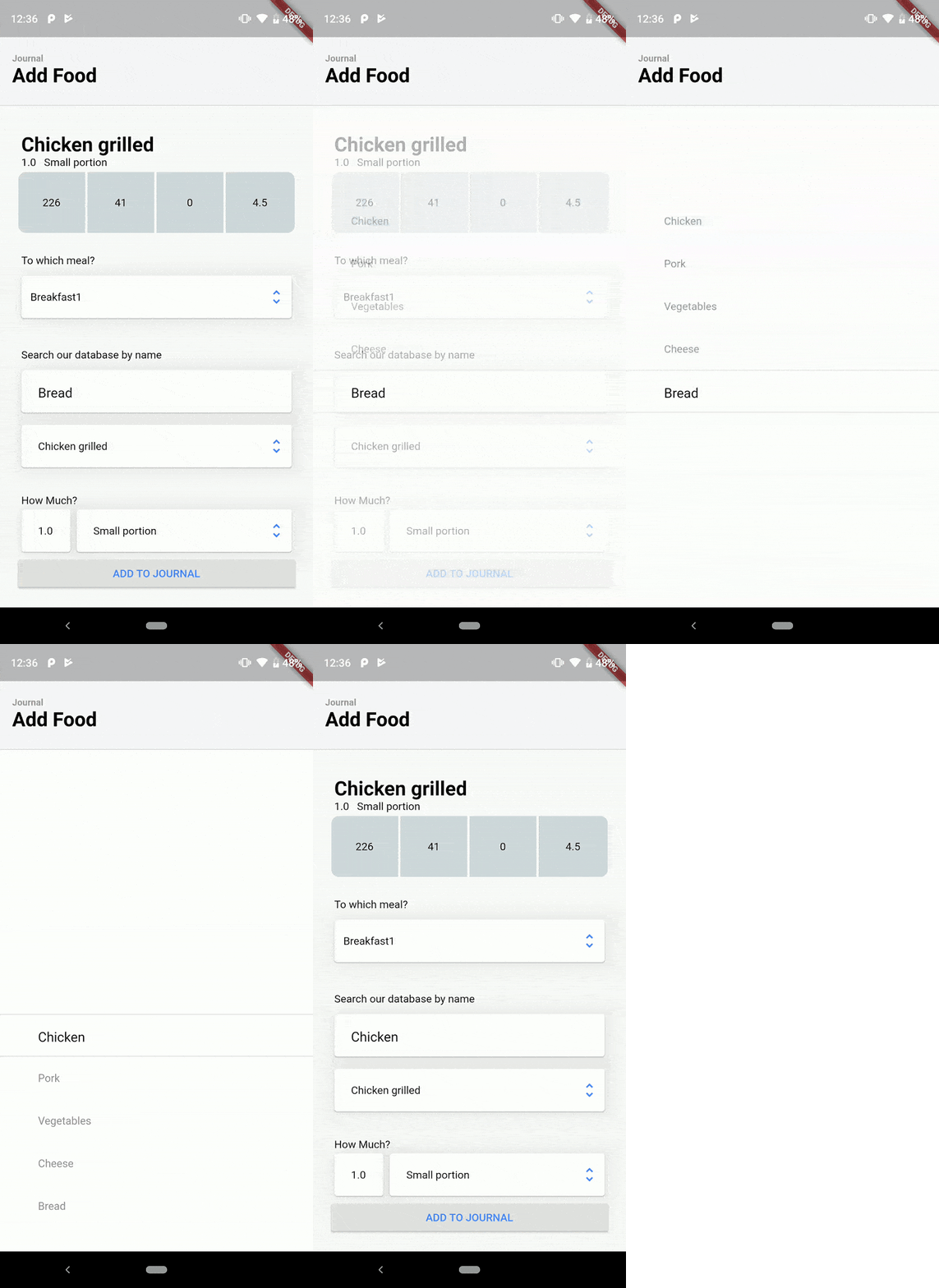
 v1.2.0
direct_select_flutter
https://dribbble.com/shots/3876250-DirectSelect-Dropdown-ux にインスパイアされた直接選択ウィジェットの実装
321いいね 44030日間ダウンロード160Pub ポイント
AndroidiOSWebmacOSWindowsLinux
DirectSelect は、ウィジェットが操作されたときに、利用可能な選択肢を表示するエーテリアルでフルスクリーンのモーダルポップアップを持つ選択ウィジェットです。https://dribbble.com/shots/3876250-DirectSelect-Dropdown-ux

{"sdk":"flutter"}{"sdk":"flutter"}以下は英語原文のスナップショットです。最新版は GitHub をご覧ください。
DirectSelect is a selection widget with an ethereal, full-screen modal popup displaying the available choices when the widget is interact with. Inspired by dribble shot.
Made in lanars.com.
Create DirectSelectList and fill it with items using itemBuilder
    final dsl = DirectSelectList<String>(
        values: _cities,
        defaultItemIndex: 3,
        itemBuilder: (String value) => getDropDownMenuItem(value),
        focusedItemDecoration: _getDslDecoration(),
        onItemSelectedListener: (item, index, context) {
          Scaffold.of(context).showSnackBar(SnackBar(content: Text(item)));
        });
Create items like this
  DirectSelectItem<String> getDropDownMenuItem(String value) {
    return DirectSelectItem<String>(
        itemHeight: 56,
        value: value,
        itemBuilder: (context, value) {
          return Text(value);
        });
  }
Create decorations for focused items
  _getDslDecoration() {
   return BoxDecoration(
     border: BorderDirectional(
       bottom: BorderSide(width: 1, color: Colors.black12),
       top: BorderSide(width: 1, color: Colors.black12),
     ),
   );
 }
Create DirectSelectContainer and fill it with your data
Scaffold(
      appBar: appBar,
      body: DirectSelectContainer(
        child: Padding(
          padding: const EdgeInsets.all(16.0),
          child: Column(
            mainAxisSize: MainAxisSize.min,
            verticalDirection: VerticalDirection.down,
            children: <Widget>[
              SizedBox(height: 150.0),
              Padding(
                padding: const EdgeInsets.all(8.0),
                child: Column(
                  children: <Widget>[
                    Container(
                      alignment: AlignmentDirectional.centerStart,
                      margin: EdgeInsets.only(left: 4),
                      child: Text("City"),
                    ),
                    Padding(
                      padding: const EdgeInsets.fromLTRB(0, 8, 0, 0),
                      child: Card(
                        child: Row(
                          mainAxisSize: MainAxisSize.max,
                          children: <Widget>[
                            Expanded(
                                child: Padding(
                                    child: DirectSelectList<String>(
                                                     values: _cities,
                                                     defaultItemIndex: 3,
                                                     itemBuilder: (String value) => getDropDownMenuItem(value),
                                                     focusedItemDecoration: _getDslDecoration(),
                                                     onItemSelectedListener: (item, index, context) {
                                                       Scaffold.of(context).showSnackBar(SnackBar(content: Text(item)));
                                                     }),
                                    padding: EdgeInsets.only(left: 12))),
                            Padding(
                              padding: EdgeInsets.only(right: 8),
                              child: Icon(
                                Icons.unfold_more,
                                color: Colors.black38,
                              ),
                            )
                          ],
                        ),
                         ),
                    ),
                  ],
                ),
              ),
            ],
          ),
        ),
      ),
    );