

v0.0.4
bubbled_navigation_bar
印象的なアニメーションバブルシェイプナビゲーションバー。色、背景色、アニメーションカーブ、アニメーション期間を調整可能。controllerパラメータ経由でPageViewと連携動作します。
71いいね 8030日間ダウンロード35Pub ポイント
プラットフォーム情報なし
息をのむようなアニメーションバブルシェイプナビゲーションバー

以下は英語原文のスナップショットです。最新版は GitHub をご覧ください。
A Flutter package for easy implementation of bubbled navigation bar.
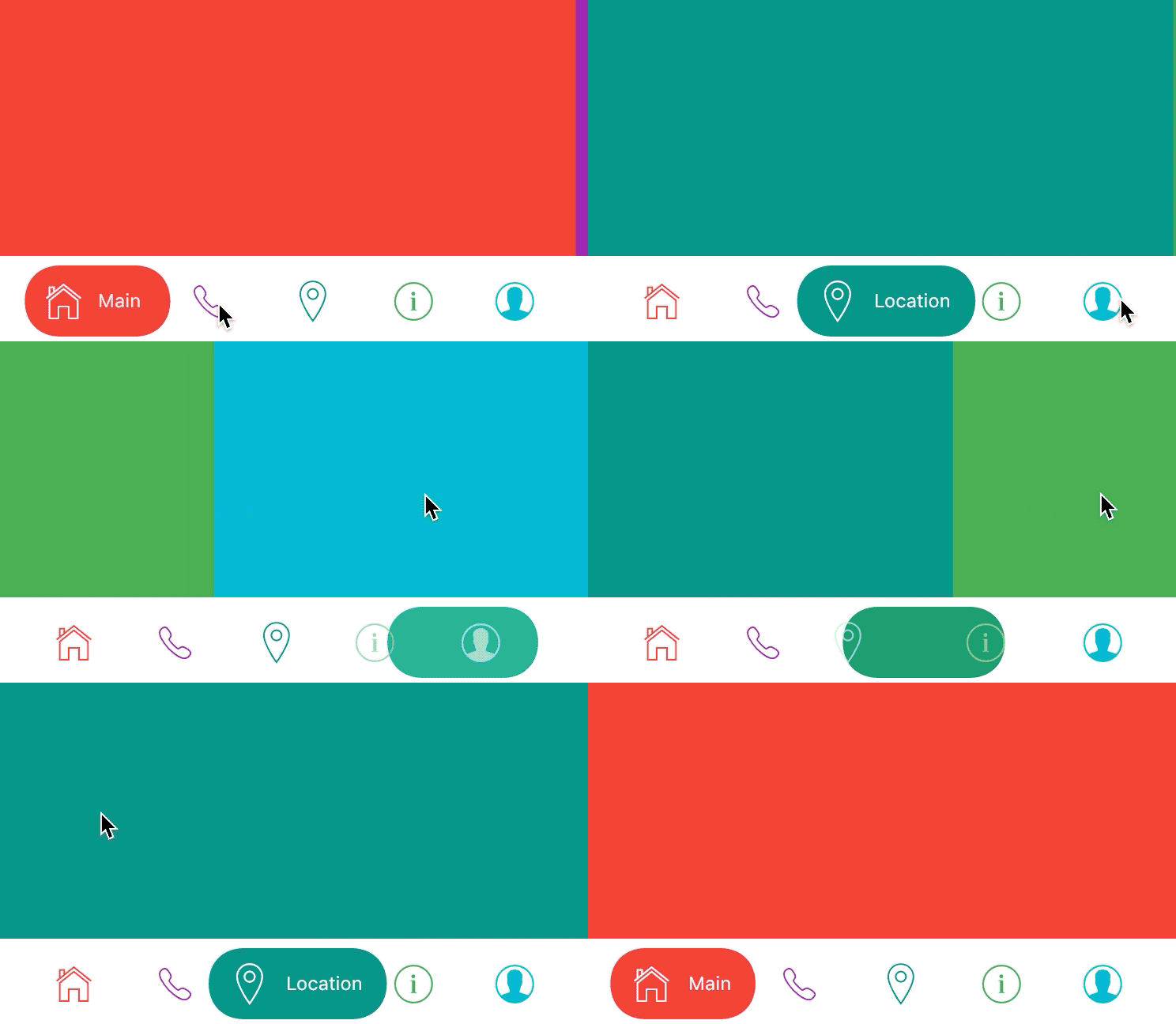
dependencies:
  bubbled_navigation_bar: ^0.0.3 #latest version
home: Scaffold(
bottomNavigationBar: BubbledNavigationBar(
  defaultBubbleColor: Colors.blue,
  onTap: (index) {
    // handle tap
  },
  items: <BubbledNavigationBarItem>[
    BubbledNavigationBarItem(
      icon:       Icon(CupertinoIcons.home, size: 30, color: Colors.red),
      activeIcon: Icon(CupertinoIcons.home, size: 30, color: Colors.white),
      title: Text('Home', style: TextStyle(color: Colors.white, fontSize: 12),),
    ),
    BubbledNavigationBarItem(
      icon:       Icon(CupertinoIcons.phone, size: 30, color: Colors.purple),
      activeIcon: Icon(CupertinoIcons.phone, size: 30, color: Colors.white),
      title: Text('Phone', style: TextStyle(color: Colors.white, fontSize: 12),),
    ),
    BubbledNavigationBarItem(
      icon:       Icon(CupertinoIcons.info, size: 30, color: Colors.teal),
      activeIcon: Icon(CupertinoIcons.info, size: 30, color: Colors.white),
      title: Text('Info', style: TextStyle(color: Colors.white, fontSize: 12),),
    ),
    BubbledNavigationBarItem(
      icon:       Icon(CupertinoIcons.profile_circled, size: 30, color: Colors.cyan),
      activeIcon: Icon(CupertinoIcons.profile_circled, size: 30, color: Colors.white),
      title: Text('Profile', style: TextStyle(color: Colors.white, fontSize: 12),),
    ),
  ],
),
body: Container(color: Colors.blue,),
)
Way of use with PageView and sliding animation from example.gif you can see in example folder.
items: List of Widgets
initialIndex: Initial index of Curve
color: Color of NavigationBar, default Colors.white
defaultBubbleColor: background color of floating bubble
onTap: Function handling taps on items
animationCurve: Curves interpolating button change animation, default Curves.easeInOutQuad
animationDuration: Duration of button change animation, default Duration(milliseconds: 500)
依存関係一覧 2 件
{"sdk":"flutter"}{"sdk":"flutter"}用途で絞り込み、開発状況を比較し、採用前に元のリポジトリで要件を確認しましょう。
“A repository is the most basic element of GitHub.”
GitHub Docs — About repositories ↗