
custom_rich_text
テキストのハイライトおよびリンク参照を可能にするカスタムリッチテキストパッケージ。

- スター
- 17
- フォーク
- 0
- 最終プッシュ(UTC)
- 2026/01/08
- プロジェクト状態
- 公開中
元の README
以下は英語原文のスナップショットです。最新版は GitHub をご覧ください。
Custom RichText
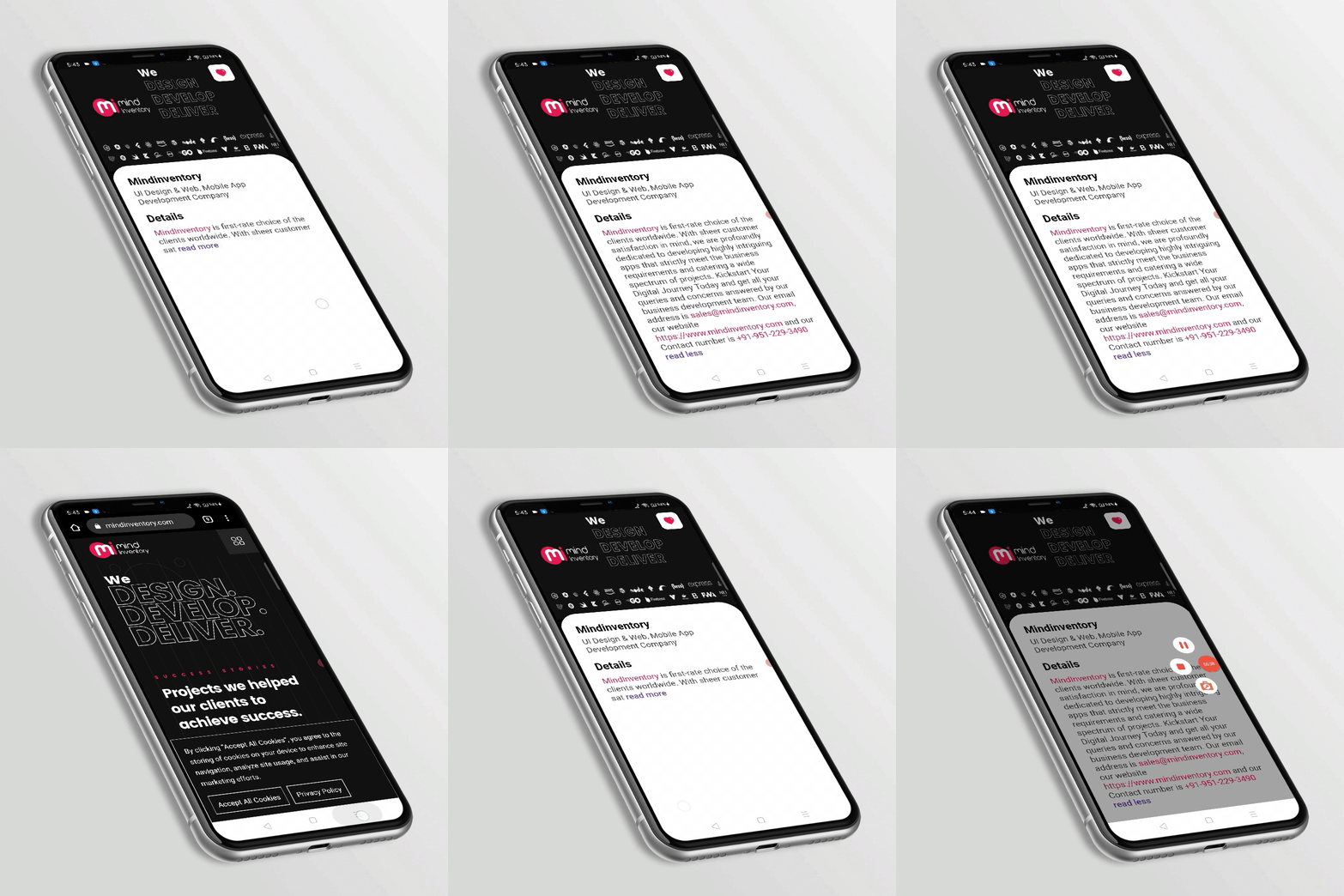
CustomRichText is a package that allows highlighting and link reference to the text.
Key Features
- Highlights email, phone number, web link, custom RegExp, certain sub-strings
- Provides a call back on each highlighted string
- Option for read more, read less and a call back for both
- Allow text styling as per requirement
Note
- If you want to highlight any specific type of text then need to add the following on tap method.
- If any link or email consists the provided sub-string then it will ignore that and will be highlighted as web link or email.
Getting Started
To use this package, add custom_rich_text as a dependency in your pubspec.yaml file.
dependencies:
  ...
  custom_rich_text: any
Now in your Dart code, you can use:
import 'package:custom_rich_text/custom_rich_text.dart';
Usage
Example
CustomRichText(
  text: 'MindInventory is first-rate choice of the '
      'clients worldwide. With sheer customer satisfaction in mind, we are profoundly '
      'dedicated to developing highly intriguing apps that strictly meet the business '
      'requirements and catering a wide spectrum of projects. Kickstart Your Digital '
      'Journey Today and get all your queries and concerns answered by our business '
      'development team. Our email address is sales@mindinventory.com, our website '
      'https://www.mindinventory.com and our Contact number is +91-951-229-3490',
  caseSensitive: false,
  readMoreLessModel: ReadMoreLessModel(
    trimLines: 3,
    readMoreText: ' read more',
    readLessText: ' read less',
    readMoreLessStyle: kReadMoreLessStyle,
  ),
  textStyle: kTextStyle,
  linkStyle: kLinkStyle,
  highlightTermsStyle: kLinkStyle,
  onWebLinkTap: (web) async {
    await launch(web);
  },
  onPhoneTap: (phone) async {
    await launch('tel:$phone');
  },
  onEmailTap: (email) async {
    await launch('mailto:$email');
  },
  highlightTerms: [kMindinventory],
  onTermTap: (text) async {
    await launch('https://www.mindinventory.com/');
  },
),
Guideline for contributors
Contribution towards our repository is always welcome, we request contributors to create a pull request to the develop branch only.
Guideline to report an issue/feature request
It would be great for us if the reporter can share the below things to understand the root cause of the issue.
- Library version
- Code snippet
- Logs if applicable
- Device specification like (Manufacturer, OS version, etc)
- Screenshot/video with steps to reproduce the issue
LICENSE!
Custom RichText is MIT-licensed.
Let us know!
We’d be really happy if you send us links to your projects where you use our component. Just send an email to sales@mindinventory.com And do let us know if you have any questions or suggestion regarding our work.

MindInventory ↗
使用している依存関係
依存関係一覧 2 件
- flutter
{"sdk":"flutter"} - flutter_test開発用
{"sdk":"flutter"}
プロジェクトに合うリポジトリを選ぶには?
用途で絞り込み、開発状況を比較し、採用前に元のリポジトリで要件を確認しましょう。
- 名前・作者・説明で検索し、技術トピックで絞り込みます。
- スター、フォーク、最近のプッシュを比較します。スターは関心の目安であり、品質の保証ではありません。
- 利用前に GitHub で README、ライセンス、Issues を確認します。
情報源と管理
“A repository is the most basic element of GitHub.”
GitHub Docs — About repositories ↗