


 v1.1.0
image_collage_widget
Flutterパッケージで、フォトライブラリから画像を選択したりカメラで新しい写真を撮影したりできる11種類のモダンな写真マントラージュを作成できます。
69いいね 4330日間ダウンロード140Pub ポイント
AndroidiOSWindows
コラージュを作成するためのウィジェット

以下は英語原文のスナップショットです。最新版は GitHub をご覧ください。


A flutter package for creating photo collages in your applications.
permissions, we handled it.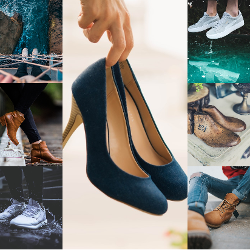
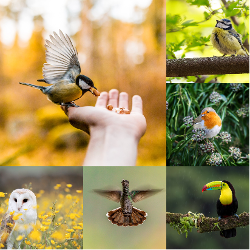
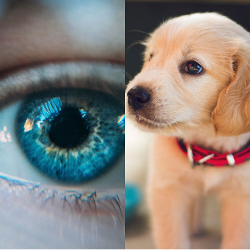
Step 1:- To use this package, add image_collage_widget as a dependency in your pubspec.yaml file.
    dependencies:
      ...
      image_collage_widget: ^1.0.6
Step 2:- Prepare AndroidManifest.xml
 <uses-permission android:name="android.permission.CAMERA"/>
 <uses-permission android:name="android.permission.WRITE_EXTERNAL_STORAGE"/>
 <uses-permission android:name="android.permission.READ_EXTERNAL_STORAGE"/>
 <uses-feature android:name="android.hardware.camera" />

 <!-- Devices running Android 13 (API level 33) or higher -->
 <uses-permission android:name="android.permission.READ_MEDIA_IMAGES" />
 <uses-permission android:name="android.permission.READ_MEDIA_VIDEO" />

 <!-- To handle the reselection within the app on devices running Android 14
      or higher if your app targets Android 14 (API level 34) or higher.  -->
 <uses-permission android:name="android.permission.READ_MEDIA_VISUAL_USER_SELECTED" />
Step 3:- Prepare Info.plist
    <key>NSPhotoLibraryUsageDescription</key>
    <string>Need to access photo library</string>
    <key>NSCameraUsageDescription</key>
    <string>To upload your picture</string>
Step 4:- Add ImageCollageWidget in your dart file
      import 'package:image_collage_widget/image_collage_widget.dart';
      import 'package:image_collage_widget/utils/collage_type.dart';

      ...

   /// @param withImage:- If withImage = true, It will load image from given {filePath (default = "Camera")}
   /// @param collageType:- CollageType.CenterBig

           child: ImageCollageWidget(
             collageType: widget.collageType,
             withImage: true,
             filePath: _directory?.path?.toString(),
           ),
It would be great for us if the reporter can share the below things to understand the root cause of the issue.
image_collage_widget is MIT-licensed.
We’d be really happy if you send us links to your projects where you use our open-source libraries. Just send an email to [sales@mindinventory.com](mailto:sales@mindinventory.com) And do let us know if you have any questions or suggestion regarding our work.
Visit our website mindinventory.com.
Let us know if you are interested to building Apps or Designing Products.

依存関係一覧 11 件
{"sdk":"flutter"}^0.7.0^8.1.6^1.0.2^8.1.2^11.3.1^1.1.2^2.0.5^10.1.2{"sdk":"flutter"}^4.0.0用途で絞り込み、開発状況を比較し、採用前に元のリポジトリで要件を確認しましょう。
“A repository is the most basic element of GitHub.”
GitHub Docs — About repositories ↗