


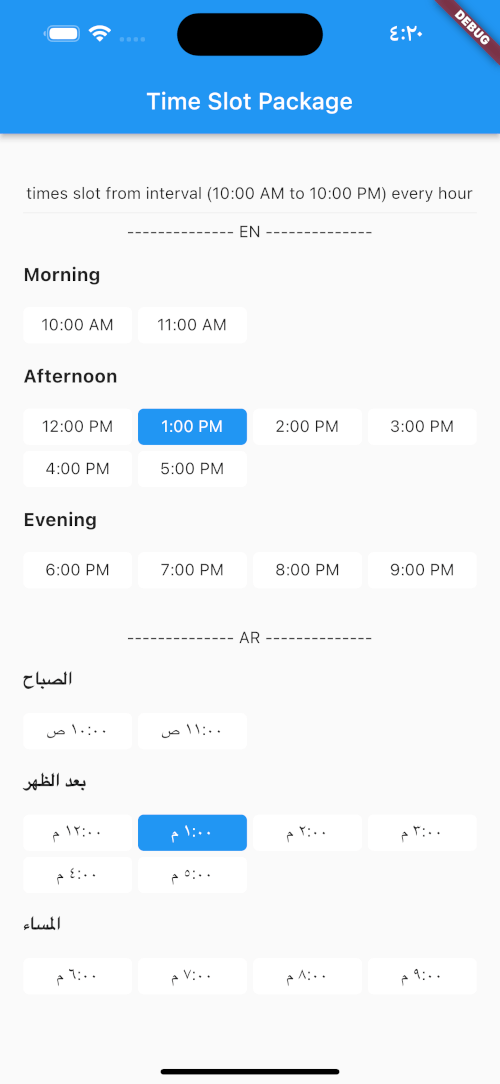
 v1.0.2
time_slot
指定された時間間隔または日時のリストを使用してタイムスロットを作成し、時間の時間帯名を取得するのに役立つ新しいFlutterパッケージです。
32いいね 63230日間ダウンロード140Pub ポイント
AndroidiOSWebmacOSWindowsLinux
指定された時間間隔または日時リストを使用してタイムスロットを作成し、時間の時間帯名を取得するのに役立つ新しいFlutterパッケージで、arおよびenのローカライズをサポートしています。

以下は英語原文のスナップショットです。最新版は GitHub をご覧ください。
A new Flutter package which helps in creating time slots with given time interval or list of date times and get day part name of time, and this package allow localization ar and en.
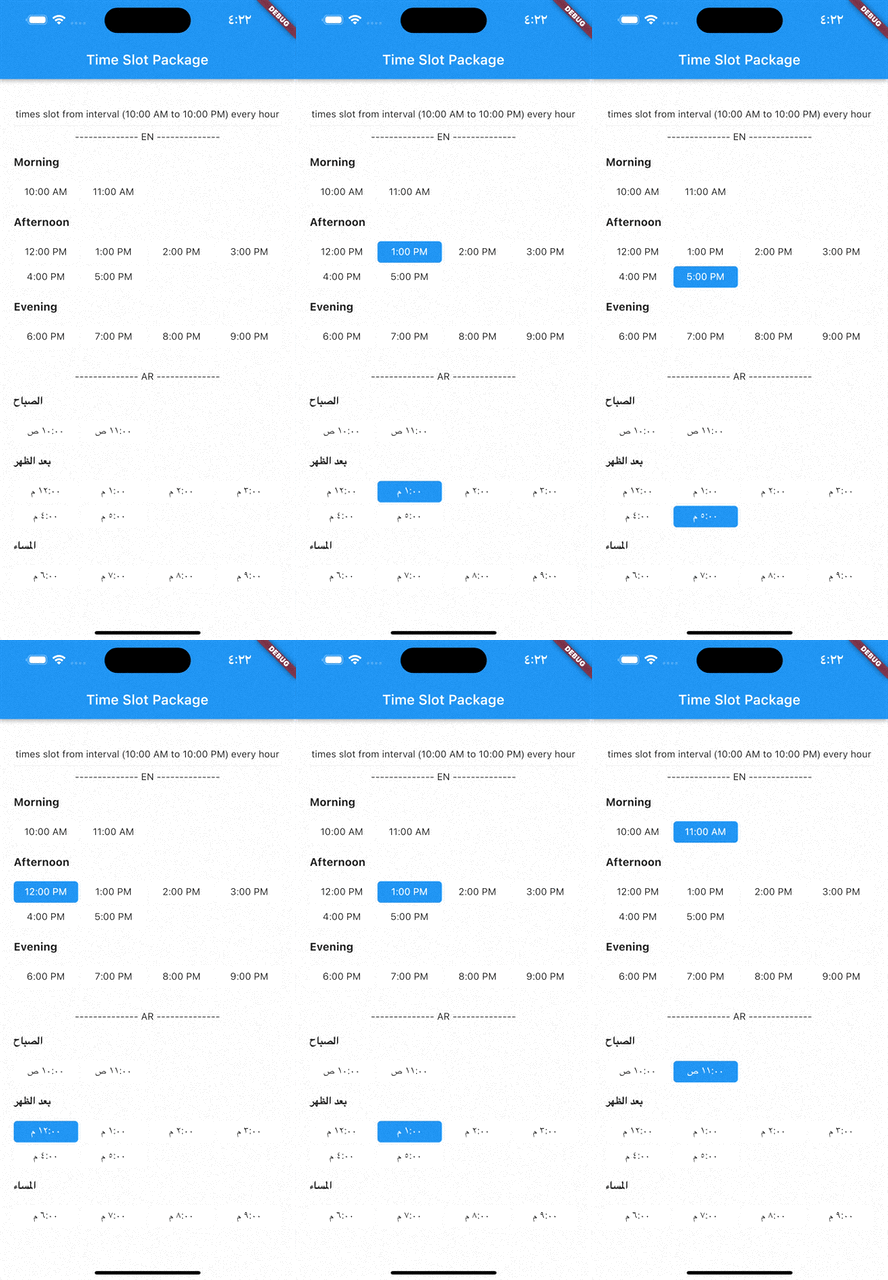
pubspec.yaml file:dependencies:
time_slot: any
$ pub get
time_slot.dart file in your appimport 'package:time_slot/time_slot.dart';
DayPartController
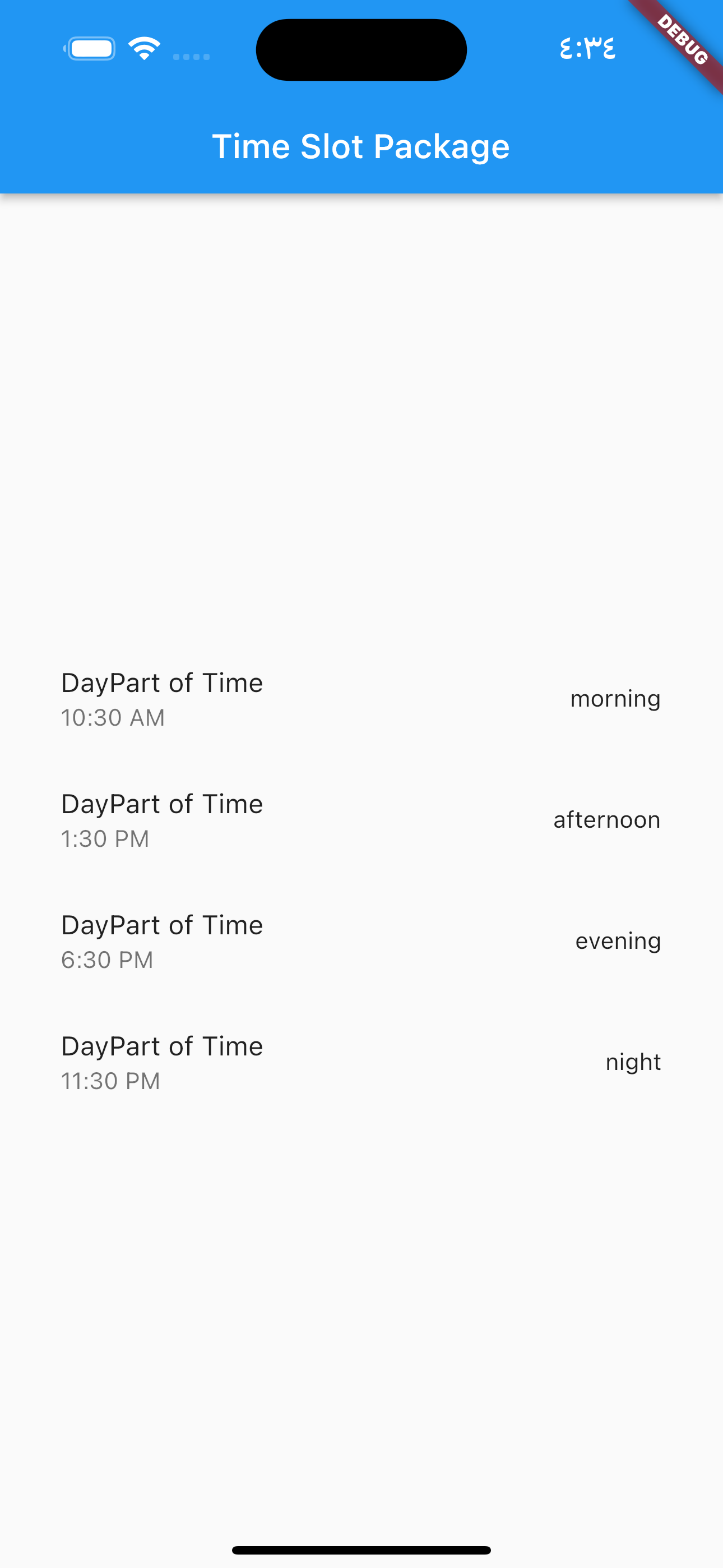
DayPartController dayPartController = DayPartController();
to get day part of time
  DayParts dayPart = dayPartController.getDayPartOfTime(
    time: DateTime(2023, 1, 1, 10, 30),
  ); ///  DayParts.morning
to get day part name from DayParts
  DayParts dayPart = dayPartController.getDayPartName(dayPart: dayPart),);
  /// morning
to build time slot grid view from interval (10:00 AM to 10:00 PM) every hour
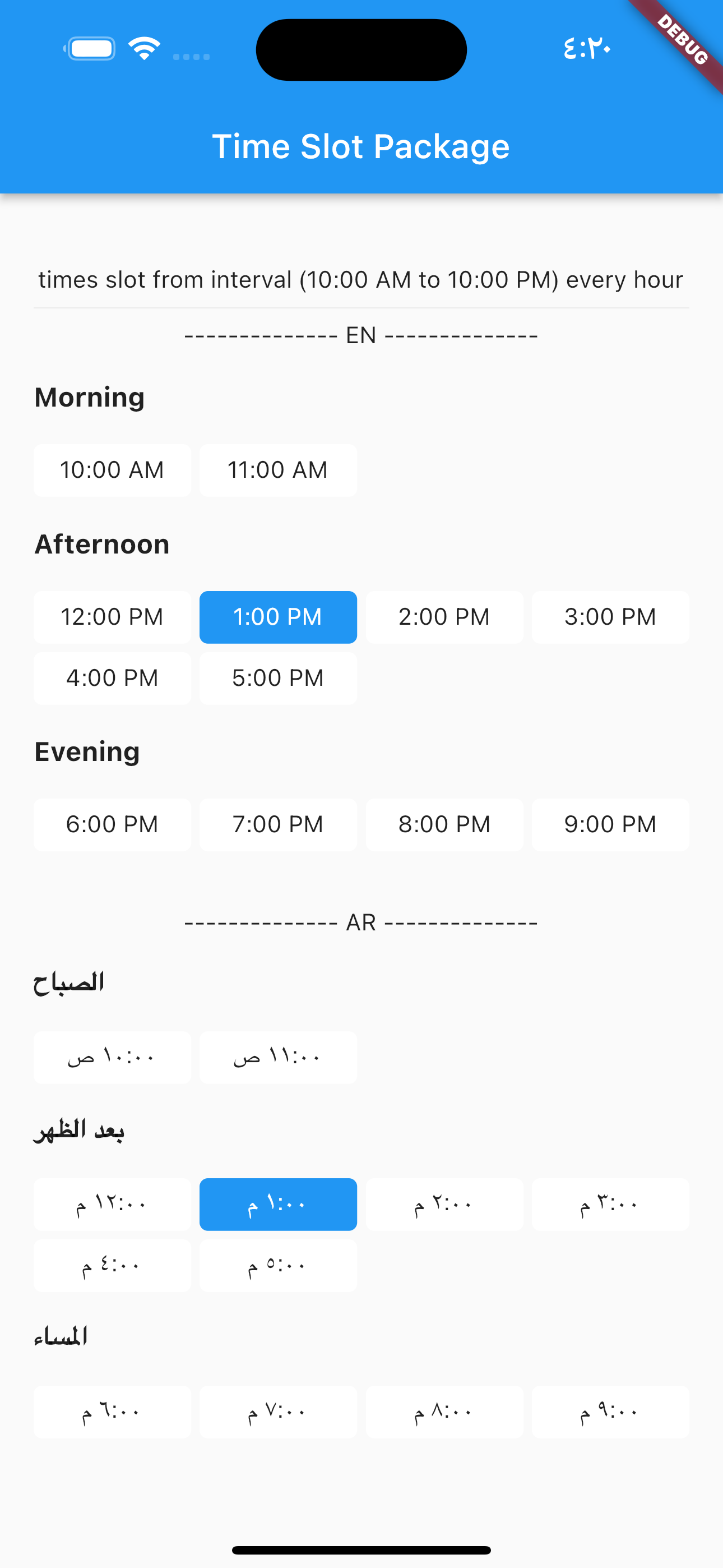
            TimesSlotGridViewFromInterval(
                locale: "en",
                initTime: selectTime,
                crossAxisCount: 4,
                timeSlotInterval: const TimeSlotInterval(
                  start: TimeOfDay(hour: 10, minute: 00),
                  end: TimeOfDay(hour: 22, minute: 0),
                  interval: Duration(hours: 1, minutes: 0),
                ),
                onChange: (value) {
                  setState(() {
                    selectTime = value;
                  });
                },
              ),
locale = "ar",
                TimesSlotGridViewFromInterval(
                locale: "ar",
                initTime: selectTime,
                crossAxisCount: 4,
                timeSlotInterval: const TimeSlotInterval(
                  start: TimeOfDay(hour: 10, minute: 00),
                  end: TimeOfDay(hour: 22, minute: 0),
                  interval: Duration(hours: 1, minutes: 0),
                ),
                onChange: (value) {
                  setState(() {
                    selectTime = value;
                  });
                },
              ),
to build time slot grid view from list date.
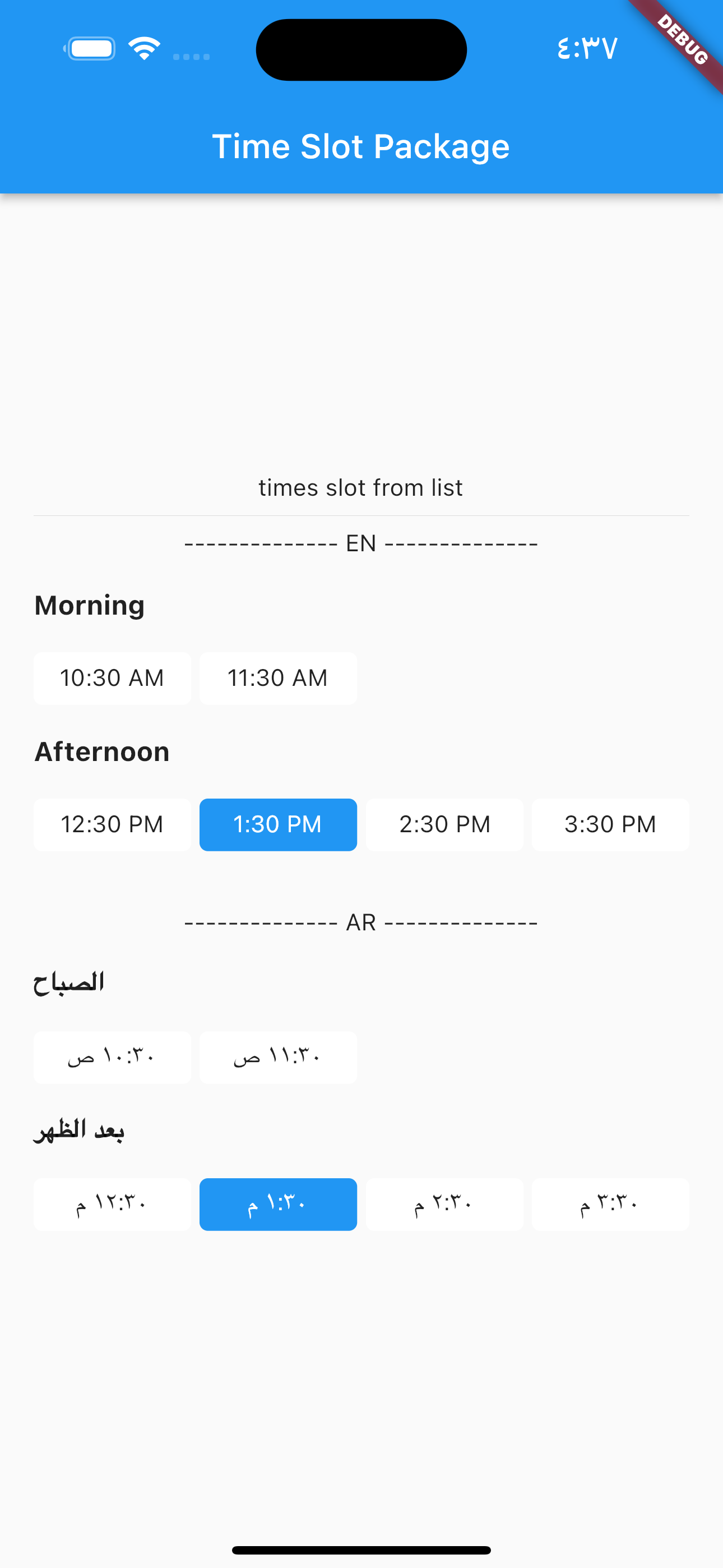
            TimesSlotGridViewFromList(
                locale: "en",
                initTime: selectTime,
                crossAxisCount: 4,
                listDates: [
                  DateTime(2023, 1, 1, 10, 30),
                  DateTime(2023, 1, 1, 11, 30),
                  DateTime(2023, 1, 1, 12, 30),
                  DateTime(2023, 1, 1, 13, 30),
                  DateTime(2023, 1, 1, 14, 30),
                  DateTime(2023, 1, 1, 15, 30)
                ],
                onChange: (value) {
                  setState(() {
                    selectTime = value;
                  });
                },
              ),
locale = "ar",
                TimesSlotGridViewFromList(
                locale: "ar",
                initTime: selectTime,
                crossAxisCount: 4,
                listDates: [
                  DateTime(2023, 1, 1, 10, 30),
                  DateTime(2023, 1, 1, 11, 30),
                  DateTime(2023, 1, 1, 12, 30),
                  DateTime(2023, 1, 1, 13, 30),
                  DateTime(2023, 1, 1, 14, 30),
                  DateTime(2023, 1, 1, 15, 30)
                ],
                onChange: (value) {
                  setState(() {
                    selectTime = value;
                  });
                },
              ),
依存関係一覧 4 件
{"sdk":"flutter"}^0.19.0{"sdk":"flutter"}—用途で絞り込み、開発状況を比較し、採用前に元のリポジトリで要件を確認しましょう。
“A repository is the most basic element of GitHub.”
GitHub Docs — About repositories ↗