
flutter_boom_menu
アイコン、タイトル、サブタイトル、アニメーション付きのFABアイコン、スクロール時に非表示になるBoomメニューを実装するFlutterプラグイン。

- スター
- 88
- フォーク
- 29
- 最終プッシュ(UTC)
- 2021/08/02
- プロジェクト状態
- 公開中
元の README
以下は英語原文のスナップショットです。最新版は GitHub をご覧ください。
Flutter Boom Menu
Usage
The BoomMenu widget is built to be placed in the Scaffold.floatingActionButton argument, replacing the FloatingActionButton widget.
It's not possible to set its position with the Scaffold.floatingActionButtonLocation argument, but it's possible to set right/bottom margin with the marginRight and marginBottom arguments (default to 16) to place the button anywhere in the screen.
Using the Scaffold.bottomNavigationBar the floating button will be always placed above the bar, so the BottomAppBar.hasNotch should be always false.
Title
Every child button can have a Icon,Title, SubTitle which can be customized providing by yourself. If the Title parameter is not provided the title will be not rendered.
The package will handle the animation by itself.
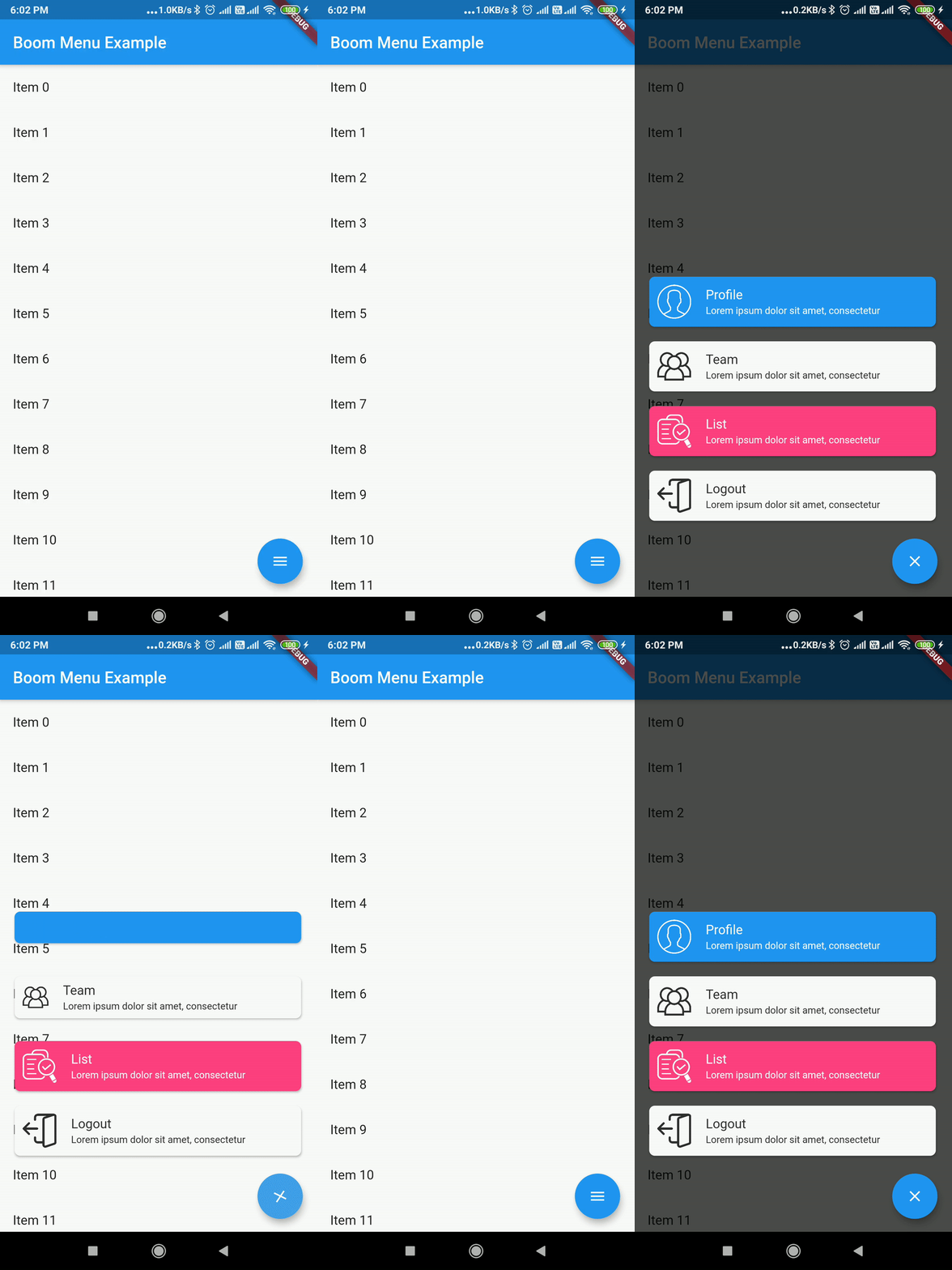
Example Usage ( complete with all params ):
Widget build(BuildContext context) {
    return Scaffold(
        floatingActionButton: BoomMenu(
      animatedIcon: AnimatedIcons.menu_close,
      animatedIconTheme: IconThemeData(size: 22.0),
      //child: Icon(Icons.add),
      onOpen: () => print('OPENING DIAL'),
      onClose: () => print('DIAL CLOSED'),
      scrollVisible: scrollVisible,
      overlayColor: Colors.black,
      overlayOpacity: 0.7,
      children: [
        MenuItem(
          child: Icon(Icons.accessibility, color: Colors.black),
          title: "Profiles",
          titleColor: Colors.white,
          subtitle: "You Can View the Noel Profile",
          subTitleColor: Colors.white,
          backgroundColor: Colors.deepOrange,
          onTap: () => print('FIRST CHILD'),
        ),
        MenuItem(
          child: Icon(Icons.brush, color: Colors.black),
          title: "Profiles",
          titleColor: Colors.white,
          subtitle: "You Can View the Noel Profile",
          subTitleColor: Colors.white,
          backgroundColor: Colors.green,
          onTap: () => print('SECOND CHILD'),
        ),
        MenuItem(
          child: Icon(Icons.keyboard_voice, color: Colors.black),
          title: "Profile",
          titleColor: Colors.white,
          subtitle: "You Can View the Noel Profile",
          subTitleColor: Colors.white,
          backgroundColor: Colors.blue,
          onTap: () => print('THIRD CHILD'),
        ),
        MenuItem(
          child: Icon(Icons.ac_unit, color: Colors.black),
          title: "Profiles",
          titleColor: Colors.white,
          subtitle: "You Can View the Noel Profile",
          subTitleColor: Colors.white,
          backgroundColor: Colors.blue,
          onTap: () => print('FOURTH CHILD'),
        )
      ],
    ),
    );
}
Issues & Feedback
Please file an issue to send feedback or report a bug. Thank you!
Contributing
Every pull request is welcome.

Mohanraj ↗
使用している依存関係
依存関係一覧 2 件
- flutter
{"sdk":"flutter"} - flutter_test開発用
{"sdk":"flutter"}
プロジェクトに合うリポジトリを選ぶには?
用途で絞り込み、開発状況を比較し、採用前に元のリポジトリで要件を確認しましょう。
- 名前・作者・説明で検索し、技術トピックで絞り込みます。
- スター、フォーク、最近のプッシュを比較します。スターは関心の目安であり、品質の保証ではありません。
- 利用前に GitHub で README、ライセンス、Issues を確認します。
情報源と管理
“A repository is the most basic element of GitHub.”
GitHub Docs — About repositories ↗