
v4.5.2
go_router_builder
package:go_router 用の生成された強力な型付きルートヘルパーをサポートするビルダー
302いいね 37.1万30日間ダウンロード160Pub ポイント
AndroidiOSmacOSWindowsLinux
精神的緊急時対応用モバイルアプリ「Nepanikař(ドン・パニック)」の公式リポジトリ。専門家による設計および相談を経て、メンタルヘルスに関する問題に対処するためのものです。

package:go_router 用の生成された強力な型付きルートヘルパーをサポートするビルダー
Dart VM および Flutter 向けの、暗号化をサポートする NoSQL 永続埋め込みファイルシステムドキュメントベースのデータベース。
 v0.12.1
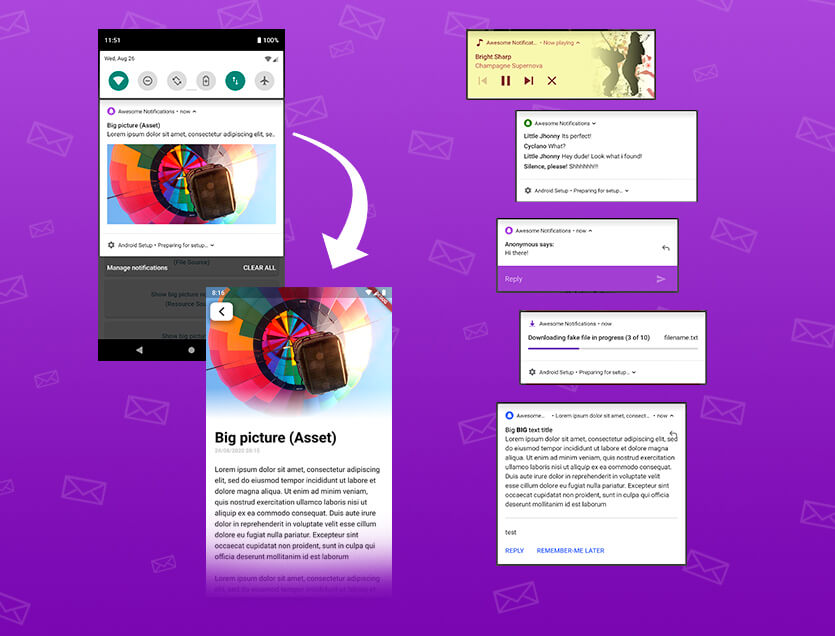
Flutterアプリ向けにローカル通知とプッシュ通知を作成するための完全なソリューションで、ボタン、画像、音声、絵文字をカスタマイズし、さまざまなレイアウトを適用できます。
 v4.1.3
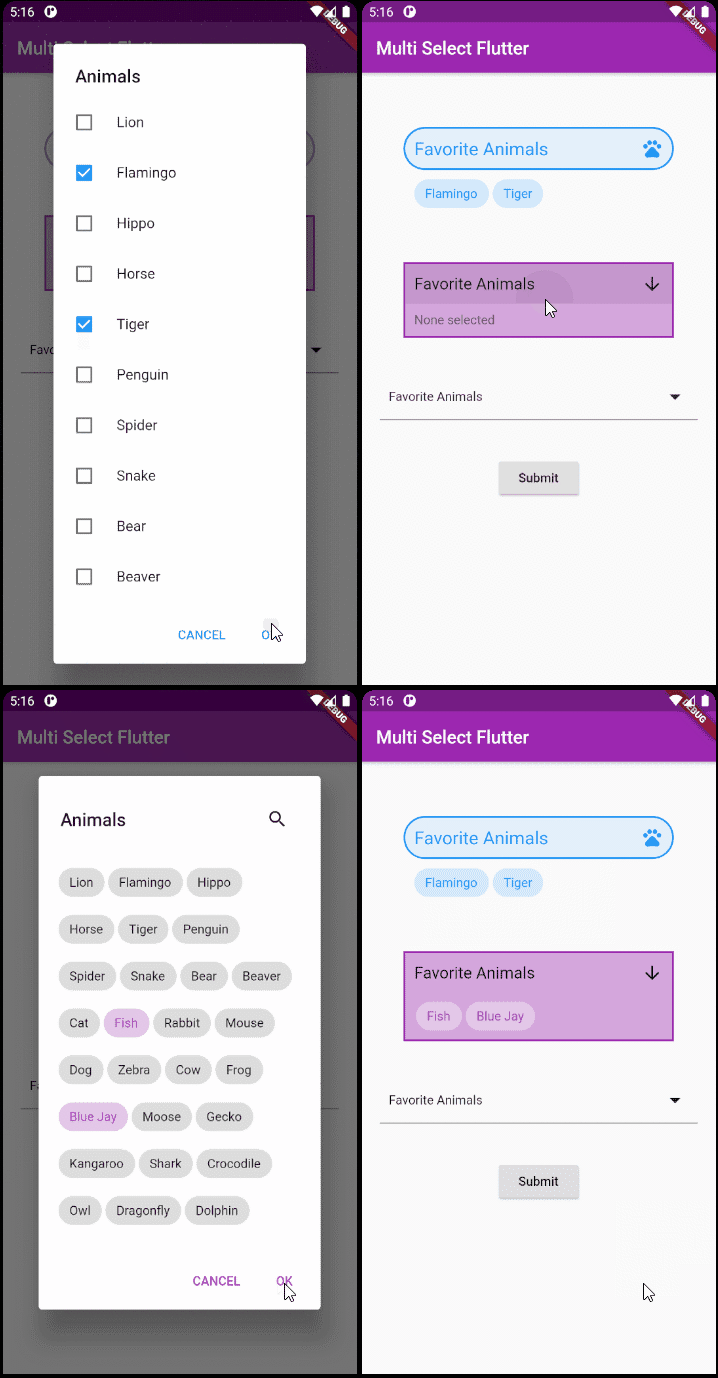
Flutter用の柔軟なマルチセレクトパッケージ。希望する方法でマルチセレクトウィジェットを作成できます。
メールアドレスを検証するためのシンプル(でも正しい)Dartクラス
Flutter、Web、サーバー用の日付と時刻ライブラリで、タイムゾーン、カレンダー、文化、フォーマット、パースをサポートしています。
Dart における低レベルリンク(テキスト、URL、メールアドレス、電話番号、ユーザータグ)パースライブラリ。
 v0.1.0
多角形の形状を描画し、それらを切り取る簡単な方法。
package:build を使用する際に、パッケージ内の生成された Dart コードが最新であることを確認するためのテストユーティリティ。
Android および iOS でファイルを選択および保存するためのダイアログ。
 v2.0.0
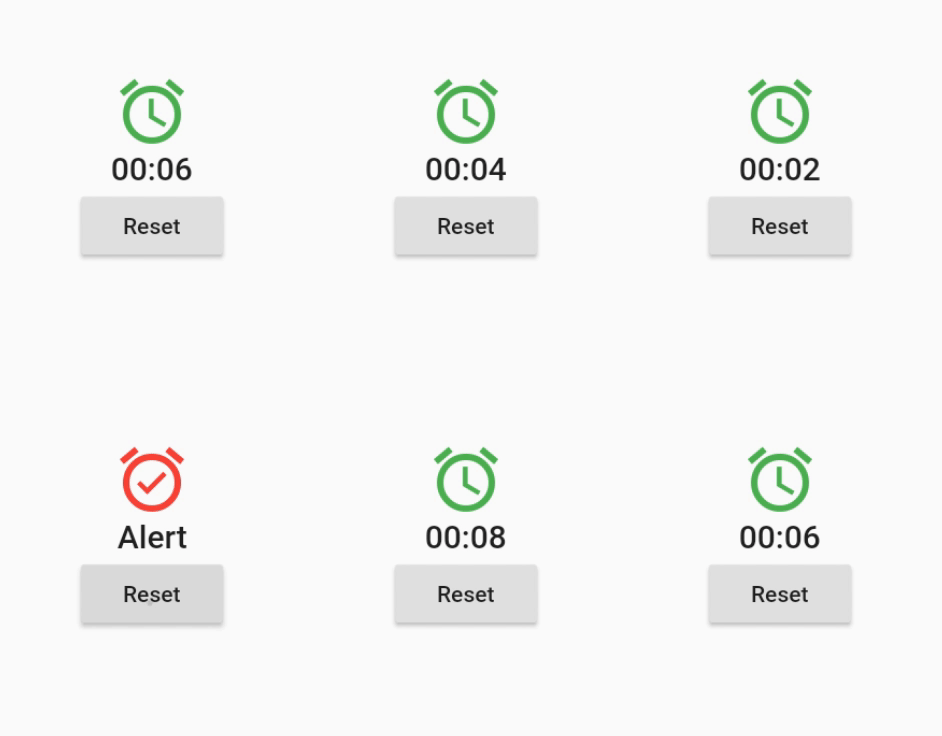
スケジュールされた、周期的、または動的に生成された時間イベントで自身を再構築するウィジェット。
このパッケージは、キーにプレフィックスがない shared_preferences パッケージのコピーです。以前のネイティブアプリからのデータ移行に使用されます。
依存関係一覧 50 件
^3.0.0^0.12.0^1.19.0^1.0.5any^3.0.0^2.0.5^12.0.0^4.0.0^5.0.0^1.1.1{"sdk":"flutter"}^4.5.2^3.0.0{"sdk":"flutter"}^2.2.17^2.2.0^3.1.0^9.0.5^17.0.0any^0.20.2^4.9.0^0.10.5^5.0.0^3.3.0any^3.2.2{"path":"./packages/nepanikar_contacts_gen"}^10.1.0^1.8.2^2.0.12^0.1.0^6.0.5^0.28.0^3.4.0+6^2.0.6^0.9.17^2.0.0^2.0.1^6.3.2^1.4.0^2.16.0^3.1.1^5.1.0+1{"sdk":"flutter"}^4.0.0-dev.3^4.0.1^6.11.2^2.0.1以下は英語原文のスナップショットです。最新版は GitHub をご覧ください。
First aid for psychological issues - Official mobile app for nepanikar.eu
Run command flutter run from root folder of application.
flutter_gen package lets us quickly generate paths for images/icons.
To add a new asset, add it to ./assets/ and then run flutter packages pub run build_runner build -d.
If you are creating a new assets folder, do not forget to reference it in pubspec.yaml.
We are using Localazy for managing app localizations.
The prerequisites for running the localization update script are:
stringcase: pip install stringcasenpm install -g @localazy/cli or see Installation
page for other options)After that, you can simply run the script located in ./bin/localazy/localazy_gen.sh.
When adding a new language:
Contacts & help data are generated from Dart objects for easier maintainability. These data are then converted and
shipped within the app as JSON which is located in the ./assets/contacts/ folder. The whole contacts & help UI in
the app is controlled by the content of this JSON file.
The prerequisites for updating and regenerating these data is:
The source of these data is managed by nepanikar_contacts_gen Dart package.
Source data are located in ./packages/nepanikar_contacts_gen/bin/translation_extra_files/{language_tag}.dart.
Make the necessary changes, then simply run the script located in ./bin/nepanikar_contacts_gen/
to regenerate the JSON file.
flutter run - run applicationflutter packages pub run build_runner build -d - regenerate go_route/freezed/assets filesflutter pub run build_runner watch -d - watch and generate automatically changes when files are changedflutter gen-l10n - recompile .arb language filesflutter pub run flutter_native_splash:create - regenerate splash screendart format --line-length 100 ./ - automatic formatting of the project