

 v1.0.2
easy_settings
美しいかつ魅力的なユーザーインターフェースで設定管理を簡単にできるパッケージです。
8いいね 18130日間ダウンロード160Pub ポイント
AndroidiOSWebmacOSWindowsLinux
ObjectiveCalendar/easy_settings open-source repository details.

以下は英語原文のスナップショットです。最新版は GitHub をご覧ください。
A package that helps to manage and display settings.
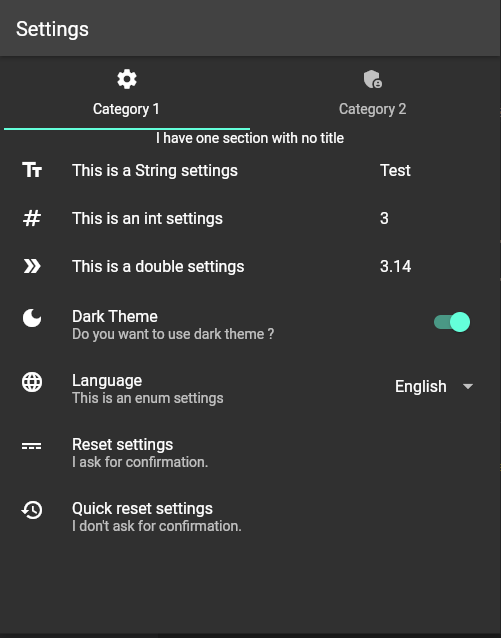
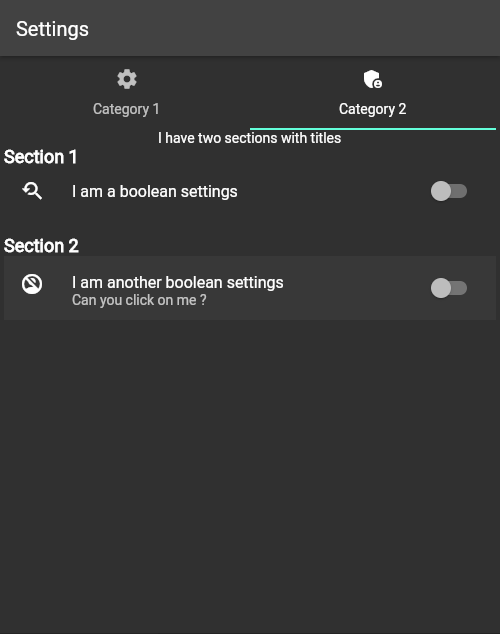
Add the following line to pubspec.yaml:
dependencies:
  easy_settings: ^1.0.0
import 'package:easy_settings/easy_settings.dart';
import 'package:flutter/material.dart';

List<SettingsCategory> settingsCategories = [
  SettingsCategory(
      title: "Category 1",
      iconData: Icons.settings,
      settingsSections: [
        SettingsSection(settingsElements: [
          StringSettingsProperty(
              key: "str",
              title: "This is a String settings",
              defaultValue: "Test",
              iconData: Icons.text_fields),
          IntSettingsProperty(
              key: "integer",
              title: "This is an int settings",
              defaultValue: 3,
              iconData: Icons.numbers),
          DoubleSettingsProperty(
              key: "double",
              title: "This is a double settings",
              defaultValue: 3.14,
              iconData: Icons.double_arrow),
          BoolSettingsProperty(
              key: isDarkKey,
              title: "Dark Theme",
              subtitle: "Do you want to use dark theme ?",
              defaultValue: false,
              iconData: Icons.dark_mode),
          EnumSettingsProperty(
              key: "language",
              title: "Language",
              subtitle: "This is an enum settings",
              defaultValue: 0,
              iconData: Icons.language,
              choices: ["English", "Espanol", "Français"]),
          ButtonSettingsElement(
              title: "Quick reset settings",
              subtitle: "I don't ask for confirmation.",
              iconData: Icons.restore,
              onClick: (BuildContext context) => resetSettings())
        ])
      ])
];

void main() async {
  await initializeSettings(settingsCategories);
  runApp(const MyApp());
}

class MyApp extends StatelessWidget {
  const MyApp({Key? key}) : super(key: key);

  @override
  Widget build(BuildContext context) {
    return MaterialApp(
                  title: 'Settings',
                  home: const MyHomePage());
  }
}

class MyHomePage extends StatelessWidget {
  const MyHomePage({Key? key}) : super(key: key);

  @override
  Widget build(BuildContext context) {
    return Scaffold(
        appBar: AppBar(
          title: const Text("Settings"),
        ),
        body: const EasySettingsWidget());
  }
}
Make sure to check out example for more details.
依存関係一覧 6 件
^1.19.1{"sdk":"flutter"}^2.5.2^0.5.0{"sdk":"flutter"}^5.0.0用途で絞り込み、開発状況を比較し、採用前に元のリポジトリで要件を確認しましょう。
“A repository is the most basic element of GitHub.”
GitHub Docs — About repositories ↗