
 v1.1.0
checkout_screen_ui
ご自身のロジックと組み合わせて使用することを目的とした、チェックアウト画面を表す事前構築されたUIです。
45いいね 6630日間ダウンロード160Pub ポイント
AndroidiOSWebmacOSWindowsLinux
OfficialFlutterButter/checkout_screen_ui open-source repository details.

依存関係一覧 6 件
{"sdk":"flutter"}^1.0.0^6.3.2^2.4.2{"sdk":"flutter"}^6.0.0以下は英語原文のスナップショットです。最新版は GitHub をご覧ください。
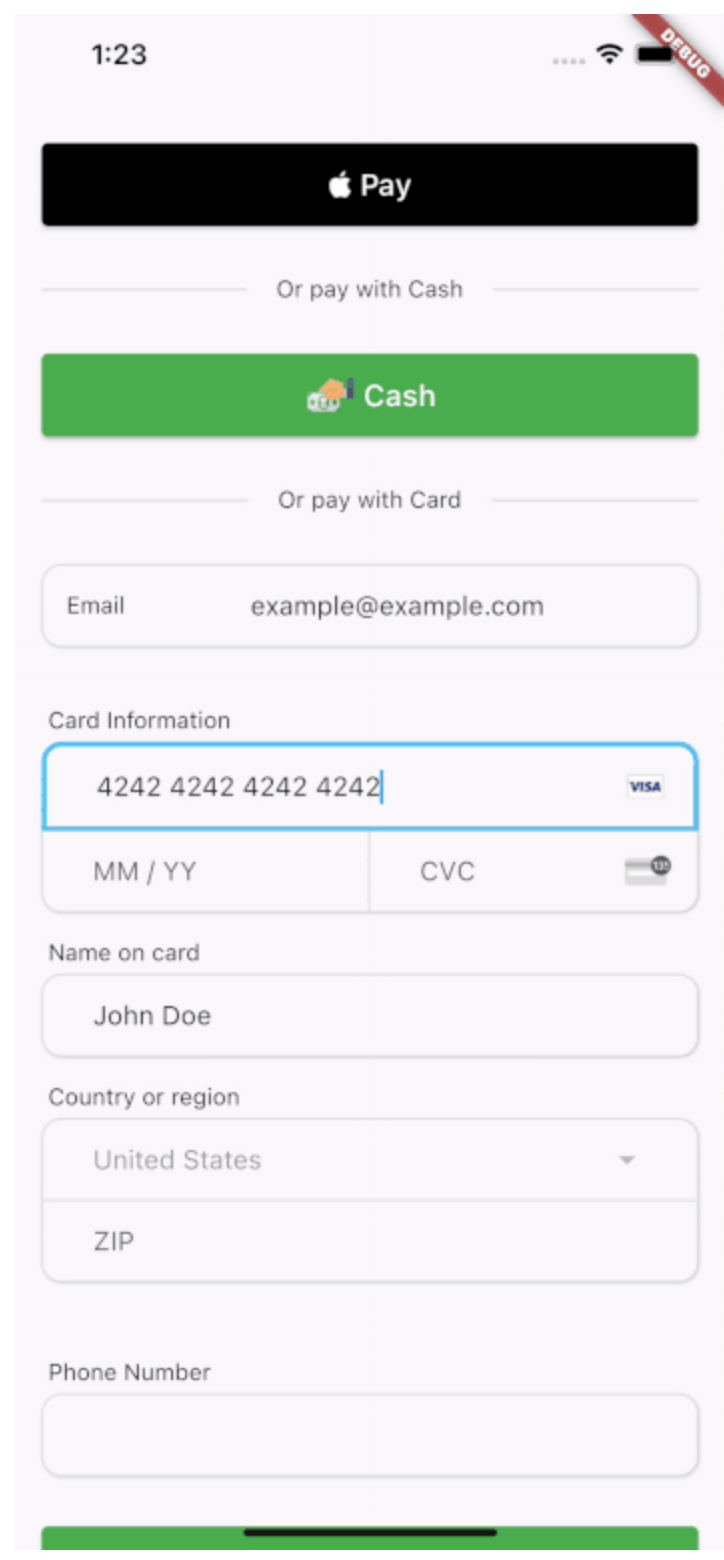
A Widget representing a checkout screen that accepts native and credit card payments along with a button for cash payments if your system has 'in person' payments. This is a UI only widget and is meant to compliment whatever third party transaction api system you are using.
Includes a CreditCardForm widget that allows you to utilize only the credit card form without the rest of the checkout screen if desired.
This package is UI only. Card data exists in memory inside Flutter text controllers while the user types. Never log CardFormResults or raw PAN/CVC in production. In release and profile builds, CardFormResults.toString() is redacted; in debug builds it includes full values for developer convenience—still do not persist it or ship debug logs that contain card data. Send card data only to your PCI-compliant processor (for example Stripe) over TLS, following their integration guidance.
In the pubspec.yaml of your Flutter project, add:
dependencies:
  checkout_screen_ui: ^1.1.0
Import the barrel (recommended) or specific libraries:
import 'package:checkout_screen_ui/checkout_screen_ui.dart';
// or
import 'package:checkout_screen_ui/checkout_ui.dart';
The main entry point is CheckoutPage with a CheckoutData object:
final List<PriceItem> priceItems = [
  PriceItem(name: 'Product A', quantity: 1, itemCostCents: 5200),
  PriceItem(name: 'Product B', quantity: 2, itemCostCents: 8599),
];

CheckoutPage(
  data: CheckoutData(
    priceItems: priceItems,
    payToName: 'Vendor Name',
    taxRate: 0.07,
    displayNativePay: true,
    isApple: Platform.isIOS,
    onNativePay: (result) { /* ... */ },
    onCashPay: (result) { /* ... */ },
    onCardPay: (card, result) {
      // card: CardFormResults — never log in production
      // result: CheckOutResult — items, subtotal, tax, total in cents
    },
    onBack: () => Navigator.of(context).pop(),
  ),
  footer: CheckoutPageFooter(
    termsLink: 'https://example.com/terms',
    privacyLink: 'https://example.com/privacy',
  ),
);
Optional theming:
MaterialApp(
  theme: ThemeData(
    extensions: const [
      CheckoutTheme(
        chargeAmountColor: Colors.teal,
        nativePayBackgroundColor: Colors.black,
        nativePayForegroundColor: Colors.white,
      ),
    ],
  ),
  // ...
);
If a feature is missing (the Dart language is always evolving) or you'd like an easier or better way to do something, consider opening a pull request. You can always file an issue, but generally speaking feature requests will be on a best-effort basis.