


 v1.2.0
weather_animation
このパッケージには美しい天気アニメーションが含まれています。天気コンフィギュレーターで簡単にセットアップできます!
133いいね 97430日間ダウンロード160Pub ポイント
AndroidiOSWebmacOSWindowsLinux
このパッケージには美しい天気アニメーションが含まれています。天気コンフィギュレーターで簡単にセットアップできます!

以下は英語原文のスナップショットです。最新版は GitHub をご覧ください。





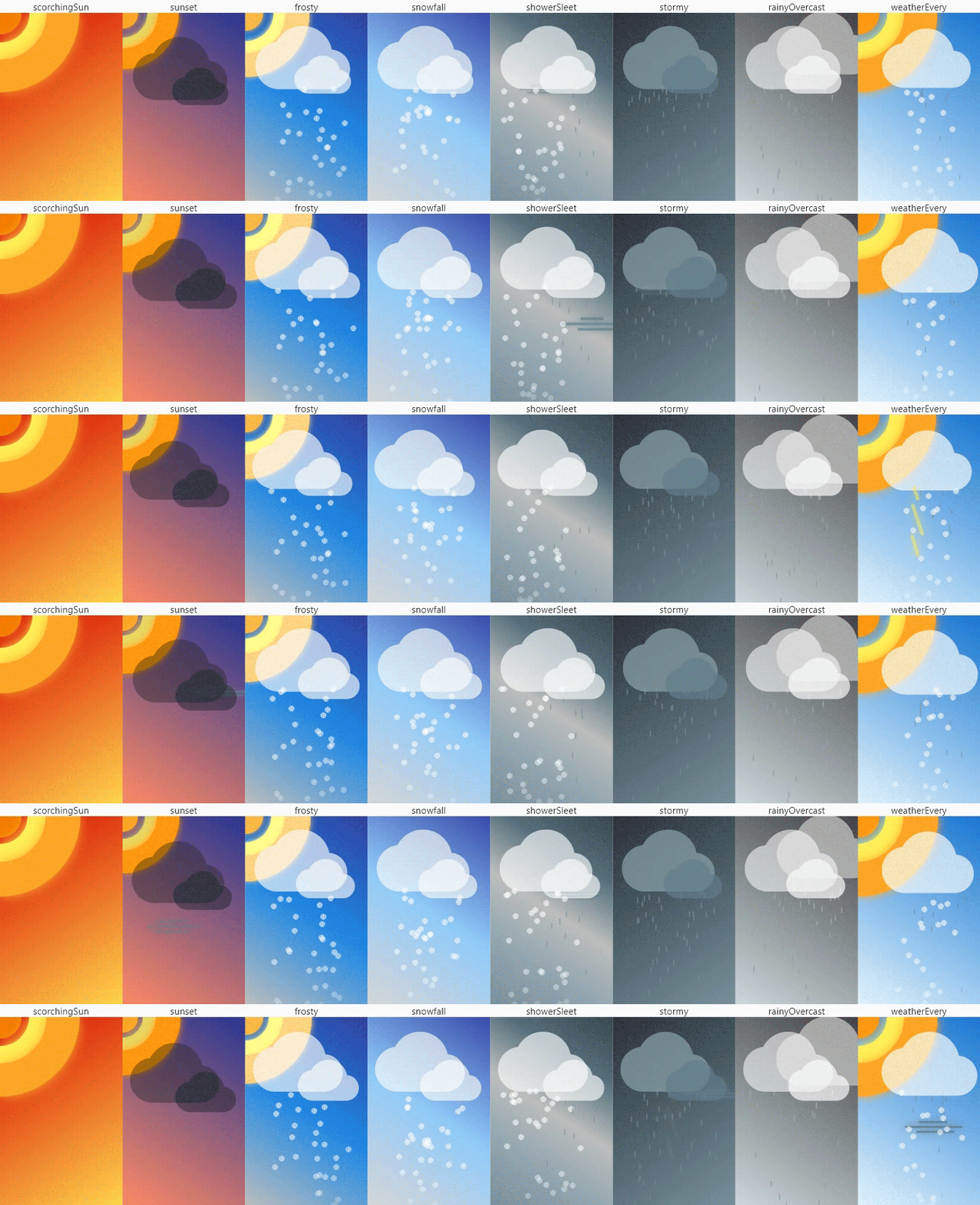
Create weather scenes and animate as your heart desires. Simple and free.
Try the Weathunits configurator for setting weather scenes directly in the WEB!
Put an
on Pub and favorite ⭐ on GitHub to keep up with changes and not miss new releases!
Import the library:
import 'package:weather_animation/weather_animation.dart';
WeatherSceneCheck the provided list of ready-made weather scenes in the WeatherScene enumeration and select
the desired one through the getter:
@override
Widget build(BuildContext context) {
  return WeatherScene.sunset.sceneWidget;
}
or for more customization, use WrapperScene.weather:
@override
Widget build(BuildContext context) {
  return WrapperScene.weather(scene: WeatherScene.sunset);
}
WrapperSceneSpecify a list of weather widgets and a list of colors to create a beautiful background gradient:
@override
Widget build(BuildContext context) {
  return const WrapperScene(
      colors: [
        Color(0xff283593),
        Color(0xffff8a65),
      ],
      children: [
        SunWidget(),
        CloudWidget(),
        WindWidget(),
      ],
    );
}
If necessary, specify a configuration file to fine-tune the weather widget:
// ...
SunWidget(
  sunConfig: SunConfig(
    width: 262.0,
    blurSigma: 10.0,
    blurStyle: BlurStyle.solid,
    isLeftLocation: true,
    coreColor: Color(0xffffa726),
    midColor: Color(0xd6ffee58),
    outColor: Color(0xffff9800),
    animMidMill: 2000,
    animOutMill: 1800,
  ),
),
// ...
weather_configurator appexample/weathunits_configurator. Learn more here)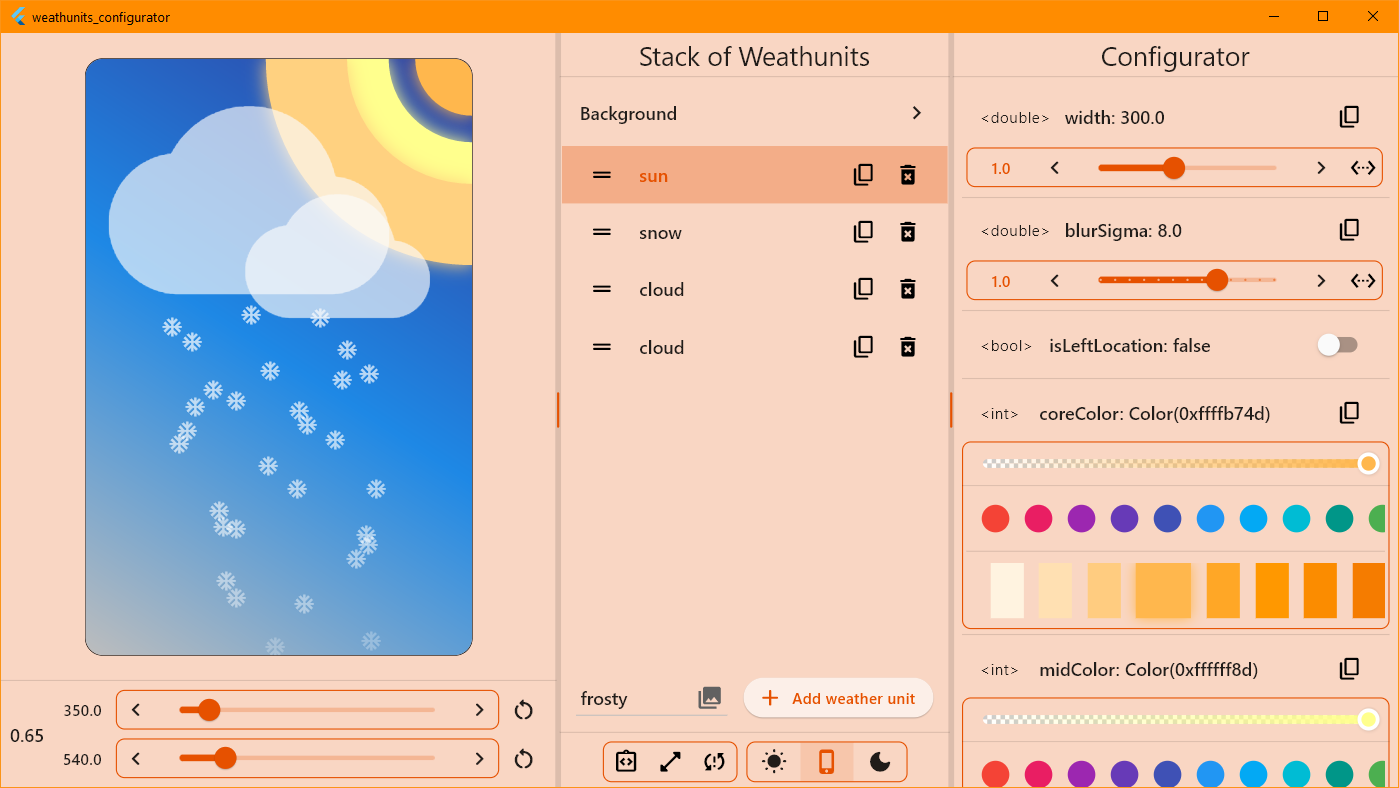
The only point of using the library is to import the following file:
import 'package:weather_animation/weather_animation.dart';
The following weather widgets are available:
| Widget weather | A configuration class |
|---|---|
CloudWidget |
CloudConfig |
RainWidgetRainDropWidget* |
RainConfig |
SnowWidgetSnowflakeWidget* |
SnowConfig |
SunWidget |
SunConfig |
ThunderWidgetSingleThunderWidget* |
ThunderConfig |
WindWidget |
WindConfig |
💡Tip: Widgets under * represent a single weather item. Use these when another Stack setting is required.
Each weather widget accepts an optional configuration parameter to fine-tune the widget.
...ConfigtoString, operator ==, hashCodecopyWith method to clone the objecttoJson and fromJson). Note: not all fieldsWeatherConfigWrapperSceneAlso, there is a WrapperScene widget for quick scene adjustment, which allows you to scale the
weather scene relative to the specified canvas dimensions. Has a clipper and scene widget decoration.
BackgroundWidgetThe BackgroundWidget class allows you to create a color background in the form of a linear gradient.
Specify the desired colors and you're done.
You can contact me or check out my activities on the following platforms:
Made with ❤️. Enjoy it!
依存関係一覧 7 件
{"sdk":"flutter"}^4.9.0^3.1.0^3.2.4^6.11.4^2.10.5^2.8.0用途で絞り込み、開発状況を比較し、採用前に元のリポジトリで要件を確認しましょう。
“A repository is the most basic element of GitHub.”
GitHub Docs — About repositories ↗