
flutter_credit_card
Flutterアプリケーション用のクレジットカードウィジェット。

- スター
- 598
- フォーク
- 309
- 最終プッシュ(UTC)
- 2026/06/10
- プロジェクト状態
- 公開中
元の README
以下は英語原文のスナップショットです。最新版は GitHub をご覧ください。
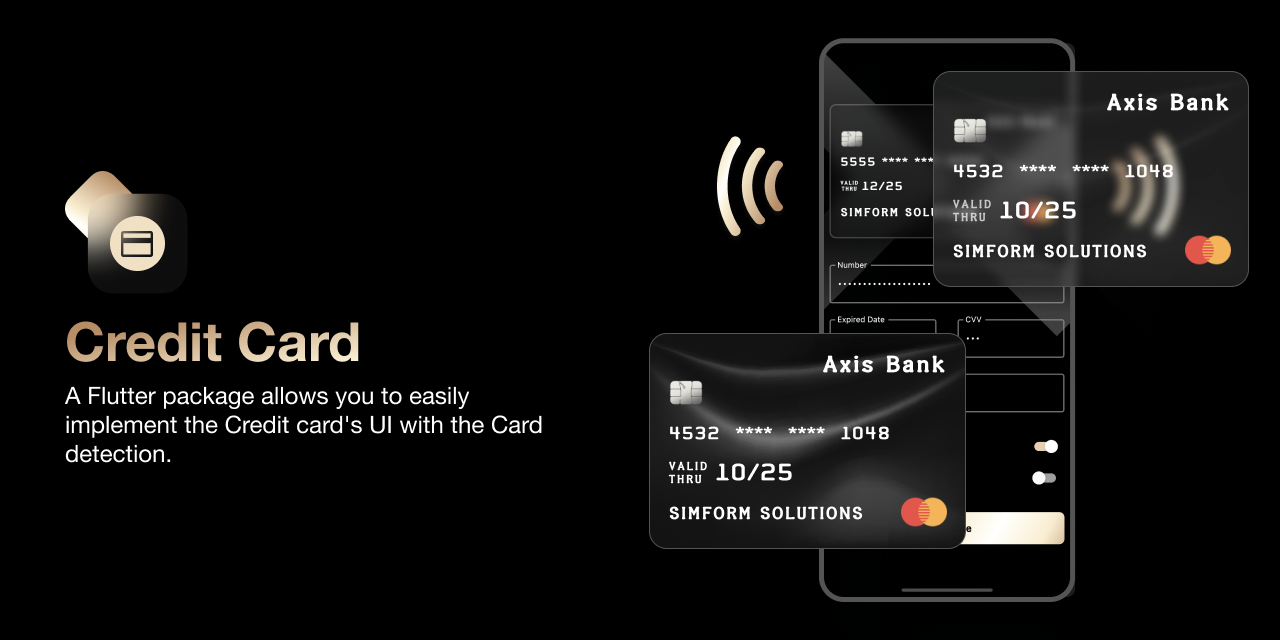
Flutter Credit Card


A Flutter package allows you to easily implement the Credit card's UI easily with the Card detection.
Preview
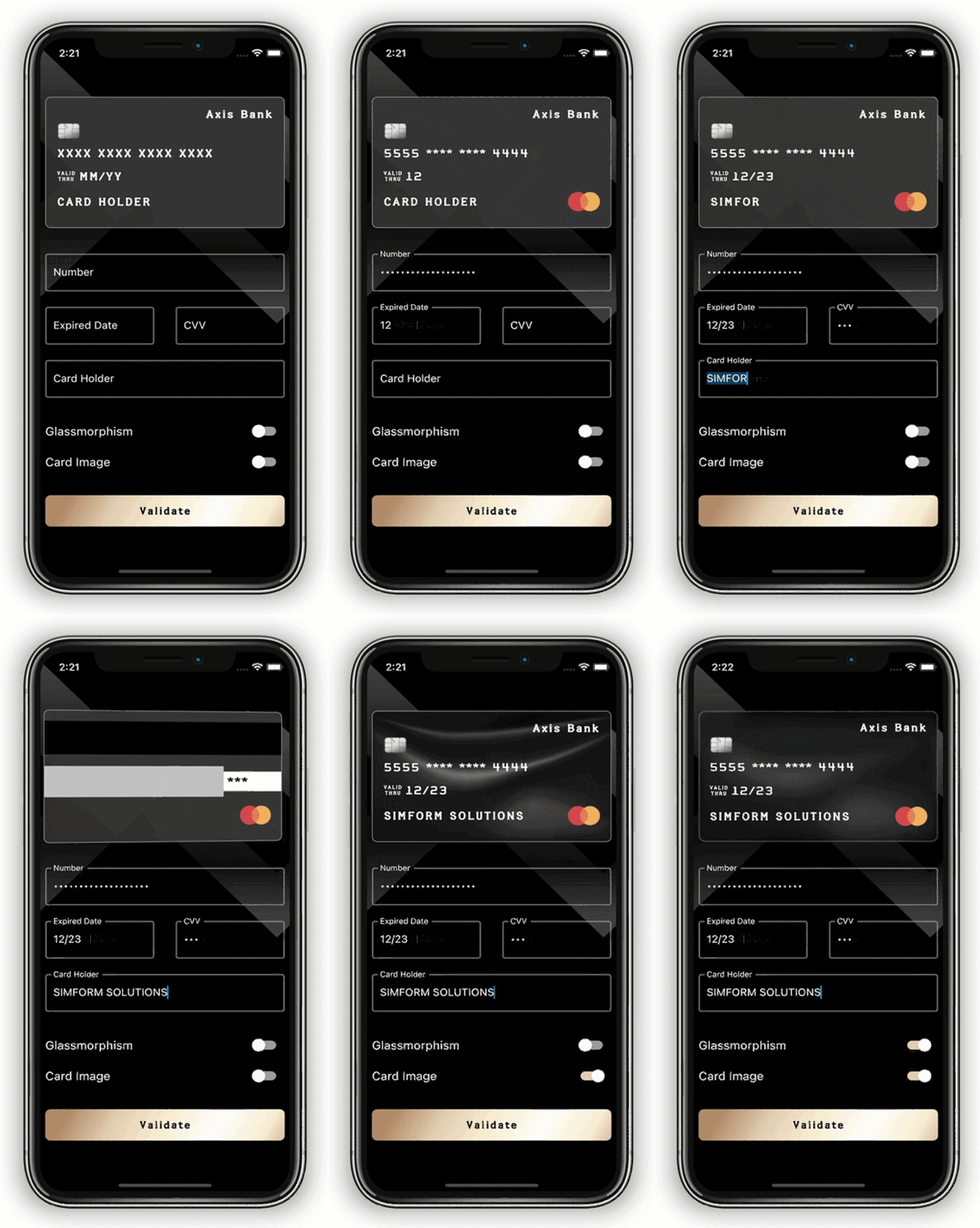
|
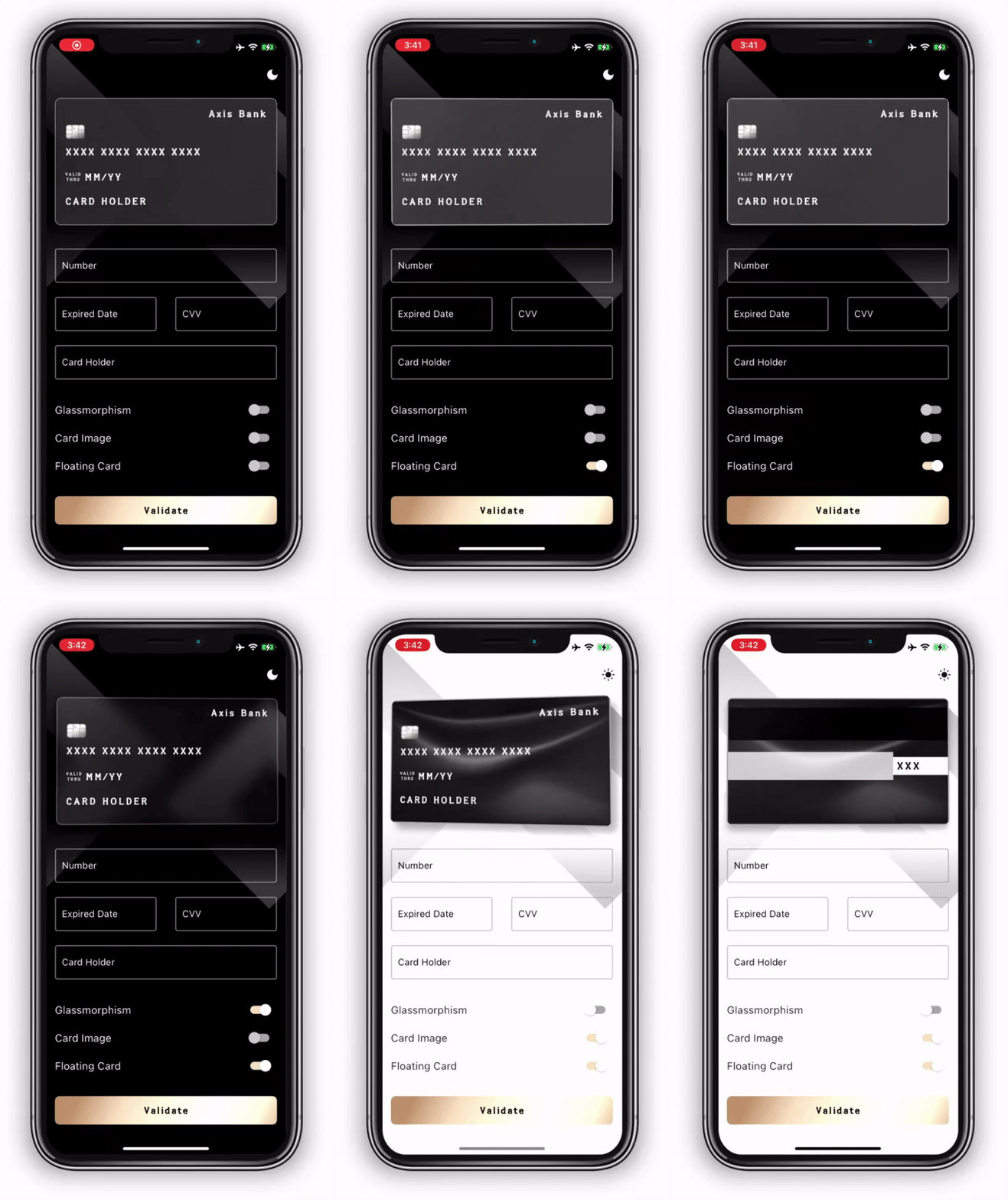
|
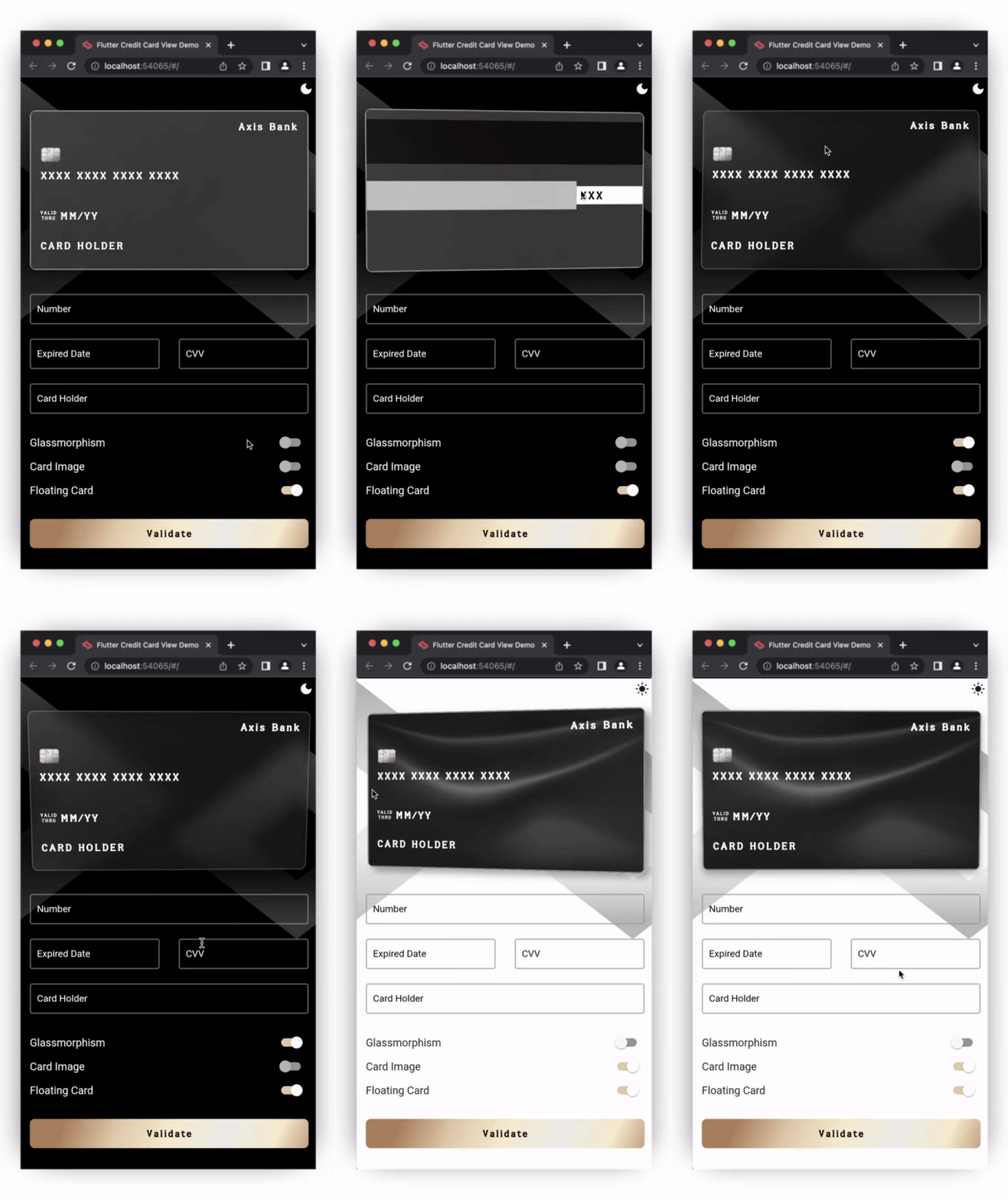
|
Migration guide for Version 4.x.x
- The
themeColor,textColor, andcursorColorproperties have been removed fromCreditCardFormdue to changes in how it detects and applies application themes. Please check out the example app to learn how to apply those usingTheme. - The
cardNumberDecoration,expiryDateDecoration,cvvCodeDecoration, andcardHolderDecorationproperties are moved to the newly addedInputDecorationclass that also hastextStyleproperties for all the textFields of theCreditCardForm.
Installing
-
Add dependency to
pubspec.yamlGet the latest version from the 'Installing' tab on pub.dev
dependencies:
    flutter_credit_card: <latest_version>
- Import the package
import 'package:flutter_credit_card/flutter_credit_card.dart';
- Adding CreditCardWidget
With required parameters
    CreditCardWidget(
      cardNumber: cardNumber,
      expiryDate: expiryDate,
      cardHolderName: cardHolderName,
      cvvCode: cvvCode,
      showBackView: isCvvFocused, //true when you want to show cvv(back) view
      onCreditCardWidgetChange: (CreditCardBrand brand) {}, // Callback for anytime credit card brand is changed
    ),
With optional parameters
    CreditCardWidget(
      cardNumber: cardNumber,
      expiryDate: expiryDate,
      cardHolderName: cardHolderName,
      cvvCode: cvvCode,
      showBackView: isCvvFocused,
      onCreditCardWidgetChange: (CreditCardBrand brand) {},
      bankName: 'Name of the Bank',
      cardBgColor: Colors.black87,
      glassmorphismConfig: Glassmorphism.defaultConfig(),
      enableFloatingCard: true,
      floatingConfig: FloatingConfig(
        isGlareEnabled: true,
        isShadowEnabled: true,
        shadowConfig: FloatingShadowConfig(),
      ),
      backgroundImage: 'assets/card_bg.png',
      backgroundNetworkImage: 'https://www.xyz.com/card_bg.png',
      labelValidThru: 'VALID\nTHRU',
      obscureCardNumber: true,
      obscureInitialCardNumber: false,
      obscureCardCvv: true,
      labelCardHolder: 'CARD HOLDER',
      labelValidThru: 'VALID\nTHRU',
      cardType: CardType.mastercard,
      isHolderNameVisible: false,
      height: 175,
      textStyle: TextStyle(color: Colors.yellowAccent),
      width: MediaQuery.of(context).size.width,
      isChipVisible: true,
      isSwipeGestureEnabled: true,
      animationDuration: Duration(milliseconds: 1000),
      frontCardBorder: Border.all(color: Colors.grey),
      backCardBorder: Border.all(color: Colors.grey),
      chipColor: Colors.red,
      padding: 16,
      customCardTypeIcons: <CustomCardTypeIcons>[
        CustomCardTypeIcons(
          cardType: CardType.mastercard,
          cardImage: Image.asset(
            'assets/mastercard.png',
            height: 48,
            width: 48,
          ),
        ),
      ],
    ),
Glassmorphism UI
- Default configuration
    CreditCardWidget(
      glassmorphismConfig: Glassmorphism.defaultConfig(),
    );
- Custom configuration
    CreditCardWidget(
      glassmorphismConfig: Glassmorphism(
        blurX: 10.0,
        blurY: 10.0,
        gradient: LinearGradient(
          begin: Alignment.topLeft,
          end: Alignment.bottomRight,
          colors: <Color>[
            Colors.grey.withAlpha(20),
            Colors.white.withAlpha(20),
          ],
          stops: const <double>[
            0.3,
            0,
          ],
        ),
      ),
    ),
Floating Card
- Default Configuration
    CreditCardWidget(
        enableFloatingCard: true,
    );
- Custom Configuration
    CreditCardWidget(
        enableFloatingCard: true,
        floatingConfig: FloatingConfig(
            isGlareEnabled: true,
            isShadowEnabled: true,
            shadowConfig: FloatingShadowConfig(
              offset: Offset(10, 10),
              color: Colors.black84,
              blurRadius: 15,
            ),
        ),
    );
NOTE: Currently the floating card animation is not supported on mobile platform browsers.
- Adding CreditCardForm
    CreditCardForm(
      formKey: formKey, // Required
      cardNumber: cardNumber, // Required
      expiryDate: expiryDate, // Required
      cardHolderName: cardHolderName, // Required
      cvvCode: cvvCode, // Required
      cardNumberKey: cardNumberKey,
      cvvCodeKey: cvvCodeKey,
      expiryDateKey: expiryDateKey,
      cardHolderKey: cardHolderKey,
      onCreditCardModelChange: (CreditCardModel data) {}, // Required
      obscureCvv: true,
      obscureNumber: true,
      isHolderNameVisible: true,
      isCardNumberVisible: true,
      isExpiryDateVisible: true,
      enableCvv: true,
      cvvValidationMessage: 'Please input a valid CVV',
      dateValidationMessage: 'Please input a valid date',
      numberValidationMessage: 'Please input a valid number',
      cardNumberValidator: (String? cardNumber){},
      expiryDateValidator: (String? expiryDate){},
      cvvValidator: (String? cvv){},
      cardHolderValidator: (String? cardHolderName){},
      isCardHolderNameUpperCase: true,
      onFormComplete: () {
      // callback to execute at the end of filling card data
      },
      autovalidateMode: AutovalidateMode.always,
      disableCardNumberAutoFillHints: false,
      inputConfiguration: const InputConfiguration(
        cardNumberDecoration: InputDecoration(
          border: OutlineInputBorder(),
          labelText: 'Number',
          hintText: 'XXXX XXXX XXXX XXXX',
        ),
        expiryDateDecoration: InputDecoration(
          border: OutlineInputBorder(),
          labelText: 'Expired Date',
          hintText: 'XX/XX',
        ),
        cvvCodeDecoration: InputDecoration(
          border: OutlineInputBorder(),
          labelText: 'CVV',
          hintText: 'XXX',
        ),
        cardHolderDecoration: InputDecoration(
          border: OutlineInputBorder(),
          labelText: 'Card Holder',
        ),
        cardNumberTextStyle: TextStyle(
          fontSize: 10,
          color: Colors.black,
        ),
        cardHolderTextStyle: TextStyle(
          fontSize: 10,
          color: Colors.black,
        ),
        expiryDateTextStyle: TextStyle(
          fontSize: 10,
          color: Colors.black,
        ),
        cvvCodeTextStyle: TextStyle(
          fontSize: 10,
          color: Colors.black,
        ),
      ),
    ),
How to use
Check out the example app in the example directory or the 'Example' tab on pub.dartlang.org for a more complete example.
Credit
- This package's flip animation is inspired from this Dribbble art.
- This package's float animation is inspired from the Motion flutter package.
Main Contributors
 Vatsal Tanna |
 Sanket Kachchela |
 Kavan Trivedi |
 Ujas Majithiya |
 Aditya Chavda |
 Sahil Totala |
Awesome Mobile Libraries
- Check out our other available awesome mobile libraries
Note
We have updated license of flutter_credit_card from BSD 2-Clause "Simplified" to MIT.
License
MIT License

Copyright (c) 2021 Simform Solutions

Permission is hereby granted, free of charge, to any person obtaining a copy
of this software and associated documentation files (the "Software"), to deal
in the Software without restriction, including without limitation the rights
to use, copy, modify, merge, publish, distribute, sublicense, and/or sell
copies of the Software, and to permit persons to whom the Software is
furnished to do so, subject to the following conditions:

The above copyright notice and this permission notice shall be included in all
copies or substantial portions of the Software.

THE SOFTWARE IS PROVIDED "AS IS", WITHOUT WARRANTY OF ANY KIND, EXPRESS OR
IMPLIED, INCLUDING BUT NOT LIMITED TO THE WARRANTIES OF MERCHANTABILITY,
FITNESS FOR A PARTICULAR PURPOSE AND NONINFRINGEMENT. IN NO EVENT SHALL THE
AUTHORS OR COPYRIGHT HOLDERS BE LIABLE FOR ANY CLAIM, DAMAGES OR OTHER
LIABILITY, WHETHER IN AN ACTION OF CONTRACT, TORT OR OTHERWISE, ARISING FROM,
OUT OF OR IN CONNECTION WITH THE SOFTWARE OR THE USE OR OTHER DEALINGS IN THE
SOFTWARE.

GitHub 作者
Simform Solutions ↗
言語DartC++CMakeKotlinSwiftHTMLRubyCObjective-C
カテゴリー
使用している依存関係
依存関係一覧 5 件
- flutter
{"sdk":"flutter"} - plugin_platform_interface
^2.1.6 - flutter_web_plugins
{"sdk":"flutter"} - flutter_test開発用
{"sdk":"flutter"} - flutter_lints開発用
^2.0.3
プロジェクトに合うリポジトリを選ぶには?
用途で絞り込み、開発状況を比較し、採用前に元のリポジトリで要件を確認しましょう。
- 名前・作者・説明で検索し、技術トピックで絞り込みます。
- スター、フォーク、最近のプッシュを比較します。スターは関心の目安であり、品質の保証ではありません。
- 利用前に GitHub で README、ライセンス、Issues を確認します。
情報源と管理
“A repository is the most basic element of GitHub.”
GitHub Docs — About repositories ↗