
flutter_japanese_restaurant_app
🍣 GetX | Bloc | Cubit | Provider を使用して Flutter で構築された日本レストランアプリ

- スター
- 263
- フォーク
- 67
- 最終プッシュ(UTC)
- 2026/06/26
- プロジェクト状態
- 公開中
元の README
以下は英語原文のスナップショットです。最新版は GitHub をご覧ください。
flutter_japanese_restaurant_app


Japanese restaurant app is a design implementation of Japanese restaurant app designed by gandkurniawan
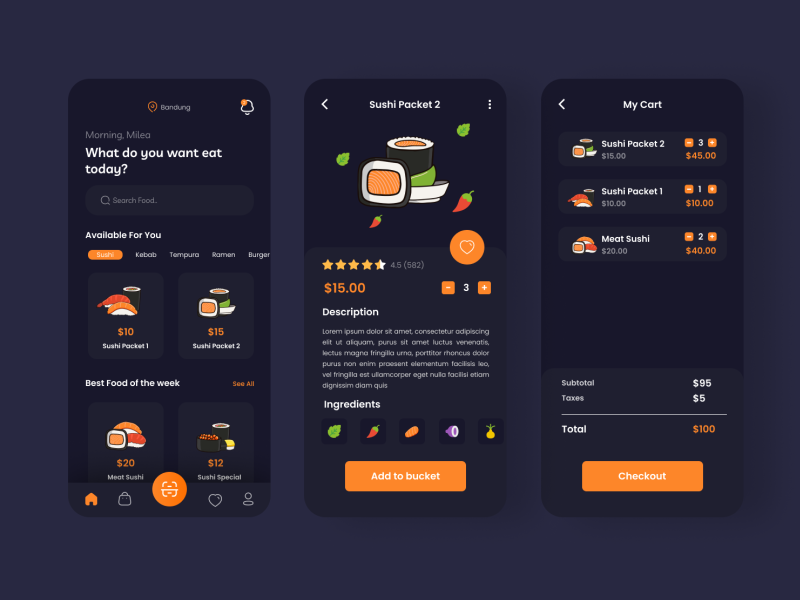
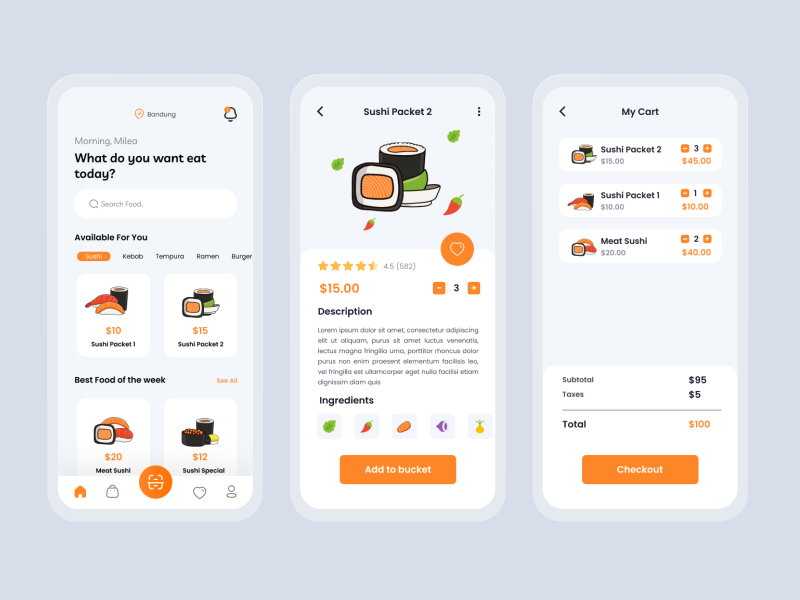
GetX | Cubit | Bloc | Provider
• Access to different versions
| Version | Bloc | Cubit | Getx | Provider |
|---|---|---|---|---|
| Branch | Source (bloc branch)️ |
Source (cubit branch) |
Source (master branch) |
Source (provider branch) |
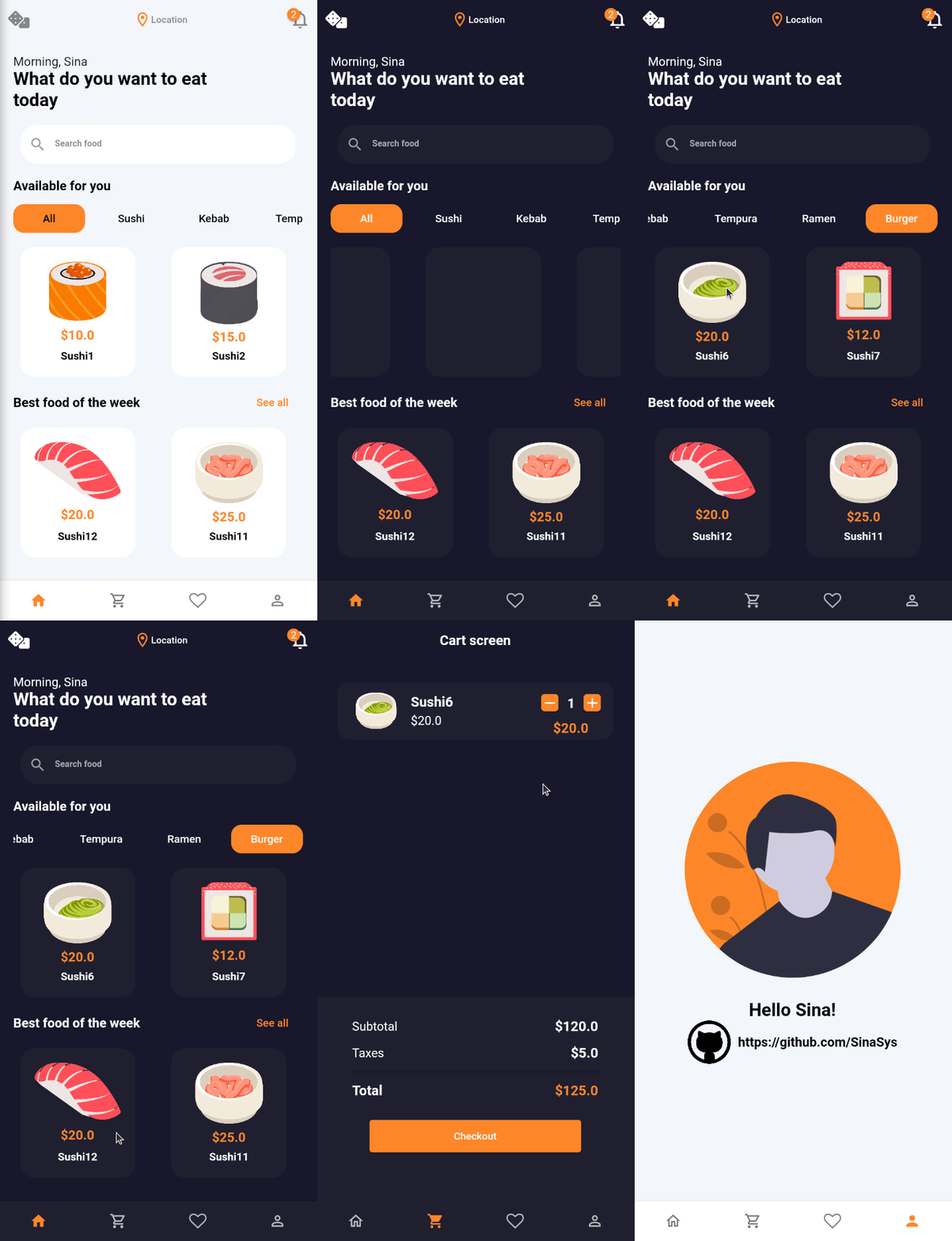
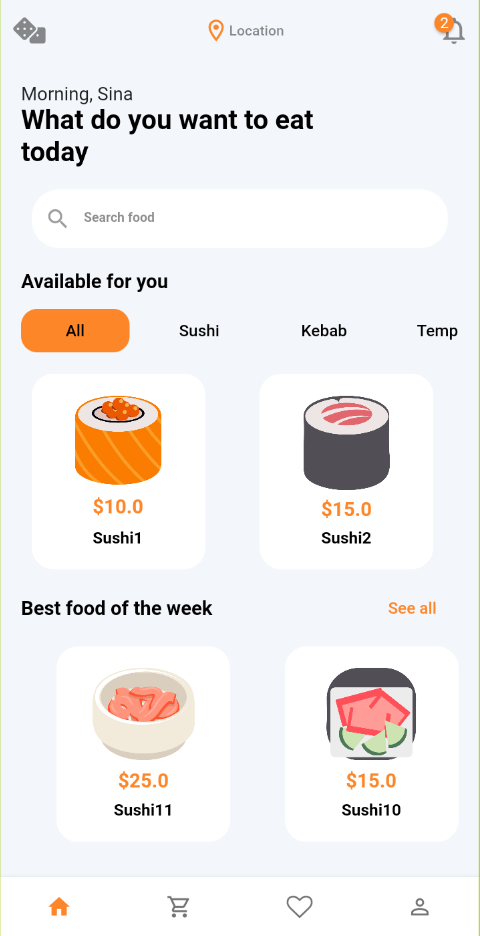
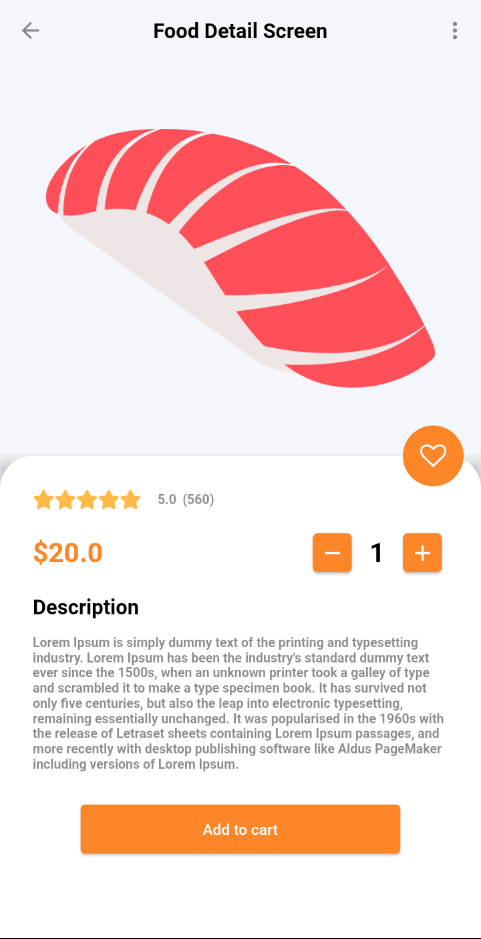
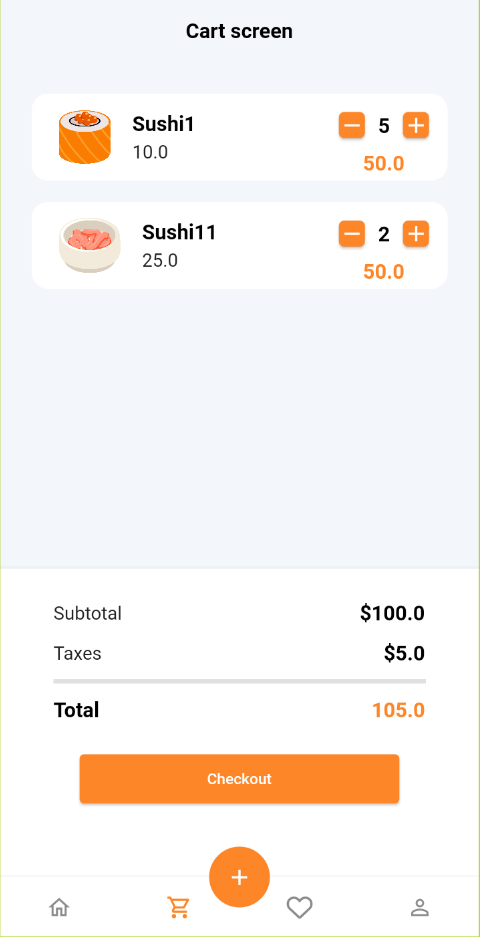
Screenshots (Light mode)
| Preview | Home screen | Food Detail Screen | Cart Screen |
|---|---|---|---|
 |
 |
 |
 |
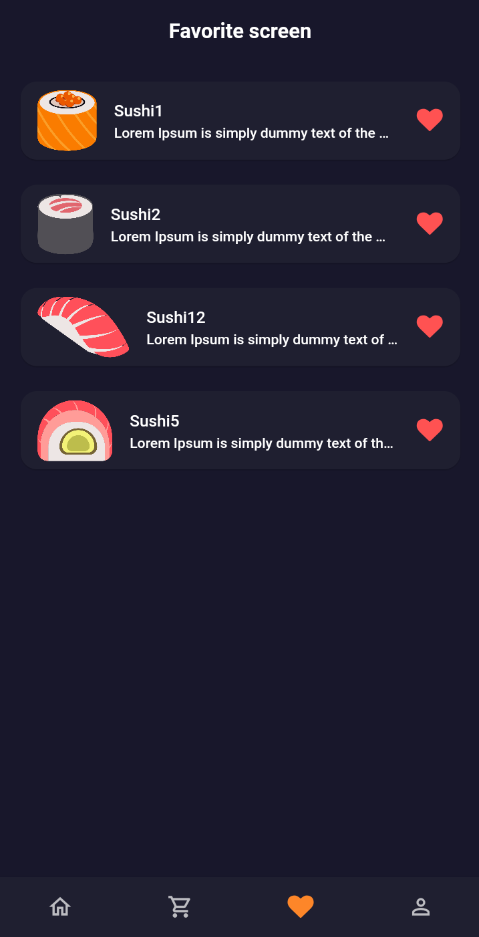
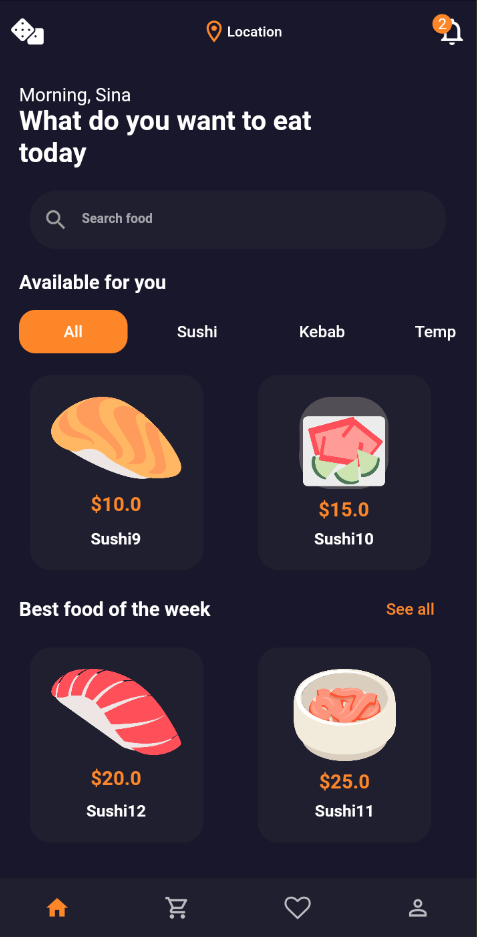
Screenshots (Dark mode)
| Favorite screen | Home screen | Food Detail Screen | Cart Screen |
|---|---|---|---|
 |
 |
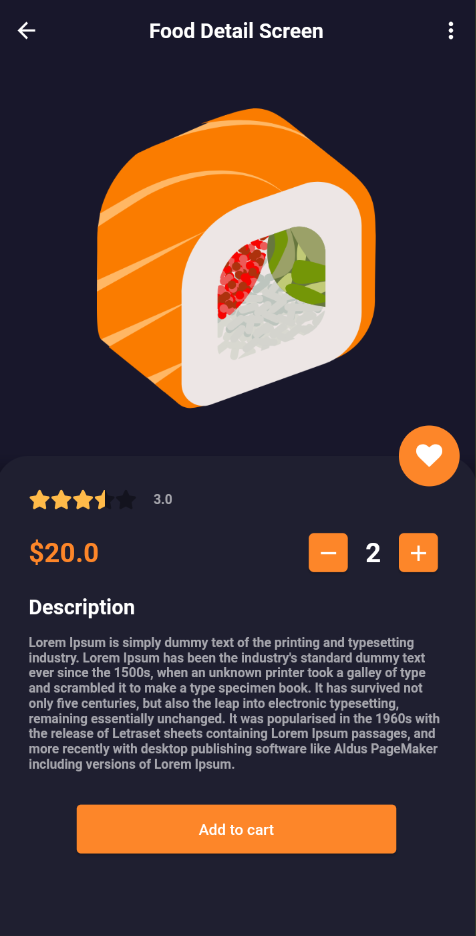 |
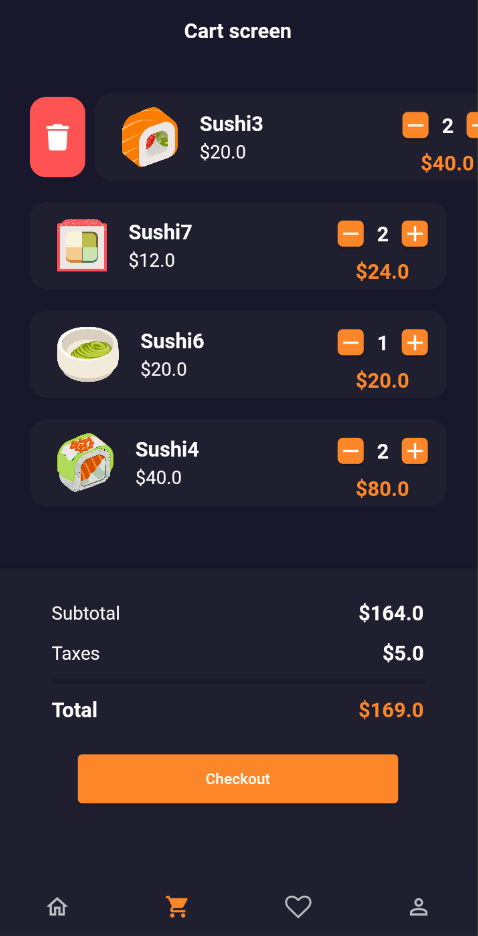 |
🚀 Features :
• Dynamically change between light and dark theme
• Bottom navigation animation when switch from one screen to another
• Fade animation for food items in detail screen and list views
• Delete single food item from cart by swipe item to right side
• Automatically delete single item from cart by set its value to zero
• Increase or Decrease quantity for each food item in cart screen
• Display food list on the food list screen
• Display Detail of each food on food detail screen
• Real-time calculation of total price in the cart screen
• Add desired food to the favorite screen
• Select quantity for each item on detail screen
• Filter foods by category
• State management with GetX | Cubit | Bloc | Provider
Dependencies
| Name | Cubit version |
Bloc version |
GetX version |
provider version |
|---|---|---|---|---|
| flutter_bloc | ✔️ | ✔️ | ✖️ | ✖️ |
| GetX | ✖️ | ✖️ | ✔️ | ✖️ |
| provider | ✖️ | ✖️ | ✖️ | ✔️ |
| flutter_hooks | ✔️ | ✔️ | ✖️ | ✔️ |
| equatable | ✔️ | ✔️ | ✖️ | ✔️ |
| font_awesome_flutter | ✔️ | ✔️ | ✔️ | ✔️ |
| badges | ✔️ | ✔️ | ✔️ | ✔️ |
| animations | ✔️ | ✔️ | ✔️ | ✔️ |
| simple_animations | ✔️ | ✔️ | ✔️ | ✔️ |
Directory Structure (GetX version)
📂lib
 │───main.dart
 │───📂core
 |   │──app_asset.dart
 |   │──app_color.dart
 |   │──app_data.dart
 |   │──app_icon.dart
 |   │──app_style.dart
 |   │──app_theme.dart
 |   └──app_extension.dart
 └───📂src
     │────📂model
     │    │──bottom_navigation_item.dart
     |    │──food.dart
     |    └──food_category.dart
     └────📂view
     |    │───📂screen
     |    |   |──cart_screen.dart
     |    |   |──favorite_screen.dart
     |    |   |──food_detail_screen.dart
     |    |   |──food_list_screen.dart
     |    |   |──home_screen.dart
     |    |   └──profile_screen.dart
     |    │───📂widget
     │    |   |──counter_button.dart
     │    |   |──custom_page_route.dart
     │    |   |──empty_widget.dart
     │    |   |──fade_animation.dart
     │    |   |──food_list_view.dart
     │    |   |──page_transition.dart
     |    |   └──scale_animation.dart
     └────📂controller
          └──food_controller.dart
Directory Structure (Provider version)
📂lib
 │───main.dart
 │───📂core
 │   │──app_asset.dart
 │   │──app_color.dart
 │   │──app_data.dart
 │   │──app_icon.dart
 │   │──app_style.dart
 │   │──app_theme.dart
 │   └──app_extension.dart
 └───📂src
     │────📂data
     │    │───📂model
     │    │   |──bottom_navigation_item.dart
     │    │   |──food.dart
     │    │   └──food_category.dart
     │    │───📂repository
     │    │   └──repository.dart
     └────📂presentation
     │    │───📂screen
     │    │   |──cart_screen.dart
     │    │   |──favorite_screen.dart
     │    │   |──food_detail_screen.dart
     │    │   |──food_list_screen.dart
     │    │   |──home_screen.dart
     │    │   └──profile_screen.dart
     │    │───📂widget
     │    │   |──counter_button.dart
     │    │   |──custom_page_route.dart
     │    │   |──empty_widget.dart
     │    │   └──food_list_view.dart
     │    │───📂animation
     │    │   |──fade_animation.dart
     │    │   |──page_transition.dart
     │    │   └──scale_animation.dart
     └────📂business_logic
          └───📂provider
              │───📂food
              │   |──food_provider.dart
              │   └──food_state.dart
              └───📂category
              │    |──category_provider.dart
              │    └──category_state.dart
              └───📂theme
                   |──theme_provider.dart
                   └──theme_state.dart
Directory Structure (Bloc version)
📂lib
 │───main.dart
 │───📂core
 │   │──app_asset.dart
 │   │──app_color.dart
 │   │──app_data.dart
 │   │──app_icon.dart
 │   │──app_style.dart
 │   │──app_theme.dart
 │   └──app_extension.dart
 └───📂src
     │────📂data
     │    │───📂model
     │    │   |──bottom_navigation_item.dart
     │    │   |──food.dart
     │    │   └──food_category.dart
     │    │───📂repository
     │    │   └──repository.dart
     └────📂presentation
     │    │───📂screen
     │    │   |──cart_screen.dart
     │    │   |──favorite_screen.dart
     │    │   |──food_detail_screen.dart
     │    │   |──food_list_screen.dart
     │    │   |──home_screen.dart
     │    │   └──profile_screen.dart
     │    │───📂widget
     │    │   |──counter_button.dart
     │    │   |──custom_page_route.dart
     │    │   |──empty_widget.dart
     │    │   └──food_list_view.dart
     │    │───📂animation
     │    │   |──fade_animation.dart
     │    │   |──page_transition.dart
     │    │   └──scale_animation.dart
     └────📂business_logic
          └───📂bloc
              │───📂food
              │   |──food_bloc.dart
              │   └──food_state.dart
              │   └──food_event.dart
              └───📂category
              │    |──category_bloc.dart
              │    └──category_state.dart
              │    └──category_event.dart
              └───📂theme
                   |──theme_bloc.dart
                   └──theme_state.dart
                   └──theme_event.dart
Directory Structure (Cubit version)
📂lib
 │───main.dart
 │───📂core
 │   │──app_asset.dart
 │   │──app_color.dart
 │   │──app_data.dart
 │   │──app_icon.dart
 │   │──app_style.dart
 │   │──app_theme.dart
 │   └──app_extension.dart
 └───📂src
     │────📂data
     │    │───📂model
     │    │   |──bottom_navigation_item.dart
     │    │   |──food.dart
     │    │   └──food_category.dart
     │    │───📂repository
     │    │   └──repository.dart
     └────📂presentation
     │    │───📂screen
     │    │   |──cart_screen.dart
     │    │   |──favorite_screen.dart
     │    │   |──food_detail_screen.dart
     │    │   |──food_list_screen.dart
     │    │   |──home_screen.dart
     │    │   └──profile_screen.dart
     │    │───📂widget
     │    │   |──counter_button.dart
     │    │   |──custom_page_route.dart
     │    │   |──empty_widget.dart
     │    │   └──food_list_view.dart
     │    │───📂animation
     │    │   |──fade_animation.dart
     │    │   |──page_transition.dart
     │    │   └──scale_animation.dart
     └────📂business_logic
          └───📂cubits
              │───📂food
              │   |──food_cubit.dart
              │   └──food_state.dart
              └───📂category
              │    |──category_cubit.dart
              │    └──category_state.dart
              └───📂theme
                   |──theme_cubit.dart
                   └──theme_state.dart
Created & Maintained By
Other flutter projects
| Project Name | Stars |
|---|---|
| Go rest app |  |
| Office furniture store app |  |
| Ecommerce app |  |

GitHub 作者
Sina ↗
言語DartCMakeC++HTMLCSwiftKotlinObjective-C
カテゴリー
使用している依存関係
依存関係一覧 9 件
- flutter
{"sdk":"flutter"} - flutter_rating_bar
^4.0.1 - get
^4.6.6 - badges
^3.1.2 - animations
^2.0.8 - simple_animations
^5.0.2 - font_awesome_flutter
^11.0.0 - flutter_lints開発用
^6.0.0 - flutter_test開発用
{"sdk":"flutter"}
ランキング
プロジェクトに合うリポジトリを選ぶには?
用途で絞り込み、開発状況を比較し、採用前に元のリポジトリで要件を確認しましょう。
- 名前・作者・説明で検索し、技術トピックで絞り込みます。
- スター、フォーク、最近のプッシュを比較します。スターは関心の目安であり、品質の保証ではありません。
- 利用前に GitHub で README、ライセンス、Issues を確認します。
情報源と管理
“A repository is the most basic element of GitHub.”
GitHub Docs — About repositories ↗