
 v0.1.1
multiselect
シンプルなマルチセレクトドロップダウン。マルチセレクトコンボボックス/セレクトボックスを作成するための簡潔な方法を提供します。
120いいね 520030日間ダウンロード150Pub ポイント
AndroidiOSWebmacOSWindowsLinux
デフォルトでマルチセレクトが有効になっているシンプルなドロップダウンウィジェット

{"sdk":"flutter"}^6.4.0{"sdk":"flutter"}以下は英語原文のスナップショットです。最新版は GitHub をご覧ください。
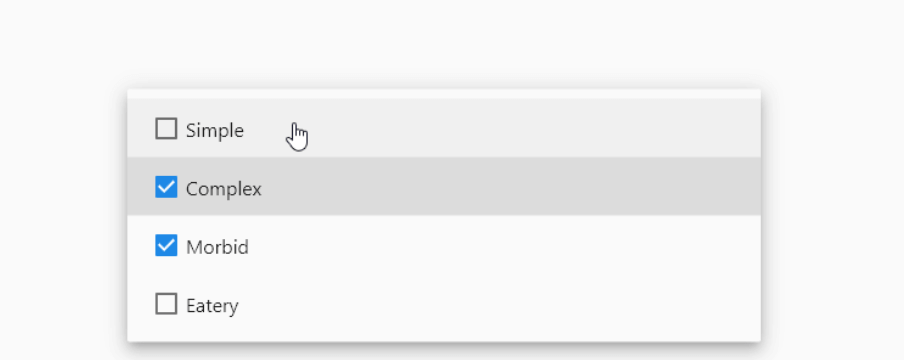
alt Demo
add it to pubspec.yaml
dependencies:
  flutter:
    sdk: flutter
  multiselect: # use latest version
import it
// Imports all Widgets included in [multiselect] package
import 'package:multiselect/multiselect.dart';
Add the DropDownMultiSelect widget to your build method
// Import multiselct
import 'package:multiselect/multiselect.dart';


class Home extends StatefulWidget {
  const Home({Key? key}) : super(key: key);

  @override
  _HomeState createState() => _HomeState();
}

class _HomeState extends State<Home> {

  List<String> selected = [];

  @override
  Widget build(BuildContext context) {
    return Scaffold(
        body: Center(
      child: Padding(
        padding: const EdgeInsets.all(20.0),
        // DropDownMultiSelect comes from multiselect
        child: DropDownMultiSelect(
          onChanged: (List<String> x) {
            setState(() {
              selected =x;
            });
          },
          options: ['a' , 'b' , 'c' , 'd'],
          selectedValues: selected,
          whenEmpty: 'Select Something',
        ),
      ),
    ));
  }
}
And that is it. You will have a working multiselect DropDown with no effort at all.
PS: multiselect is planned to be a collection of multi-select widgets. I will add other functionality based on the needs of the community