
TUICallKit
テンセントビデオ通話UIキット、1対1通話、グループ通話なども含まれます。

- スター
- 249
- フォーク
- 170
- 最終プッシュ(UTC)
- 2026/08/11
- プロジェクト状態
- 公開中
元の README
以下は英語原文のスナップショットです。最新版は GitHub をご覧ください。
English | 简体中文
Tencent Cloud UIKit for Video Calls
 TUICallKit is a UIKit about audio&video calls launched by Tencent Cloud. By integrating this component, you can write a few lines of code to use the video calling function, TUICallKit support offline calling and multiple platforms such as Android, iOS, Web, Flutter(doing), etc.


Features
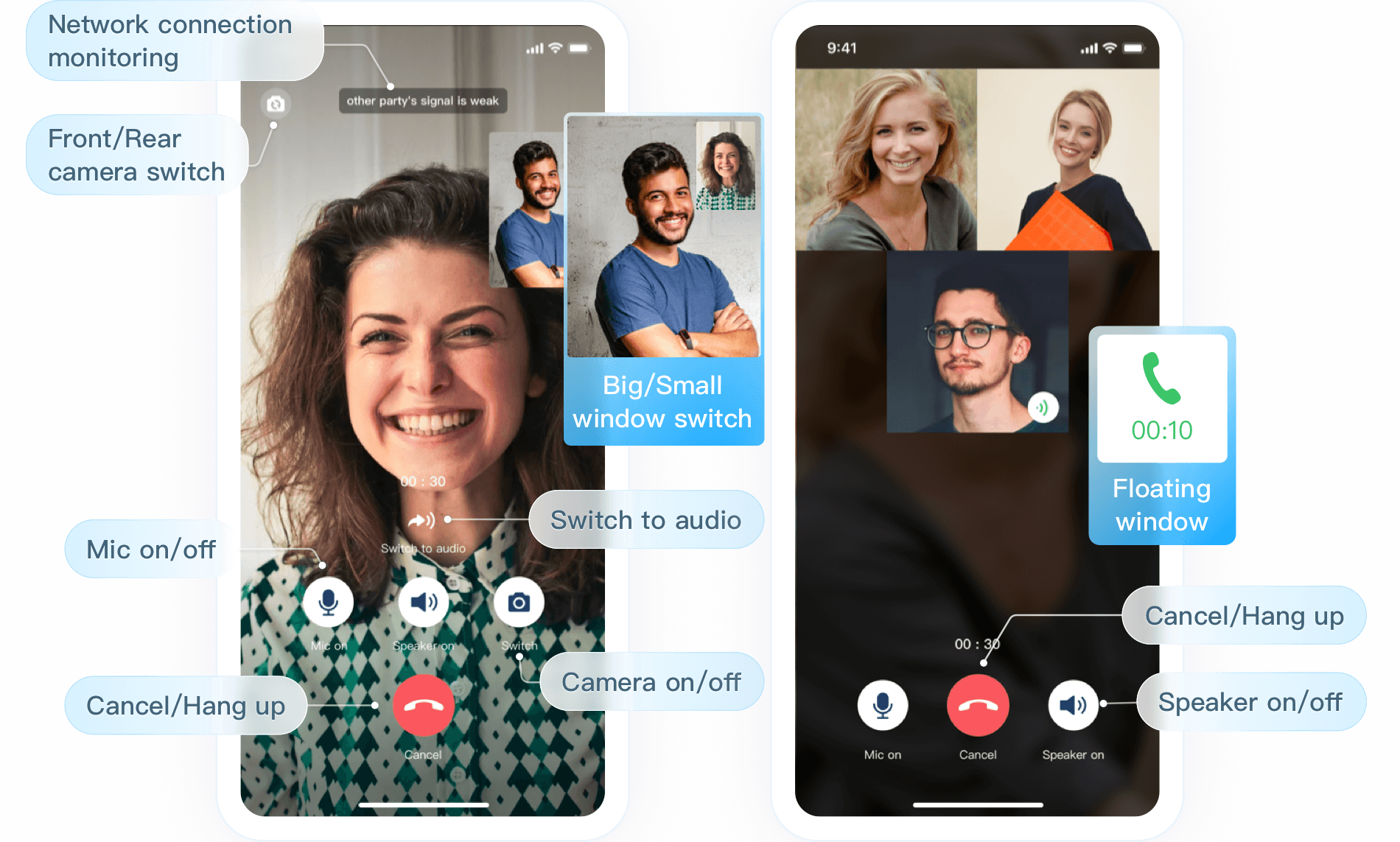
-
Perfect UI interaction: We provide TUICallKit, an open source component with UI, which can save your 90% of development time.and you can have a video calling app like WeChat or FaceTime in just 20 minutes.
-
Multi-platform interconnection: We support various platforms such as Web, Android, iOS, WeChat applet, etc., as well as support cross-platform frameworks such as uni-app. You can use TUICallKit components from different platforms to support mutual calls and answers , hang up, etc. In the future, we also plan to support Flutter, MacOS, Windows and other devices.
-
Mobile terminal offline push: We support offline wake-up on Android and iOS. When your app is offline, you can also receive call reminders in time. Currently, Google FCM, Apple, Xiaomi, Huawei, OPPO, VIVO, Meizu and other push services
-
Group (multi-person) calls: We not only support 1-to-1 video calls, but also support multi-person video calls within a group, inviting group members to join in the middle, and support group members to actively join the call and more.
-
Multi-device login: We also support the ability to log in to multiple devices on different platforms, your pad or mobile phone at the same time, for a larger screen and a more flexible experience.
-
More Features: We also support multiple features such as custom ringtones, custom avatars, AI noise reduction, weak network optimization...
Make a first call
Here is an example of integration with UI (ie TUICallKit), which is also our recommended integration method. The key steps are as follows:
-
Step1: Activate the Tencent Cloud Audio and Video Call Service, for developer integration, we also provide a free trial version, More introduction.
-
Step2: Access TUICallKit to your project, the detailed access process of each platform/framework: Web, Android, iOS, Flutter.
-
Step3: Make your first video call!
Quick link
-
If you encounter difficulties, you can refer to FAQs, here are the most frequently encountered problems of developers, covering various platforms, I hope you can Help you solve problems quickly.
-
If you would like to see more official examples, you can refer to the example Demo of each platform: Web, Android, iOS, Flutter.
-
If you would like to see some of our latest product features, you can check the Update Log, here are the latest features of TUICallKit, as well as the historical version features iterate
-
For complete API documentation, see Audio Video Call SDK API Example: including TUICallKit (with UIKit), TUICallEngine (without UIKit), and call events Callbacks, etc.
-
If you want to learn more about the projects maintained by Tencent Cloud Media Services Team, you can check our Product Official Website, Github Organizations etc.
Have any questions?
- Welcome to submit issue
- Welcome to join our Telegram Group to communicate with our professional engineers! We are more than happy to hear from you,Click to join: https://t.me/+EPk6TMZEZMM5OGY1
Or scan the QR code


Tencent RTC Community ↗
カテゴリー
プロジェクトに合うリポジトリを選ぶには?
用途で絞り込み、開発状況を比較し、採用前に元のリポジトリで要件を確認しましょう。
- 名前・作者・説明で検索し、技術トピックで絞り込みます。
- スター、フォーク、最近のプッシュを比較します。スターは関心の目安であり、品質の保証ではありません。
- 利用前に GitHub で README、ライセンス、Issues を確認します。
情報源と管理
“A repository is the most basic element of GitHub.”
GitHub Docs — About repositories ↗