
 v0.0.4
animate_gradient
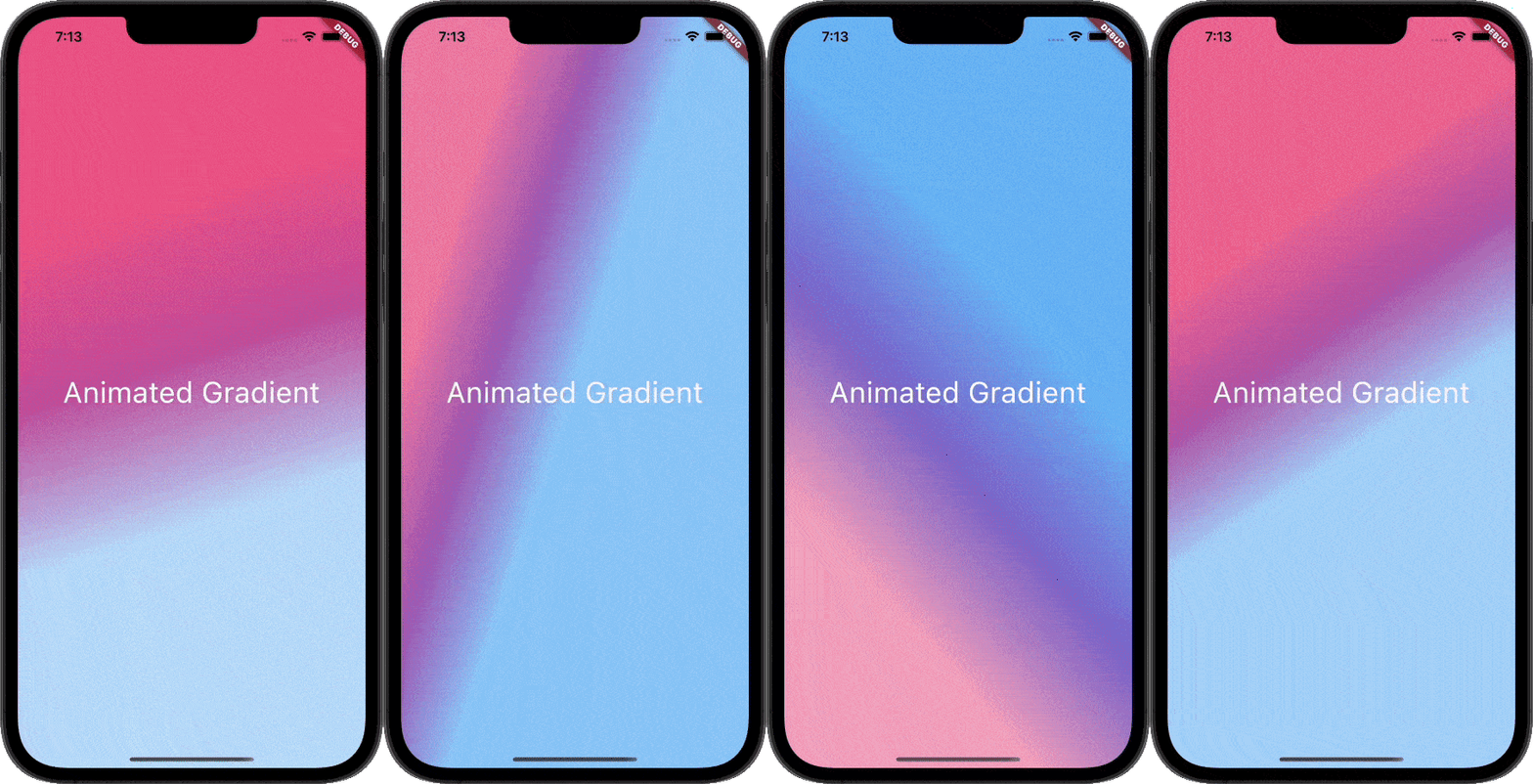
このパッケージを使用すると、手間なくアニメーショングラデーションを作成できます。主色と補色を渡すだけで完了です。
214いいね 363030日間ダウンロード160Pub ポイント
AndroidiOSWebmacOSWindowsLinux
このFlutterパッケージを使用すると、手間なくアニメーショングラデーションを作成できます。主色と補色を渡すだけで完了です。

{"sdk":"flutter"}{"sdk":"flutter"}^6.0.0以下は英語原文のスナップショットです。最新版は GitHub をご覧ください。
pub Animated-Gradient
This Package lets you make animated gradients without any hassle. Just pass the primary and secondary colors and you're done. You can do amazing effects using the alignments. For More info read the docs below.
The only two required arguments are the primaryColors and secondaryColors.
| primaryColors length must greater or equal to 2.| | secondaryColors length must be equal to primaryColors length.|
    import 'package:animate_gradient/animate_gradient.dart';

     AnimateGradient(
        primaryColors: const [
          Colors.pink,
          Colors.pinkAccent,
          Colors.white,
        ],
        secondaryColors: const [
          Colors.blue,
          Colors.blueAccent,
          Colors.white,
        ],
        child: YourWidget(),
      ),
Alignments are optional. You can pass any of the following alignments.
primaryBegin
primaryEnd
secondaryBegin
secondaryEnd
With this in place, you can have some crazy effects.
   import 'package:animate_gradient/animate_gradient.dart';

    AnimateGradient(
       primaryBegin: Alignment.topLeft,
       primaryEnd: Alignment.bottomLeft,
       secondaryBegin: Alignment.bottomLeft,
       secondaryEnd: Alignment.topRight,
       primaryColors: const [
         Colors.pink,
         Colors.pinkAccent,
         Colors.white,
       ],
       secondaryColors: const [
         Colors.white,
         Colors.blueAccent,
         Colors.blue,
       ],
       child: YourWidget(),
     ),
With the apps built in rtl format normal Alignments cannot always work.
So, you can use AlignemntGeometry instead.
primaryBegin --> primaryBeginGeometry
primaryEnd --> primaryEndGeometry
secondaryBegin --> secondaryBeginGeometry
secondaryEnd --> secondaryEndGeometry
With this, you also have an additional property textDirectionForGeometry.
This will be used to resolve the AlignmentGeometry
   import 'package:animate_gradient/animate_gradient.dart';

    AnimateGradient(
      primaryBeginGeometry: const AlignmentDirectional(0, 1),
      primaryEndGeometry: const AlignmentDirectional(0, 2),
      secondaryBeginGeometry: const AlignmentDirectional(2, 0),
      secondaryEndGeometry: const AlignmentDirectional(0, -0.8),
      textDirectionForGeometry: TextDirection.rtl,
       primaryColors: const [
         Colors.pink,
         Colors.pinkAccent,
         Colors.white,
       ],
       secondaryColors: const [
         Colors.white,
         Colors.blueAccent,
         Colors.blue,
       ],
       child: YourWidget(),
     ),
Please note that AlignmentGeometry will be given more priority over Alignment
| Property | Type | Description |
|---|---|---|
primaryColors |
List | Starting colors of the animation. |
secondaryColors |
List | Ending colors of the animation. |
primaryBegin |
Alignment? | Starting Alignment of primaryColors. |
primaryEnd |
Alignment? | Ending Alignment of primaryColors. |
secondaryBegin |
Alignment? | Starting Alignment of secondaryColors. |
secondaryEnd |
Alignment? | Ending Alignment of secondaryColors. |
primaryBeginGeometry |
AlignmentGeometry? | Starting AlignmentGeometry of primaryColors. |
primaryEndGeometry |
AlignmentGeometry? | Ending AlignmentGeometry of primaryColors. |
secondaryBeginGeometry |
AlignmentGeometry? | Starting AlignmentGeometry of secondaryColors. |
secondaryEndGeometry |
AlignmentGeometry? | Ending AlignmentGeometry of secondaryColors. |
textDirectionForGeometry |
TextDirection? | TextDirection that will be used to resolve AlignmentGeometry |
duration |
Duration? | Duration between the transition. |
controller |
AnimationController? | You can pass your own animation controller and use that to control animation however you want. |
animateAlignments |
bool? | If you want to animate alignments. |
reverse |
bool? | If you want to reverse the animation. |
repeat |
bool? | If you want to repeat the animation. |
curve |
Curve? | The curve to use for the animation. |
child |
Widget? | You can pass your widget. |
This plugin is developed by Vikas Kumar.