

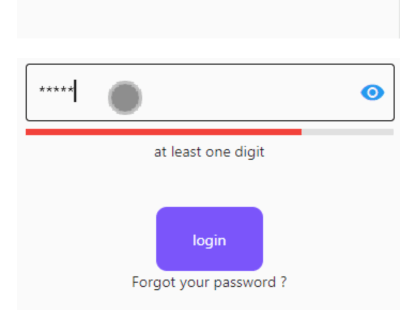
 v2.2.5
validation_textformfield
Flutterのテキストフィールド検証を使用すると、Flutterアプリ内のさまざまなテキストフォームフィールドを検証できます。
37いいね 4130日間ダウンロード130Pub ポイント
AndroidiOSWebmacOSWindowsLinux
Flutterのテキストフィールド検証により、Flutterアプリ内のさまざまなテキストフォームフィールドを検証できます

以下は英語原文のスナップショットです。最新版は GitHub をご覧ください。
dart pub get):dependencies:
validation_textformfield: Update version
import 'package:validation_textformfield/validation_textformfield.dart';
A Flutter package for launching a Validation TextFormField . Supports iOS, Android, web, Windows, macOS, and Linux.
EmailValidationTextField(
 whenTextFieldEmpty: "Please enter  email",
 validatorMassage: "Please enter valid email",
 decoration: InputDecoration(
 focusedBorder: OutlineInputBorder(
 borderSide: BorderSide(color: Colors.black, width: 0.5),
),
 enabledBorder: OutlineInputBorder(
 borderSide: BorderSide(color: Colors.black, width: 0.5),
),
 border: OutlineInputBorder(),
 counterText: '',
 hintStyle: TextStyle(color: Colors.black, fontSize: 18.0)),
 textEditingController: txtEmailCtrl,
)
PassWordValidationTextFiled(
 lineIndicator:false,
 passwordMinError: "Must be more than 5 charater",
 hasPasswordEmpty: "Password is Empty",
 passwordMaxError: "Password to long",
 passWordUpperCaseError: "at least one Uppercase (Capital)lette",
 passWordDigitsCaseError: "at least one digit",
 passwordLowercaseError: "at least one lowercase character",
 passWordSpecialCharacters: "at least one Special Characters",
 obscureText: _isObscure,
 scrollPadding: EdgeInsets.only(left: 60),
 onChanged: (value) {
  // print(value);
 },
 passTextEditingController: txtPasswordCtrl,
 passwordMaxLength: 10,
 passwordMinLength: 5,
),
ConfirmPassWordValidationTextFromField(
 obscureText: _isObscure,
// obscureText: _isObscure,
 scrollPadding: EdgeInsets.only(left: 60),
 onChanged: (value) {
// print(value);
 },
 whenTextFieldEmpty: "Empty",
 validatorMassage: "Password not Match",
 confirmtextEditingController: txtConfPasswordCtrl,
// passtControllername:txtPasswordCtrl
),
See the example app for more complex examples.


For help getting started with Flutter, view our online documentation.
依存関係一覧 3 件
{"sdk":"flutter"}{"sdk":"flutter"}^1.0.0用途で絞り込み、開発状況を比較し、採用前に元のリポジトリで要件を確認しましょう。
“A repository is the most basic element of GitHub.”
GitHub Docs — About repositories ↗