
 v0.0.5
avatar_plus
ランダムな文字列コンテンツを持つカスタマイズ可能なアバターの生成と表示に適した汎用的なFlutterパッケージ。ユーザープロフィールやプレースホルダーなどに最適です。
54いいね 110030日間ダウンロード140Pub ポイント
AndroidiOSWebmacOSWindowsLinux
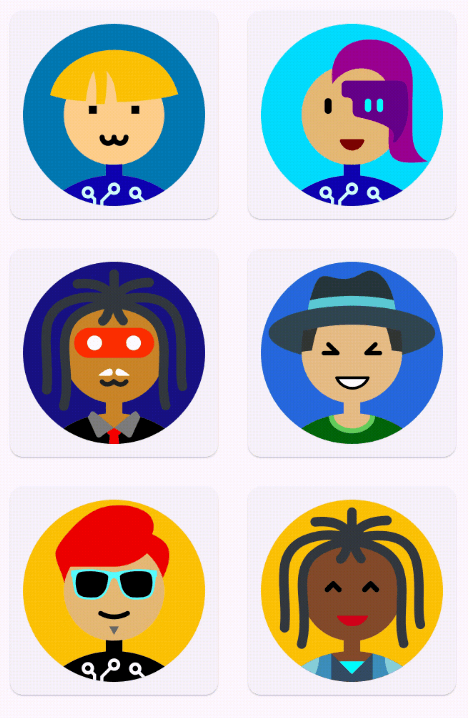
Avatar Plus は、Flutter パッケージで、簡単に独自のアバターを生成およびカスタマイズできるようにします。最大 120 億個のユニークなアバターが可能であり、プロフィール画像やゲームロゴを作成する、またはデザインプロジェクトに個性を加えるのに最適です。

{"sdk":"flutter"}^3.0.3^2.0.0+1{"sdk":"flutter"}^4.0.0以下は英語原文のスナップショットです。最新版は GitHub をご覧ください。
https://raw.githubusercontent.com/YudizAndroidNareshP/Avatar-Plus/main/screenshots/banner.png
pub package package publisher GitHub code size
Avatar Plus is a Flutter wrapper for Multiavatar that allows you to generate and customize unique avatars easily. With up to 12 billion unique avatars possible, this package is perfect for creating profile pictures, gaming logos, or adding personalized touches to your design projects.
| https://raw.githubusercontent.com/YudizAndroidNareshP/Avatar-Plus/main/screenshots/demo.gif | https://raw.githubusercontent.com/YudizAndroidNareshP/Avatar-Plus/main/screenshots/screen-1.png | https://raw.githubusercontent.com/YudizAndroidNareshP/Avatar-Plus/main/screenshots/screen-2.png |
|---|---|---|
'Screen 1' |
'Screen 3' |
'Screen 2' |
Here is a basic example demonstrating how to use the avatar_plus package with various
customization options:
AvatarPlus("Jonny")
Add the following line to your pubspec.yaml file under dependencies:
dependencies:
  avatar_plus: ^1.0.0
Then run:
flutter pub get
To use Avatar Plus in your Flutter application:
import 'package:avatar_plus/avatar_plus.dart';
Here's a simple example of how to generate an avatar using Avatar Plus:
import 'package:flutter/material.dart';
import 'package:avatar_plus/avatar_plus.dart';

void main() {
  runApp(const MyApp());
}

class MyApp extends StatelessWidget {
  const MyApp({super.key});

  @override
  Widget build(BuildContext context) {
    return MaterialApp(
      title: 'Avatar Plus example',
      theme: ThemeData(
        primarySwatch: Colors.blue,
      ),
      home: const Example(),
    );
  }
}

class Example extends StatelessWidget {
  const Example({super.key});

  @override
  Widget build(BuildContext context) {
    return Scaffold(
      bottomNavigationBar: const Column(
        crossAxisAlignment: CrossAxisAlignment.center,
        mainAxisSize: MainAxisSize.min,
        children: [
          Text(
            "Avatar Plus",
            style: TextStyle(fontSize: 40),
          ),
          Text("Yudiz Solutions Limited © 2024"),
          SizedBox(
            height: 20,
          )
        ],
      ),
      body: Center(
        child: AvatarPlus(
          "jonny",
          height: MediaQuery.of(context).size.width - 20,
          width: MediaQuery.of(context).size.width - 20,
        ),
      ),
    );
  }
}
You can generate avatars in various formats using Avatar Plus:
String svgCode = AvatarPlusGen.instance.generate("Jonny");
String svgCode = AvatarPlusGen.instance.generate("Jonny", trBackground: true);
Widget svgWidget = AvatarPlus("Jonny", height: 100, width: 100);
Widget svgWidget = AvatarPlus("Jonny", trBackground: true, height: 100, width: 100);
This project is licensed under the MIT License - see the LICENSE file for details.
| YudizAndroidNaresh YudizAndroidNaresh 🚇 ⚠️ 💻 |
Contributions are welcome! Please open an issue or submit a pull request on the GitHub repository if you would like to contribute to Avatar Plus.
If you encounter any issues or have questions, feel free to open an issue on GitHub.