 v4.0.2
settings_ui
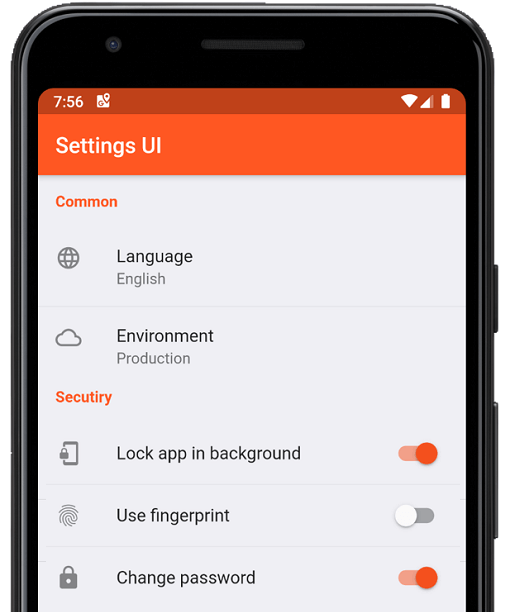
数分でFlutterアプリ用のネイティブ設定を作成します。単一のインターフェースを使用して構築します
1040いいね 21.2万30日間ダウンロード160Pub ポイント
AndroidiOSWebmacOSWindowsLinux
:weight_lifting: :medal_sports: オープンソースでクロスプラットフォーム対応のHIITおよびタバタインターバルタイマー。プルリクエストを歓迎します!

以下は英語原文のスナップショットです。最新版は GitHub をご覧ください。





OpenHIIT is a free, open-source interval timer app built with Flutter. Create unlimited workout timers with custom audio/visual cues. No ads, no paywalls, no subscriptions.
▶️ The background timer package is developed separately here.
| ⏲️ Customizable Timers | Build interval timers. |
| 🔊 Visual & Audio Cues | Stay on track with cues for every interval transition. |
| 💾 Save & Load | Store unlimited timer configurations. |
| 📱 Export & Import | Export and share timer configs or import configs. |
| 🖌️ Color Coding | Color-code your timers to keep your routines organized. |
| 🏋️ Exercise Labels | Add exercise names that display on-screen while the timer runs. |
Check out the OpenHIIT Roadmap to see planned features, work in progress, and ideas under consideration. Have a suggestion? Open an issue or start a discussion.
Install Flutter — follow the official Flutter installation guide to set up Flutter and the Dart SDK.
Clone the repository:
git clone https://github.com/a-mabe/openhiit.git
cd openhiit
Install dependencies:
flutter pub get
Run the app — connect a device or start an emulator, then:
flutter run
Encountering an issue? Visit the support page for troubleshooting guidance and known issues.
Contributions are welcome! Please open an issue before creating a PR. To begin working on an issue:
feature/rest-round-alerts).Please check the Roadmap and open issues before starting work to avoid duplication.
OpenHIIT is released under the MIT License. You're free to use, modify, and distribute this app under those terms. See the LICENSE file for full details.
数分でFlutterアプリ用のネイティブ設定を作成します。単一のインターフェースを使用して構築します
画面全体にカラフルな紙吹雪を散らばせます。アプリの達成をスタイリッシュに祝いましょう。紙吹雪の速度、角度、重力、量を制御できます。
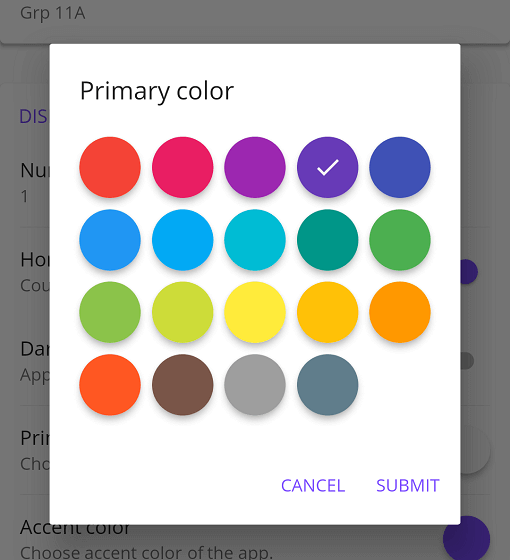
Flutter アプリ向けのカスタマイズ可能な Material 色選択ツール
依存関係一覧 27 件
{"sdk":"flutter"}^1.9.0^4.5.3^0.8.0^2.4.0+2^1.5.2^1.2.0^1.2.3^3.0.0^8.1.0^3.0.0^2.7.0^10.3.10^2.1.3^12.0.2^12.0.0+1^2.5.5^6.3.0^6.1.2^1.0.0^0.1.1^3.0.1^9.0.1^0.14.1{"sdk":"flutter"}^6.0.0{"sdk":"flutter"}用途で絞り込み、開発状況を比較し、採用前に元のリポジトリで要件を確認しましょう。
“A repository is the most basic element of GitHub.”
GitHub Docs — About repositories ↗