

v0.1.1
flutter_bloc_devtools
flutter_bloc用のリモートDevTools。このパッケージはすべてのBlocをリモートDevToolsサーバーに接続し、実行時におけるBlocの変更を検査できるようにします。
27いいね 3130日間ダウンロード40Pub ポイント
プラットフォーム情報なし
flutter_bloc のリモート DevTools。このパッケージはすべての Bloc(Cubit には対応していません)をリモート DevTools サーバーに接続し、実行時に Bloc の変更を確認できるようにします。

以下は英語原文のスナップショットです。最新版は GitHub をご覧ください。
Remote Devtools support for Blocs of flutter_bloc.
N.B. Cubit is not supported
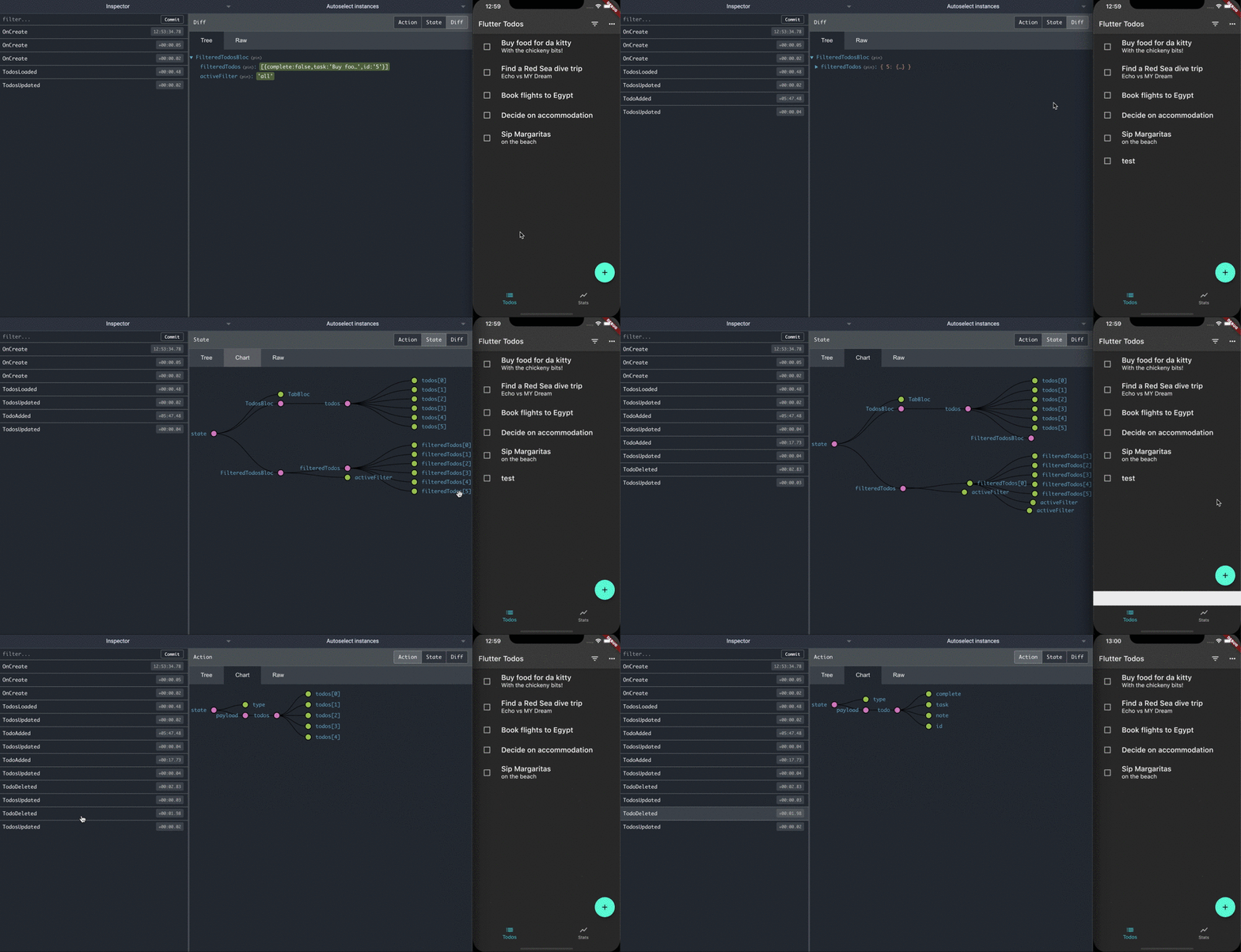
Add the library to pubspec.yaml:
dependencies:
  flutter_bloc_devtools: ^0.1.0
Add RemoteDevToolsObserver to your Bloc.observer:
void main() async {
  final observer = RemoteDevToolsObserver('192.168.1.7:8000');
  await observer.connect();
  Bloc.observer = observer;

  runApp(const CounterApp());
}
Events and States have to implements Mappable:
class CounterState extends Equatable implements Mappable {
  final int counter;

  const CounterState({
    this.counter,
  });

  @override
  List<Object> get props => [
        counter,
      ];

  @override
  Map<String, dynamic> toMap() => {
        'counter': counter,
      };
}
Use the Javascript Remote Devtools package. Start the remotedev server on your machine
npm install -g remotedev-server
remotedev --port 8000
Run your application. It will connect to the remotedev server. You can now debug your flutter_bloc application by opening up http://localhost:8000 in a web browser.
依存関係一覧 3 件
^6.1.0^0.2.0^1.9.0用途で絞り込み、開発状況を比較し、採用前に元のリポジトリで要件を確認しましょう。
“A repository is the most basic element of GitHub.”
GitHub Docs — About repositories ↗